Before upgrading NuStreams-P5G/P9A’s license, please be sure that
NuStreams–P5G/P9 and your PC are connected via mini-USB cable all the
time.
The following sections will demonstrate how to upgrade NuStreams-P5G’s
license. Upgrading NuStreams-P9A’s license is quite similar and can be related.
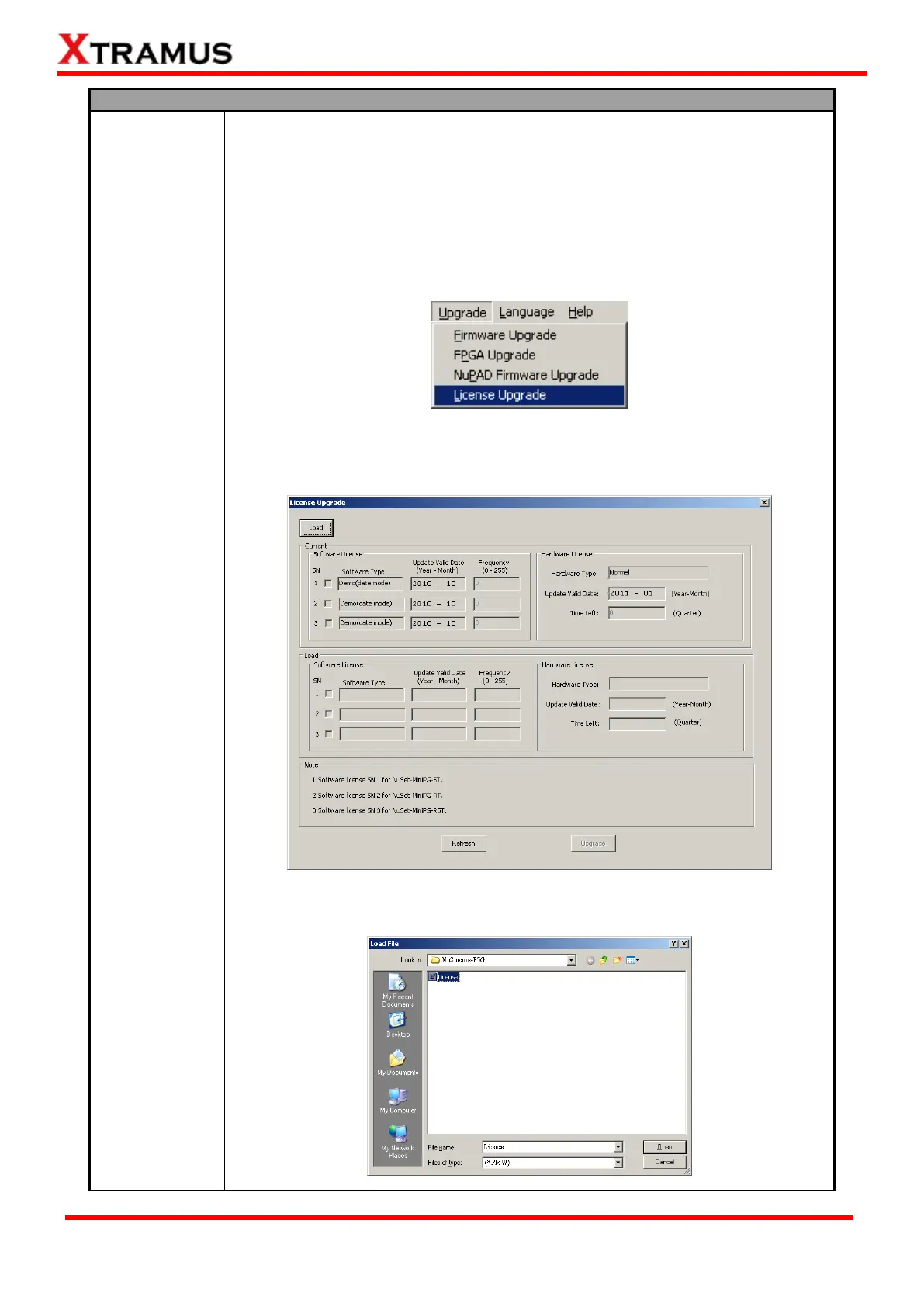
1. To start upgrading NuStreams-P5G’s license, click Upgrade → License
Upgrade on NuSet-MiniPG-UG’s Menu Bar as shown in the figure down below.
2. A License Update window will pop up, showing licenses for NuSet-MiniPG
and NuStreams-P5G. Please click the Load button located on the upper-left part
to start updating license.
3. Select the license file (in the format of “*.PMW”) stored in your PC, then click
“Open”.


 To Next Page
 Loading...
