E-mail: sales@xtramus.com
Website: www.Xtramus.com
5. NuSet-MiniPG
NuSet-MiniPG is a GUI (Graphic User Interface) configuration software that runs under
Microsoft Windows environment.
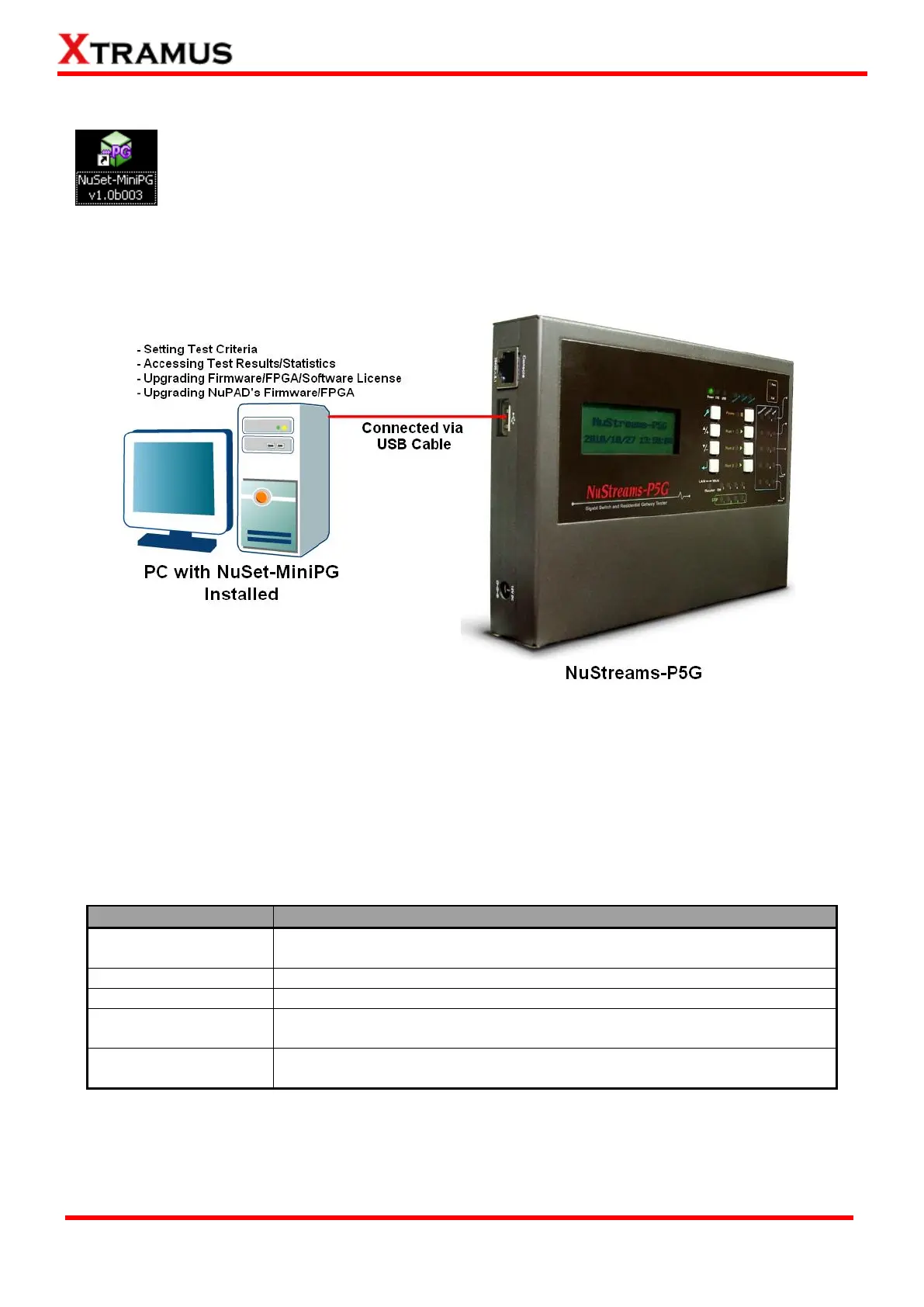
By connecting NuStreams-P5G or NuStreams-P9A with PC to its USB Port with a USB
cable, users can configure test parameters, download testing logs, and upgrade firmware/license. The
figure down below is an example for connecting NuStreams-P5G to PC via an USB cable. You can
connect NuStreams-P9A with your PC in the same manner as well.
All test parameters can be configured with NuSet-MiniPG, including all the configurations that can be set
by buttons located on NuStreams-P5G and NuStreams-P9A’s panels.
Please note that NuSet-MiniPG and NuStreams-P5G’s (or NuStreams-P9A’s) hardware driver must be
installed on PC first. After installing NuSet-MiniPG, NuStreams-P5G’s (or NuStreams-P9A’s) driver will be
installed automatically.
NuSet-MiniPG contains five different utilities with different functions as listed in the table down below:
NuSet-MiniPG-ST utility designed for setting test criteria and accessing
test results/statistics.
NuSet-MiniPG-ST utility designed for testing network switch
NuSet-MiniPG-ST utility designed for testing residential gateway (router)
NuSet-MiniPG-ST utility designed for testing network switch and
residential gateway (router)
NuSet-MiniPG-ST utility designed for upgrading NuStreams-P5G/NuPAD’s
firmware and FPGA.
Note: Please note that this user’s manual will be focusing on NuSet-MiniPG-Config and NuSet-MiniPG
-UG only. As of April 25
th
, 2011, NuSet-MiniPG-ST, NuSet-MiniPG-RT and NuSet-MiniPG-RST are still not
available.



 To Next Page