E-mail: sales@xtramus.com
Website: www.Xtramus.com
5.3.5. Configuring Tasks with NuSet-MiniPG-Config
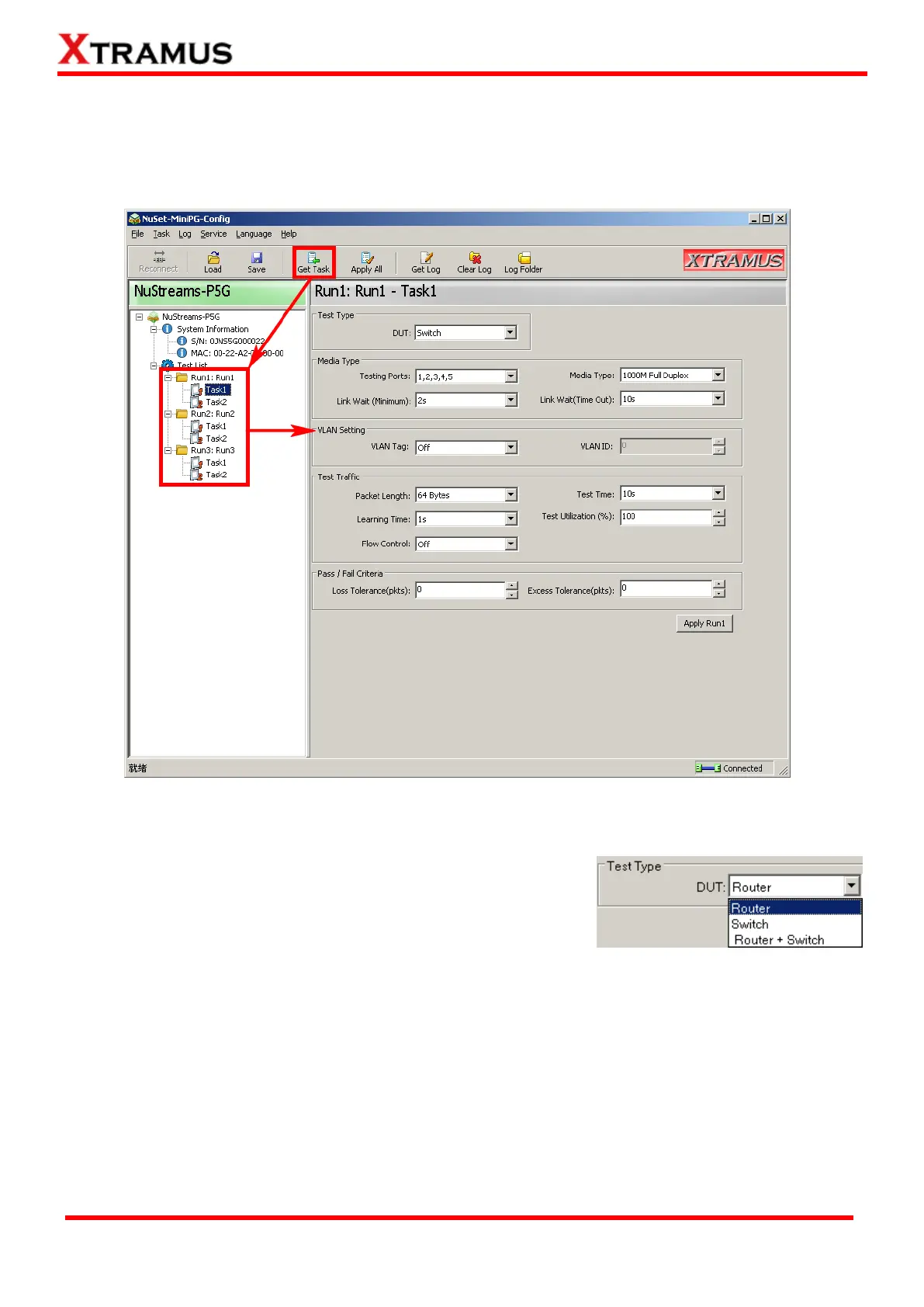
After acquiring all the Tasks stored in NuStreams-P5G/P9A, click the specific Task you would like to
configure on the Info/Run Select List to configure/view all parameters of that Task in Main Display
Window as shown in the figure down below:
Before configuring test parameters in each Task, please select the DUT Test Type first. The test
parameters listed in the Main Display Window will change according to the DUT Test Type you chose.
NuStreams-P5G utility has 3 different test types:
Router: Testing Broadband Router including its WAN abilities.
Switch: Testing Switch and its switch functions.
Router + Switch: Testing Broadband Router as well as its
switch functions.



 To Next Page