E-mail: sales@xtramus.com
Website: www.Xtramus.com
5.3.2.4. Menu Bar – Service
If NuStreams- P5G or NuStreams-P9A’s password has been changed, you
could reset it to default ( ) by “Clear Device Password”
function.
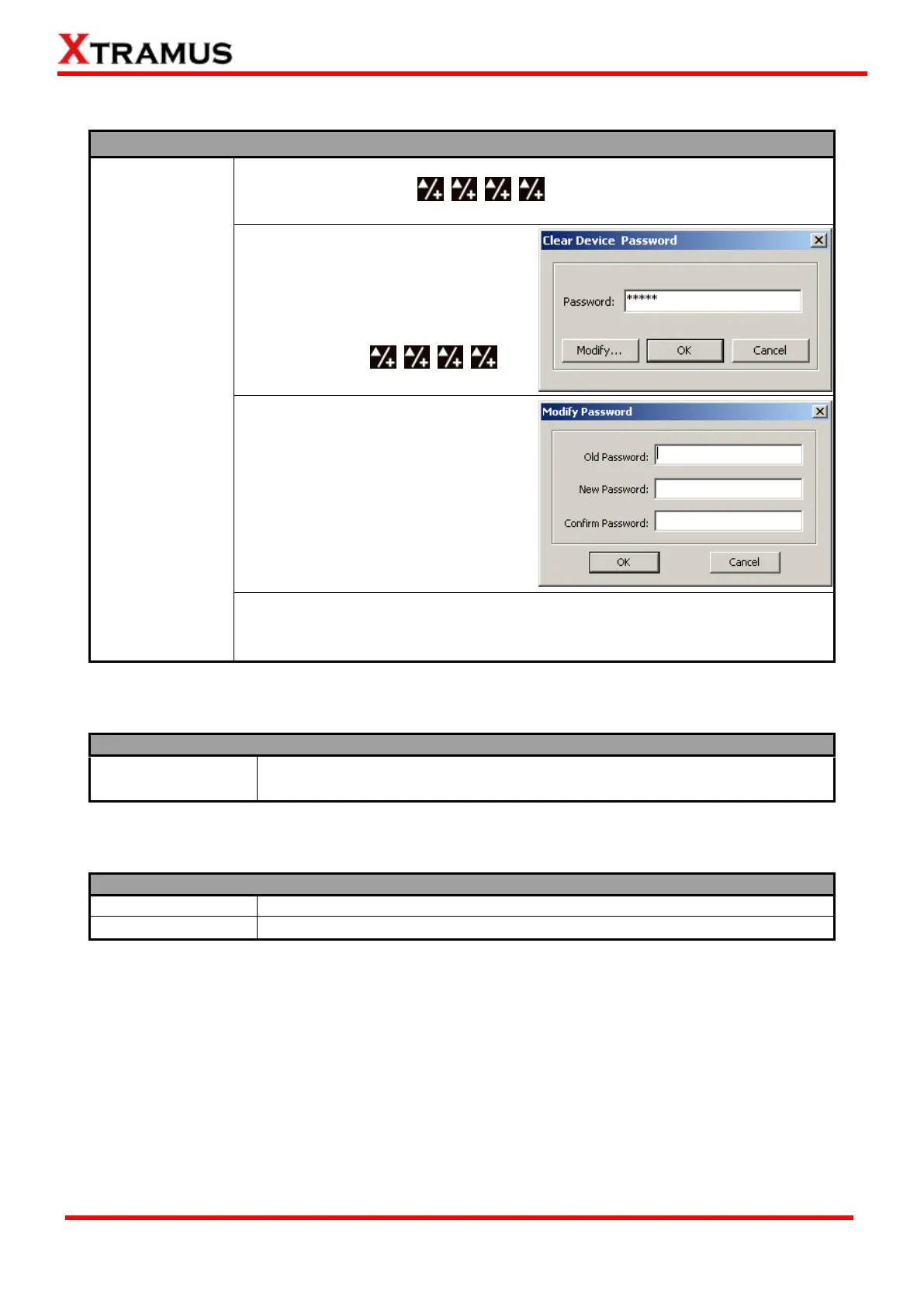
A “Clear Device Password” window
will pop up when you choose this
function from Menu Bar. Input “admin”
in the “Password” column and click
“OK”. The password will be cleared and
set to the default .
You can change NuSet-MiniPG’s
password (default: admin) by click the
“Modify” button on “Clear Device
Password” window. A “Modify
Password” window will pop up.
Input NuSet-MiniPG’s old password
under “Old Password” column, and
type in the new password under both
“New Password” and “Confirm
Password” columns.
If you forget NuSet-MiniPG’s password, please uninstall NuSet-MiniPG, and
re-install it again. NuSet-MiniPG’s password will be set to “admin” after
re-installation.
5.3.2.5. Menu Bar – Languages
English
Simplified Chinese
NuSet-MiniPG-Config has 2 different languages for its UI available. You can
set the language of UI to either English or Simplified Chinese.
5.3.2.6. Menu Bar – Help
An “About” window will pop up and show detailed system information.
Access Xtramus Website (www.xtramus.com).



 To Next Page