E-mail: sales@xtramus.com
Website: www.Xtramus.com
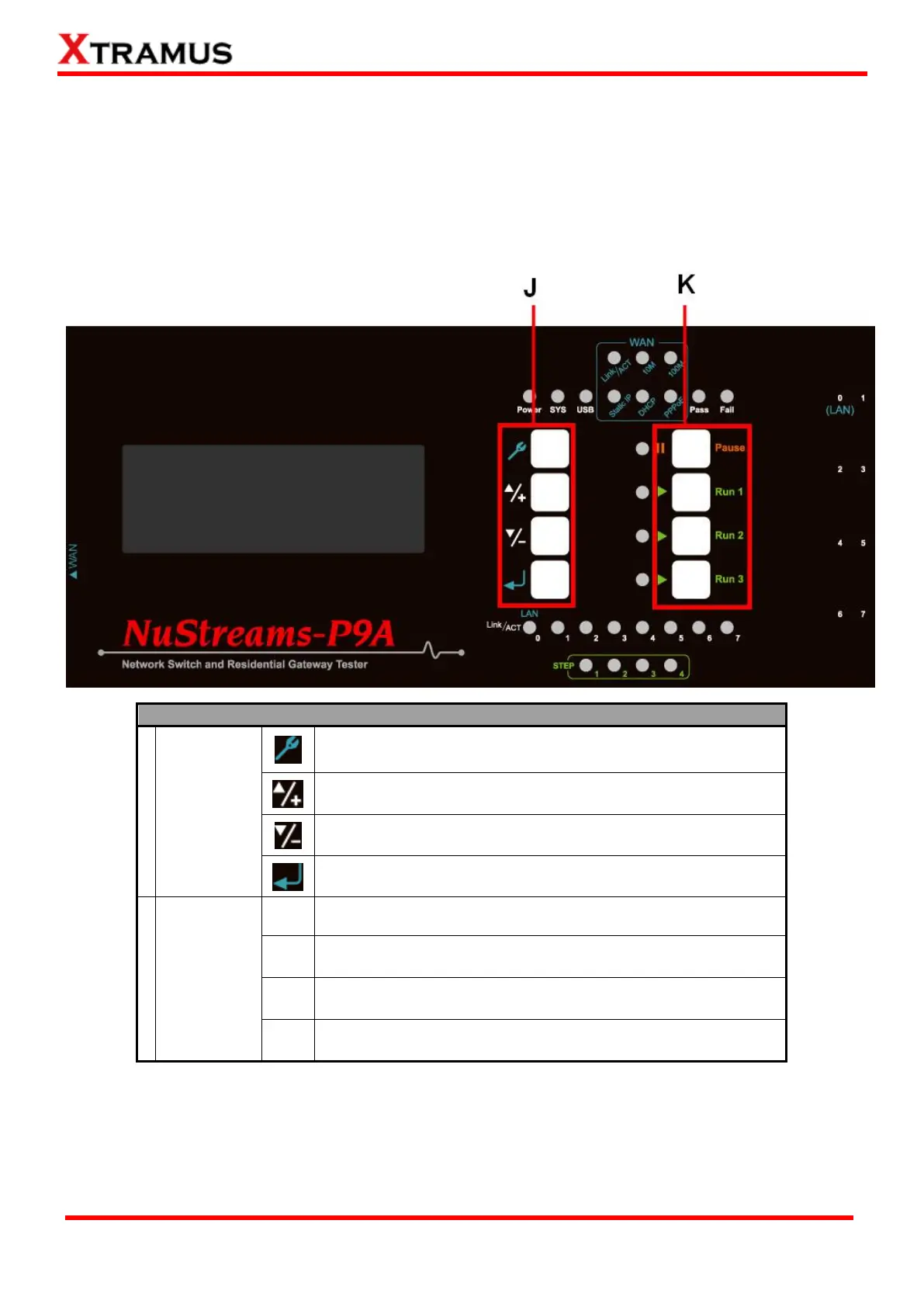
4.2. NuStreams-P9A Front Panel Buttons & LCD
4.2.1. NuStreams-P9A Control Buttons Overview
With NuStreams-P9A’s control buttons located on its front panel, all test parameters and system
configurations can be set via these buttons.
Table down below is a list of brief descriptions for NuStreams-P9A’s control buttons.
Enter the Main Menu(*) or return to the previous Menu
Move the select cursor up
Move the select cursor down
Execute the selected selection
Pause the current running test
Start all Tasks set in Run 1. Up to 4 Tasks can be configured in
Run 1 hotkey. Press this button to test ALL TASKS AT ONCE.
2
nd
hotkey that works as Run 1
3
rd
hotkey that works as Run 1
*Menu will be displayed on the LCD screen.



 To Next Page