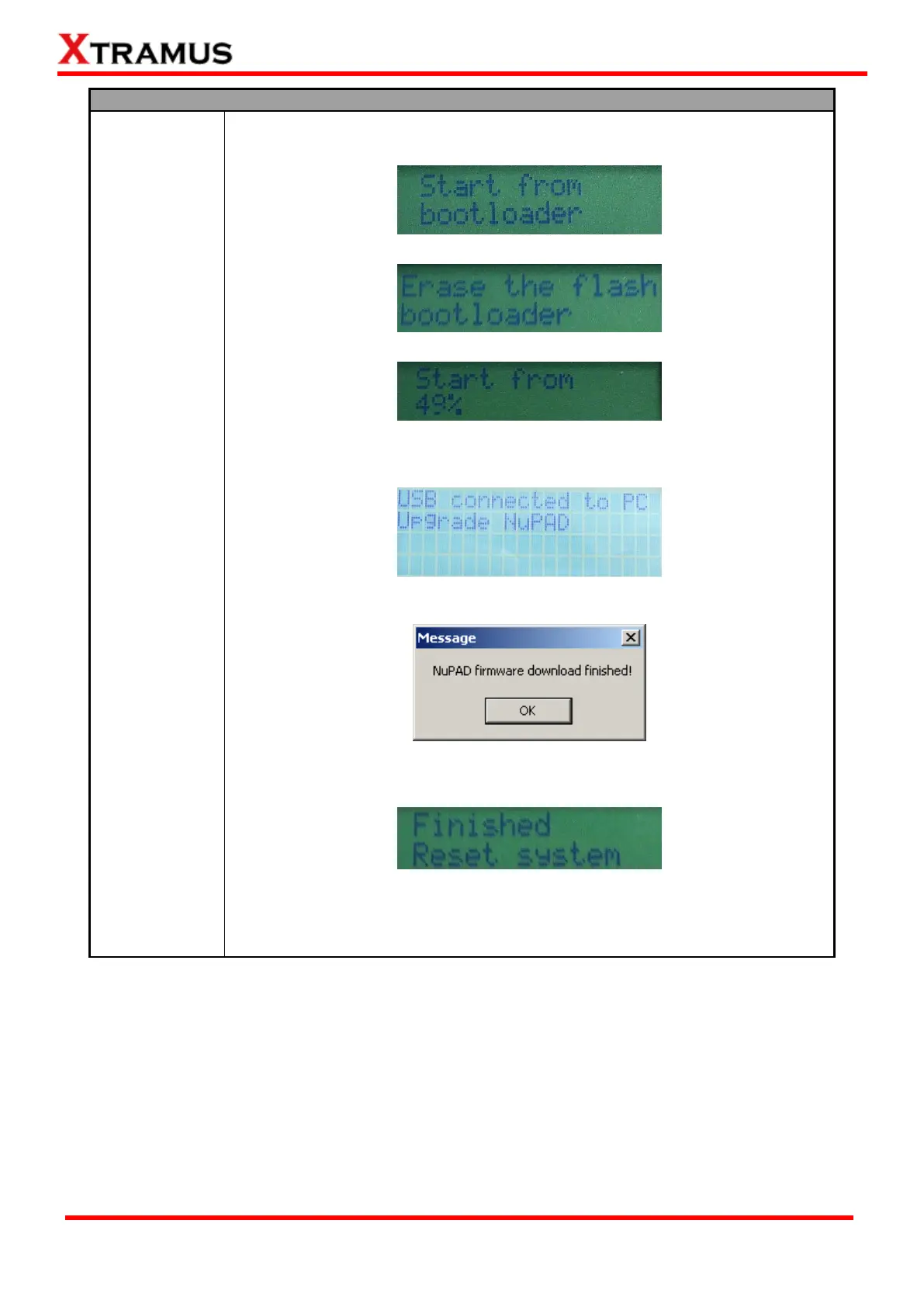
5. During the firmware uploading process, NuPAD’s LCD screen will show the
firmware upgrading process as shown in the figures down below.
↓
↓
6. During the firmware uploading process, NuPAD’s LCD screen will display
messages as figure shown down below.
7. Firmware upgrading completes. Please click OK to continue.
8. When the firmware completes uploading, NuPAD’s LCD will display messages
as figure shown down below.
9. NuPAD will reboot and try to re-connect with NuStreams-P5G after upgrading
its firmware. Please remove the USB cable between your PC and
NuStreams-P5G when NuPAD is connecting to NuStreams-P5G.


 To Next Page
 Loading...
