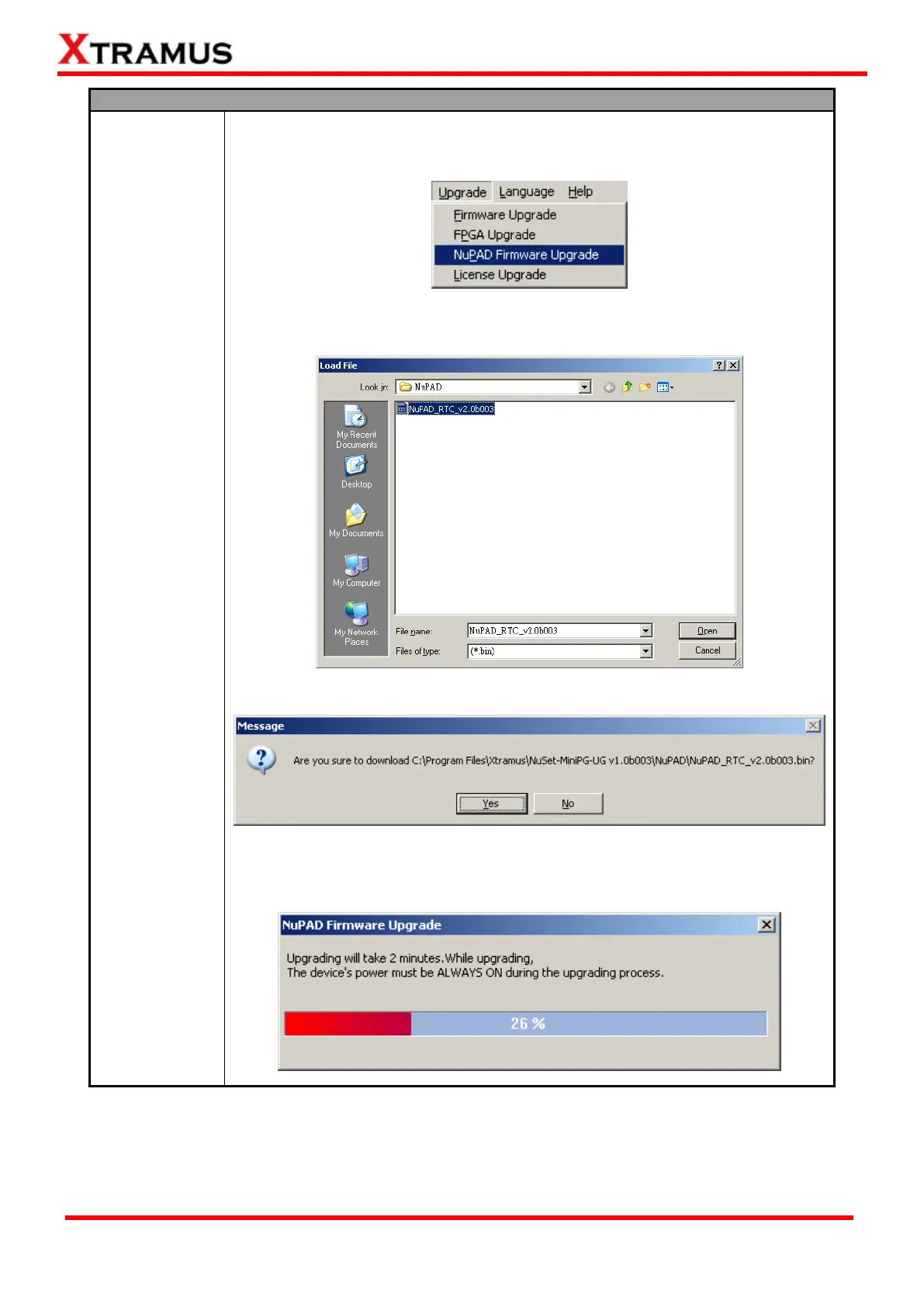
1. To start upgrading NuStreams-P5G’s firmware, click Upgrade → NuPAD
Firmware Upgrade on NuSet-MiniPG-UG’s Menu Bar as shown in the figure
down below.
2. Select NuPAD’s firmware (in the format of “*.bin”) stored in your PC, then click
“Open”.
3. Click Yes to start upgrading firmware.
4. NuSet-MiniPG-UG will start the NuPAD firmware upgrading process. Please
note that during the upgrading process, NuPAD, NuStreams-P5G, and your PC
must be power on and connected properly at all time.


 To Next Page
 Loading...
