E-mail: sales@xtramus.com
Website: www.Xtramus.com
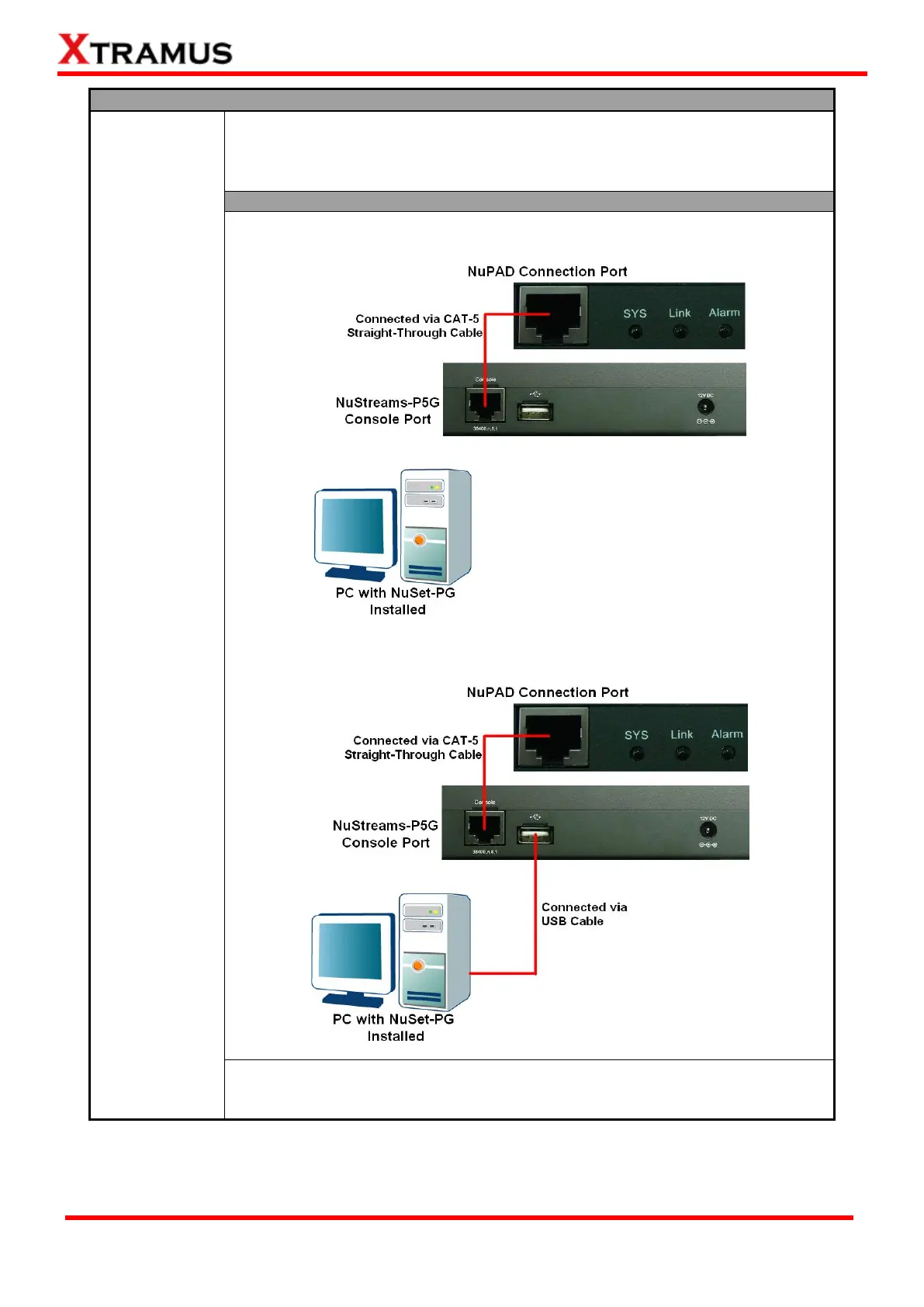
Before upgrading NuPAD’s firmware, please connect NuPAD, NuStreams-P5G,
and your PC properly as shown below. The following sections will demonstrate
how to upgrade NuPAD’s firmware with NuStreams-P5G. Upgrading NuPAD’s
firmware with NuStreams-P9A is quite similar and can be related.
Installation for Upgrading NuPAD
1. Connect NuPAD with NuStreams-P5G’s Console Port via a CAT-5 Straight-
through cable as shown in the figure down below.
2. Connect NuStreams-P5G’s USB Port with your PC via a USB cable as
shown in the figure down below.
After connecting NuPAD, NuStreams-P5G, and your PC according the
descriptions shown above, please start upgrading NuPAD’s firmware according
to steps shown on the following page.


 To Next Page
 Loading...
