112
FCC and CANADA
Display the Certications of
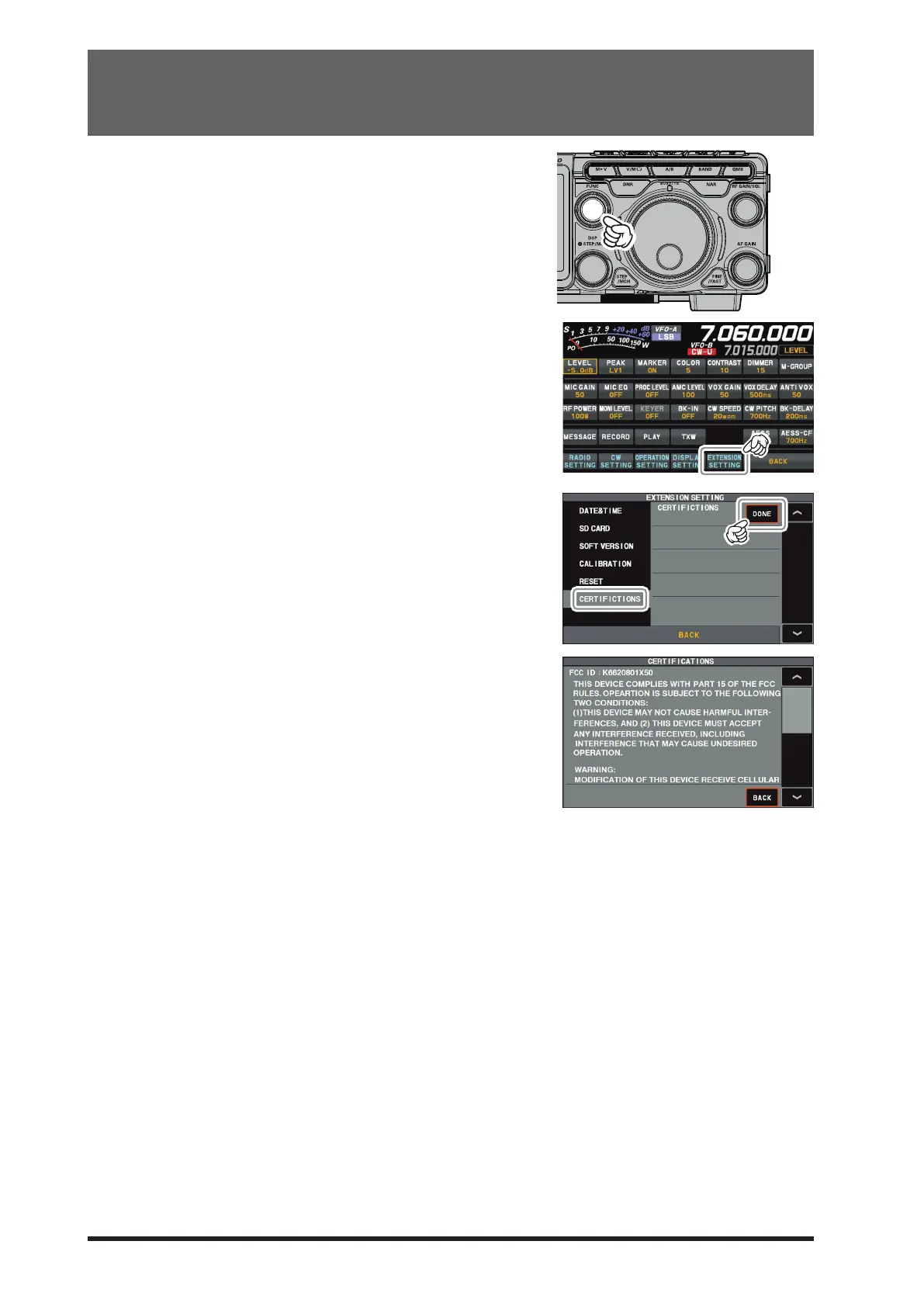
1. Press the [FUNC] knob.
2. Touch [EXTENSION SETTING].
3. Select [CERTIFICTIONS], then touch “DONE” of the
“CERTIFICTIONS” item.
The Certications of FCC and CANADA are displayed.
4. Touch “BACK” to return to the Setting Menu screen.
5. Touch [BACK] several times to return to normal operation.



 To Next Page