63
• Scan Skip Setting
The “Frequency display” or “Name display” format
may be selected.
1. Press and hold the [V/M
] key.
The memory channel list will be displayed.
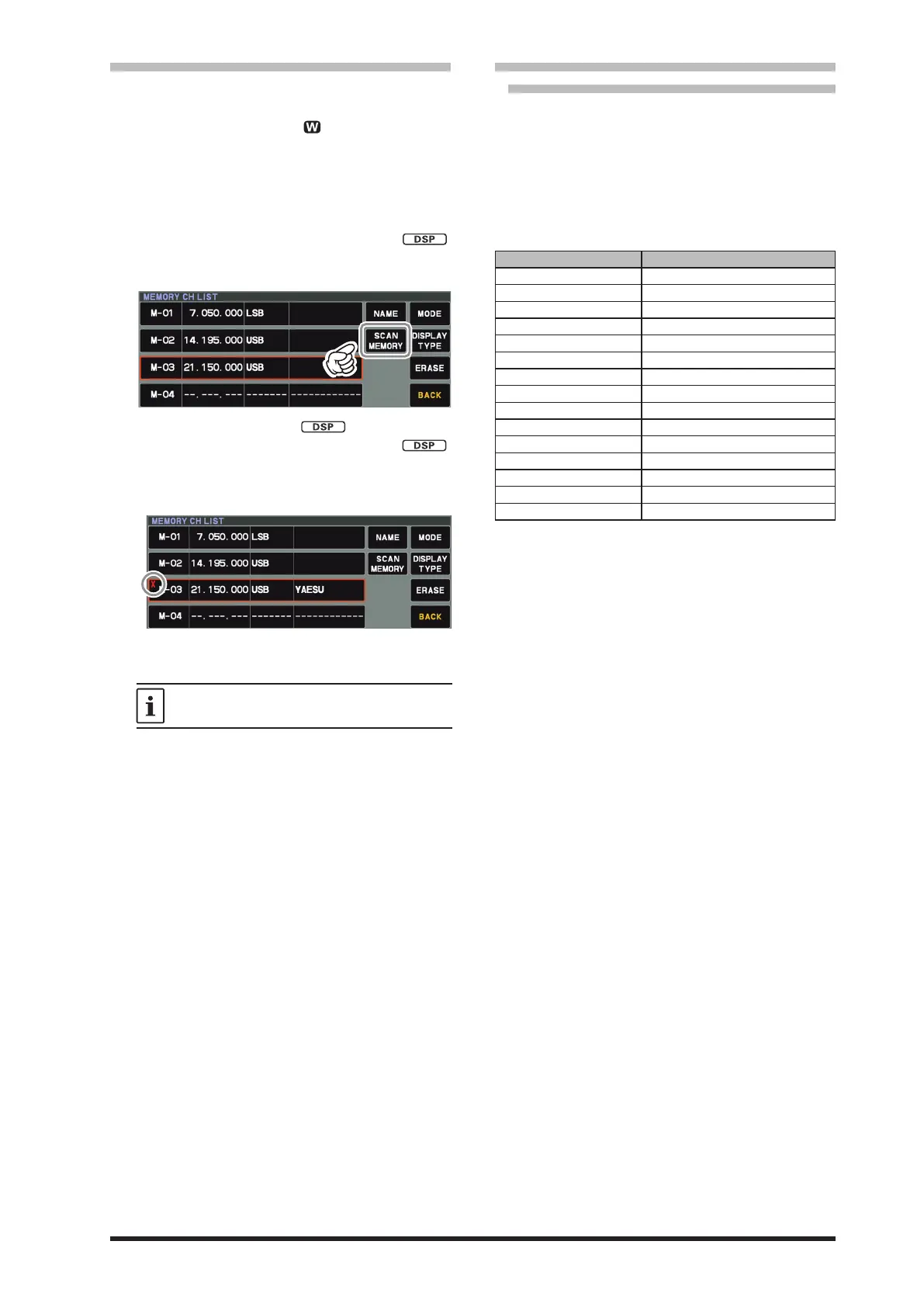
2. From the channel list, touch and select the
Memory Channel to be skipped during scan-
ning.
Alternately, the memory channel may be
selected by rotating the
[STEP • MCH / ]
knob.
3. Touch [SCAN MEMORY] area.
4. Rotate the
[STEP • MCH / ]
knob to select
“SKIP”, then press the [STEP • MCH /
]
knob.
● “X” lights up for channels for which “SKIP”
is set.
5. Touch [BACK] to save the new setting and re-
turn to normal operation.
To re-institute a channel into the scanning
loop, select “SCAN” in step 4 above.
• 60-Meter (5 MHz) Band
(U.S. Version only)
Memory channels (U.S. version: “5-01” through
“5-10”) are pre-programmed, at the factory, with
the permitted frequencies in the 5 MHz band, and
the USB or CW-U mode is automatically selected
on these channels.
These channels appear after the “last” PMS
channel (“M-P9U”).
Channel Number Frequency (U.S. Version)
5-01 5.332.000 MHz (USB)
5-02 5.348.000 MHz (USB)
5-03 5.358.500 MHz (USB)
5-04 5.373.000 MHz (USB)
5-05 5.405.000 MHz (USB)
5-06 5.332.000 MHz (CW-U)
5-07 5.348.000 MHz (CW-U)
5-08 5.358.500 MHz (CW-U)
5-09 5.373.000 MHz (CW-U)
5-10 5.405.000 MHz (CW-U)
5-11 5.332.000 MHz (DATA-U)
5-12 5.348.000 MHz (DATA-U)
5-13 5.358.500 MHz (DATA-U)
5-14 5.373.000 MHz (DATA-U)
5-15 5.405.000 MHz (DATA-U)



 To Next Page