61
• Recall a Memory Channel other than
the last used VFO frequency
Rotate the [STEP • MCH
/
] knob
to select a memory
1. Press the [V/M ] key.
2. Rotate the
[STEP • MCH / ]
knob, to se-
lect the desired memory channel.
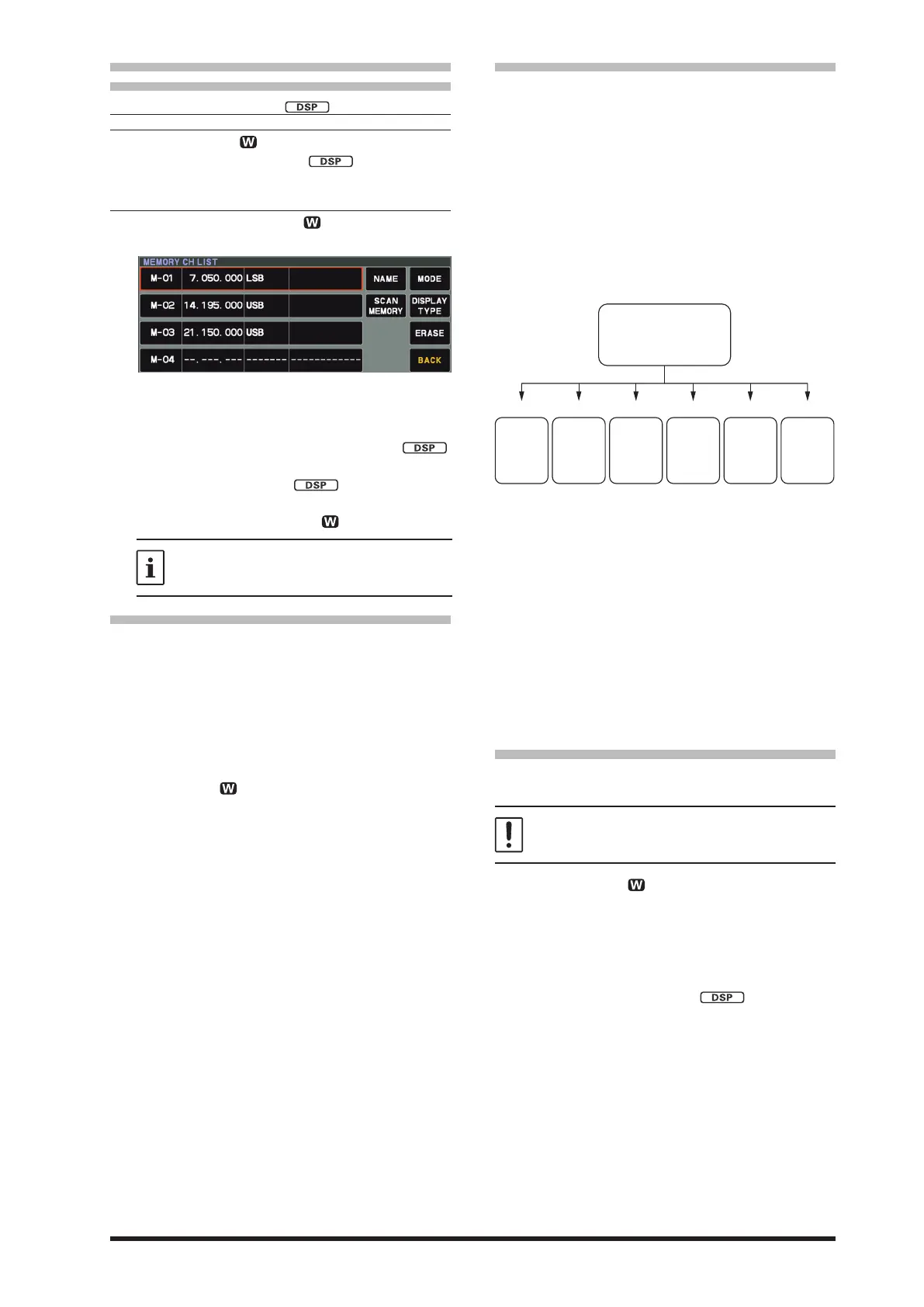
Touch the display to select a memory
1. Press and hold the [V/M
] key.
The memory channel list will be displayed.
2. From the channel list, touch and select the
desired memory channel.
Alternately, the memory channel may be
selected by rotating the
[STEP • MCH / ]
knob.
3. Press the
[STEP • MCH / ]
knob.
4. To exit from memory mode and return to the
VFO mode, press the [V/M ] key.
If a memory group is set, the channels
stored in the selected memory group may
be recalled.
• Memory Tune Operation
You may freely tune o from any memory channel
in a “Memory Tune” mode, this is similar to VFO
operation. So long as you do not over-write the
contents of the current memory, Memory Tune
operation will not alter the contents of the memo-
ry channel.
● The “MT ” notation will appear instead of the
“M-nn”.
Press the [V/M
] key to return to the original-
ly memorized frequency of the current memory
channel.
• Memory Groups
Memory channels may be listed into as many
as six convenient groups, for easy identification
and selection. For example: groups for AM BC
stations, Short-wave broadcast stations, Contest
frequencies, Repeater frequencies, PMS limits, or
any other desired grouping may be created.
Each memory group may hold up to 20 memo-
ry channels (except Memory Group 01 which is
limited to 19 memory channels). When memory
channels are grouped, the channel numbers
change to correspond to the chart below:
Memory
Channel
P1L/P1U
P9L/P9U
Memory
Channel
1 - 19
Memory
Channel
80 - 99
Memory
Channel
60 - 79
Memory
Channel
40 - 59
Memory
Channel
20 - 39
Group 2 Group 3 Group PMS
Group 5Group 4Group 1
01 - 99
P1L/P1U - P9L/P9U
1. Press the [FUNC] knob.
2. Select [OPERATION SETTING]→[GENER-
AL]→[MEM GROUP].
3. Rotate the [FUNC] knob, or touch “<” or “>”
on either side of the value to select “ON”.
4. Press the [FUNC] knob, or wait for about 3
seconds to save the setting.
5. Touch [BACK] several times to return to nor-
mal operation.
6. To cancel Memory Group operation, repeat
steps 1 through 5 above, choosing “OFF” in
step 3.
Choosing the Desired Memory Group
If desired, just the memories listed within a partic-
ular Memory Group, may be recalled.
Before performing the operation, set the “MEM
GROUP” menu to “ON” (Refer to “Memory
Groups” setting in the above instruction).
1. Press the [V/M ] key, if necessary, to enter
the “Memory” mode.
2. Press the [FUNC] knob.
3. Touch [M-GROUP].
4. Rotate the [FUNC] knob to select the desired
Memory Group.
5. Rotate the [STEP • MCH / ] knob to se-
lect the desired Memory Channel within the
Selected Memory Group.



 To Next Page