47
Change the sound quality of the received audio
You can change each of the high, mid, and low frequencies of the received audio to your liking. It can be
set for each mode.
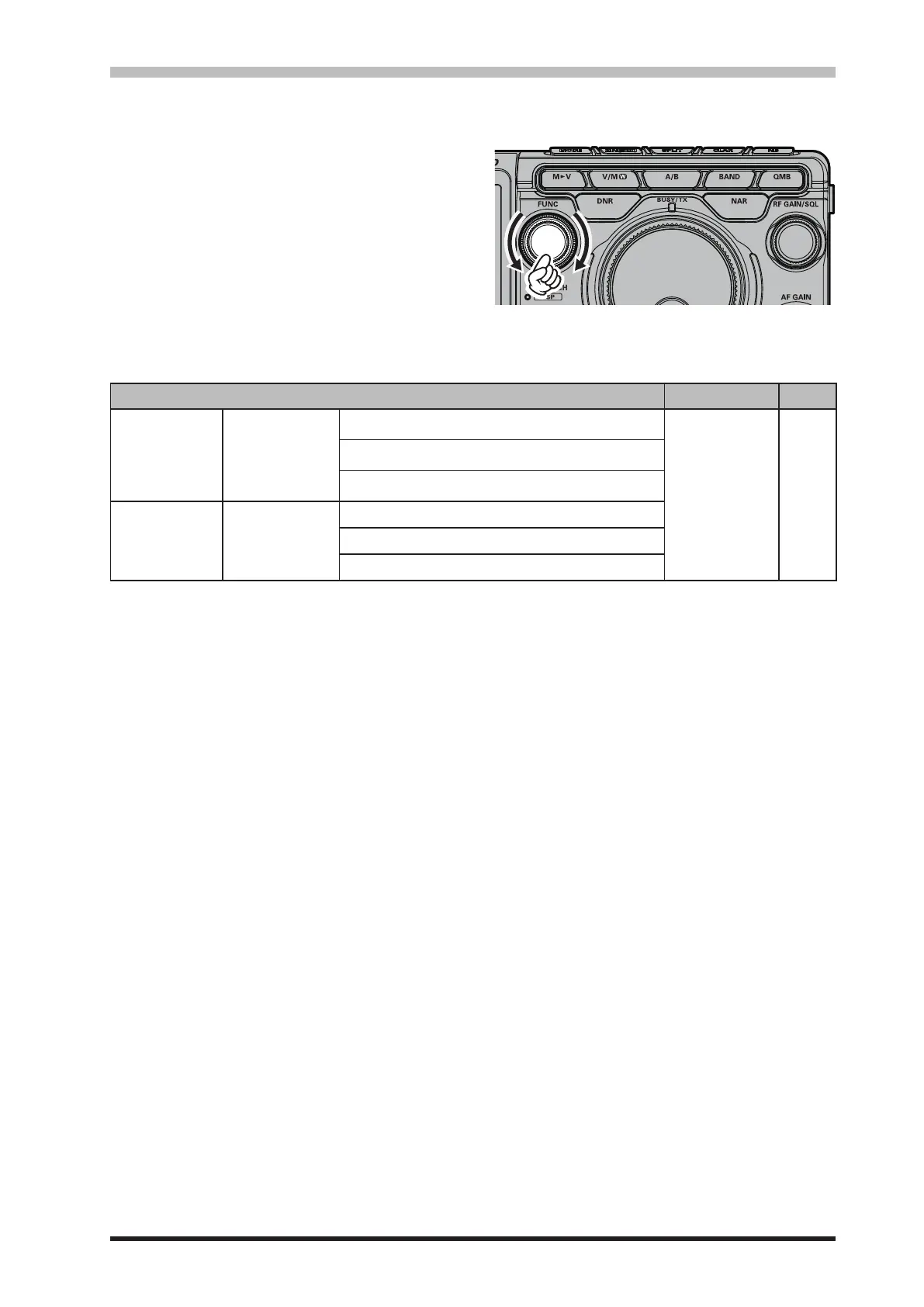
1. Press the [FUNC] knob.
2. Select [CW SETTING] for CW mode and [RA-
DIO SETTING] for other modes.
3. Select the Mode and Menu Item you want to
set (see table below).
4. Rotate the [FUNC] knob, or touch “<” or “>”
on either side of the value to adjust the level.
5. Press the [FUNC] knob, or wait for about 3
seconds to save the setting.
6. Touch [BACK] several times to return to nor-
mal operation.
Menu Item Available Values Default
RADIO SETTING
MODE SSB
MODE AM
MODE FM
MODE PSK/DATA
MODE RTTY
High audio ranges setting
AF TREBLE GAIN
-20 - 10 0
Middle audio ranges setting
AF MIDDLE TONE GAIN
Low audio ranges setting
AF BASS GAIN
CW SETTING MODE CW
High audio ranges setting
AF TREBLE GAIN
Middle audio ranges setting
AF MIDDLE TONE GAIN
Low audio ranges setting
AF BASS GAIN



 To Next Page