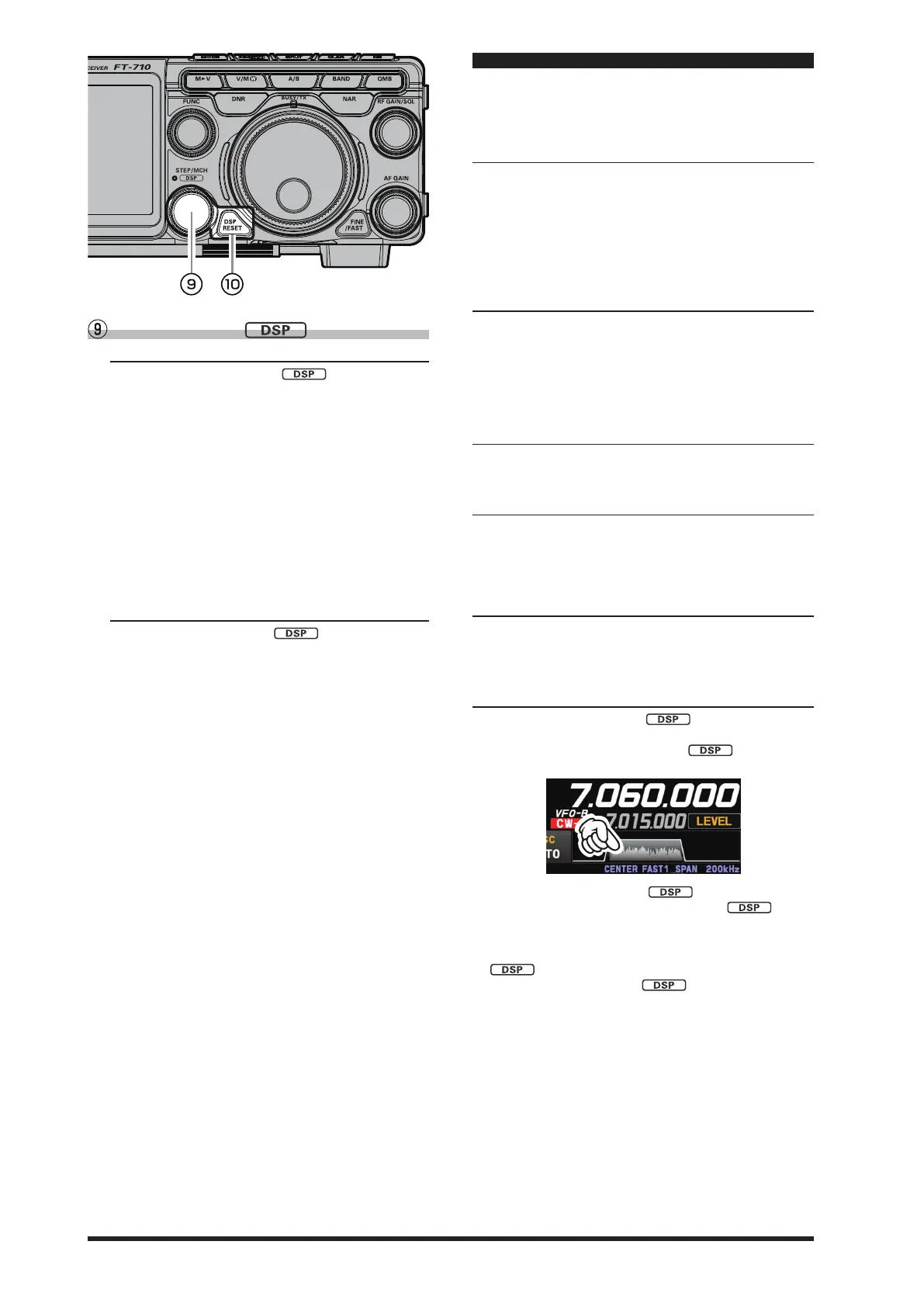
32
STEP
•
MCH /
●
STEP
Turning the [STEP •MCH /
] knob changes
the frequency in 5kHz steps (factory default set-
tings).The frequency step of the step dial function
can be changed by the following operation.
1. Press the [FUNC] knob.
2. Select [OPERATION SETTING] → [TUNING] →
[CH STEP].
3. Rotate the [FUNC] knob, or touch “<” or “>” on ei-
ther side of the value to select a frequency step.
Select from 1kHz/2.5kHz/5kHz/10kHz.
4. Press the [FUNC] knob, or wait for about 3 sec-
onds to save the setting.
5. Touch [BACK] several times to return to normal
operation.
●
MCH
Turning the [STEP • MCH /
] knob in memory
mode, and it will switch the memory channels.
DSP interference removal functions
Pressing this knob momentarily, exchanges the SHIFT,
WIDTH, NOTCH, CONTOUR and APF.
These functions can be operated individually for VFO-A
and VFO-B, on each operating band.
1. SHIFT
IF SHIFT permits moving the Digital filter passband
higher or lower, without changing the pitch of the in-
coming signal, and thus reduce or eliminate interfer-
ence. Because the tuned carrier frequency is not var-
ied, there is no need to re-tune the operating frequency
to eliminate the interference.
The total passband tuning range for the IF SHIFT sys-
tem is ±1.2kHz.
2. WIDTH
The IF WIDTH tuning system allows you to vary the
width of the DSP IF passband, to reduce or eliminate
interference.
Moreover, the bandwidth may actually be expanded
from its default setting, should you wish to enhance in-
coming signal delity when interference on the band is
low.
3. NOTCH
The IF NOTCH lter is a highly eective system that al-
lows removing an interfering beat note or other carrier
signal from within the receiver passband.
4. CONTOUR
The Contour filter system provides a gentle pertur-
bation of the IF lter passband. The Contour is set to
either suppress, or boost specific frequency compo-
nents, and thus enhances the sound and readability of
a received signal
5. APF
During CW operation, when interference or noise is
present, the center frequency is automatically set to the
PITCH frequency, making it easier to hear the desired
signal
●
Setting method
1. Press the [STEP • MCH /
] knob or touch the
spectrum area.
The LED of the [STEP •MCH /
] knob lights
orange.
2. Rotate the [STEP • MCH / ] knob to select the
function, then press the [STEP • MCH /
] knob.
(The function may also be selected by touching the
function name.)
3. While the set value blinks, rotate the [STEP • MCH /
] knob to set the desired value.
4. Press the [STEP • MCH /
] key and then press
the [DSP RESET] key to conrm the setting.



 To Next Page