34
4. CONTOUR
1. Press the [STEP • MCH / ] knob.
2. Rotate the [STEP •MCH/
] knob to select
“CONTOUR”, then press the [STEP • MCH /
]
knob.
(The function may also be selected by touching
“CONTOUR”d.)
The center frequency of “CONTOUR” blinks.
If “CONTOUR” is not displayed, select “APF”
and press the [STEP • MCH /
] knob to
display “CONTOUR”.
3. Rotate the [STEP •MCH /
] knob to achieve
the most natural-sounding audio reproduction of the
incoming signal.
4. Press the [STEP •MCH /
] knob, then press
the [DSP RESET] key or wait for about 5 seconds to
save the setting.
Press and hold the [STEP • MCH /
] knob to
return the center frequency to its initial value.
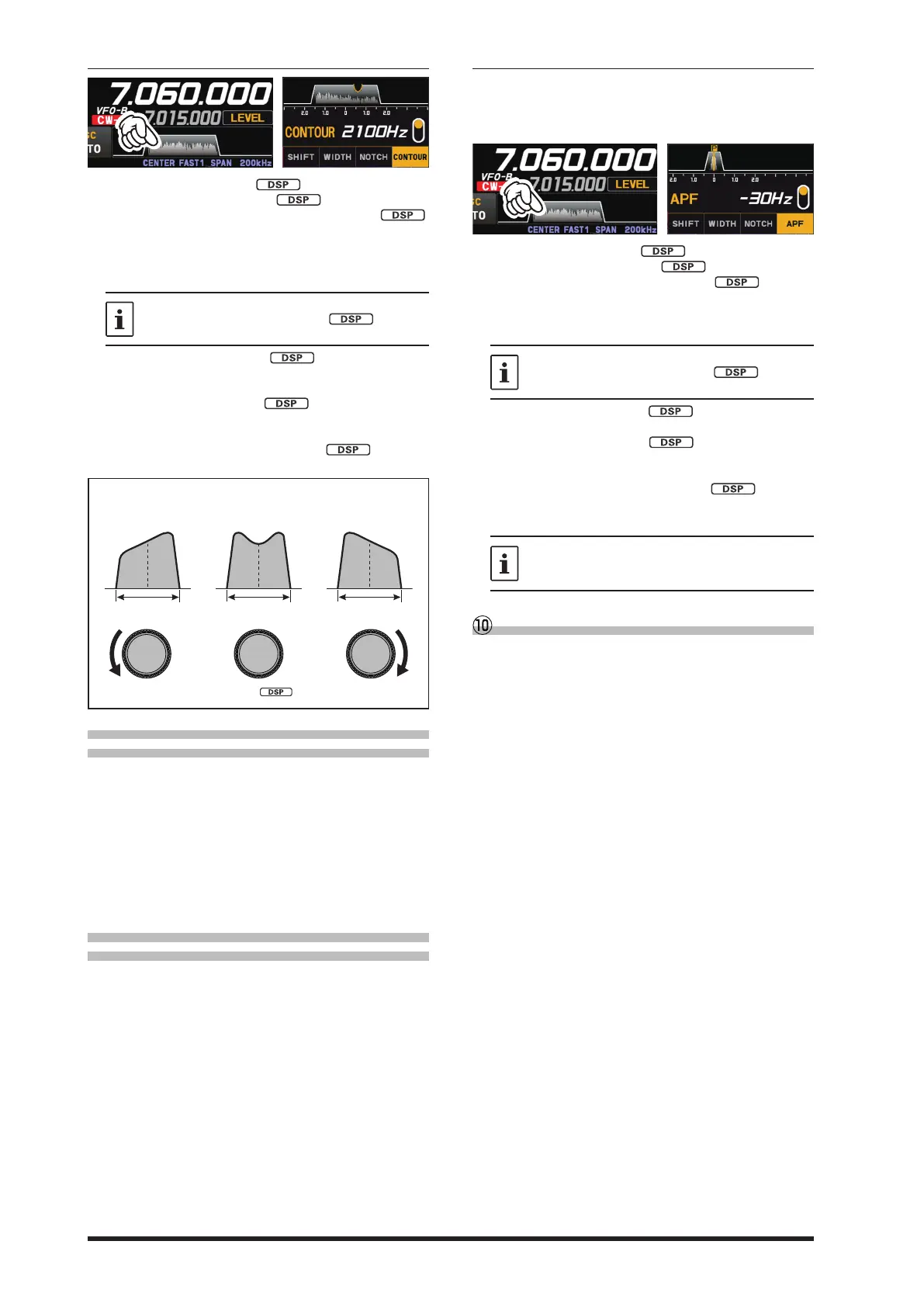
The gure below is a conceptual diagram of CON-
TOUR.
•
IF BANDWIDTH IF BANDWIDTHIF BANDWIDTH
• Adjusting the GAIN of the
CONTOUR Circuit
1. Press the [FUNC] knob.
2. Select [OPERATION SETTING] → [RX DSP] →
[CONTOUR LEVEL].
3. Rotate the [FUNC] knob, or touch “<” or “>” on
either side of the value to set the CONTOUR cir-
cuit gain.
4. Press the [FUNC] knob, or wait for about 3 sec-
onds to save the setting.
5. Touch [BACK] several times to return to normal
operation.
• Sets the Bandwidth (“Q”) of the
CONTOUR Circuit
1. Press the [FUNC] knob.
2. Select [OPERATION SETTING] → [RX DSP] →
[CONTOUR WIDTH].
3. Rotate the [FUNC] knob, or touch “<” or “>” on
either side of the value to set bandwidth (“Q”) of
the CONTOUR circuit.
4. Press the [FUNC] knob, or wait for about 3 sec-
onds to save the setting.
5. Touch [BACK] several times to return to normal
operation.
5. APF
The APF function can be operated individually for
VFO-A and VFO-B, on each operating band (The set-
tings are common to VFO-A and VFO-B, and each op-
erating band).
1. Press the [STEP • MCH / ] knob.
2. Rotate the [STEP •MCH/
] knob to select
“APF”, then press the [STEP • MCH /
] knob.
(The function may also be selected by touching
“APF”.)
The center frequency of APF blinks.
If “APF” is not displayed, select “CONTOUR”
and press the [STEP • MCH /
] knob to
display “APF”.
3. Rotate the [STEP • MCH /
] knob to the left or
right to reduce any interference.
4. Press the [STEP •MCH /
] knob, then press
the [DSP RESET] key or wait for about 5 seconds to
save the setting.
5. Press and hold the [STEP •MCH /
] knob to
restore the APF peak center frequency setting to
“0Hz”, and disable the APF function.
The APF bandwidth can be selected from
NARROW / MEDIUM / WIDE via the Menu
item “APF WIDTH” (page 92).
DSP RESET
Press and hold the [DSP RESET] key to reset
to the default values of the “SHIFT”, “WIDTH”,
“NOTCH”, “CONTOUR”, and “APF” settings for the
current band. A short press while setting “SHIFT”,
“WIDTH”, “NOTCH”, “CONTOUR” or “APF” con-
rms the setting and returns to the normal screen.



 To Next Page