13
AESS
(Acoustic Enhanced Speaker System)
The combination of the internal speaker on top of the transceiver with the external speaker
“SP-40”, reproduces high-quality received audio with a wide frequency range and a three-dimensional
acoustic eect. Set the optimum sound quality by adjusting the output balance and frequency characteris-
tics of the two speakers according to your preference.
• The AESS is designed to function optimally with the included speaker “SP-40”. It will not perform properly
with other speakers.
• When moving or transporting the FT-710, remove the SP-40 to prevent it from falling o.
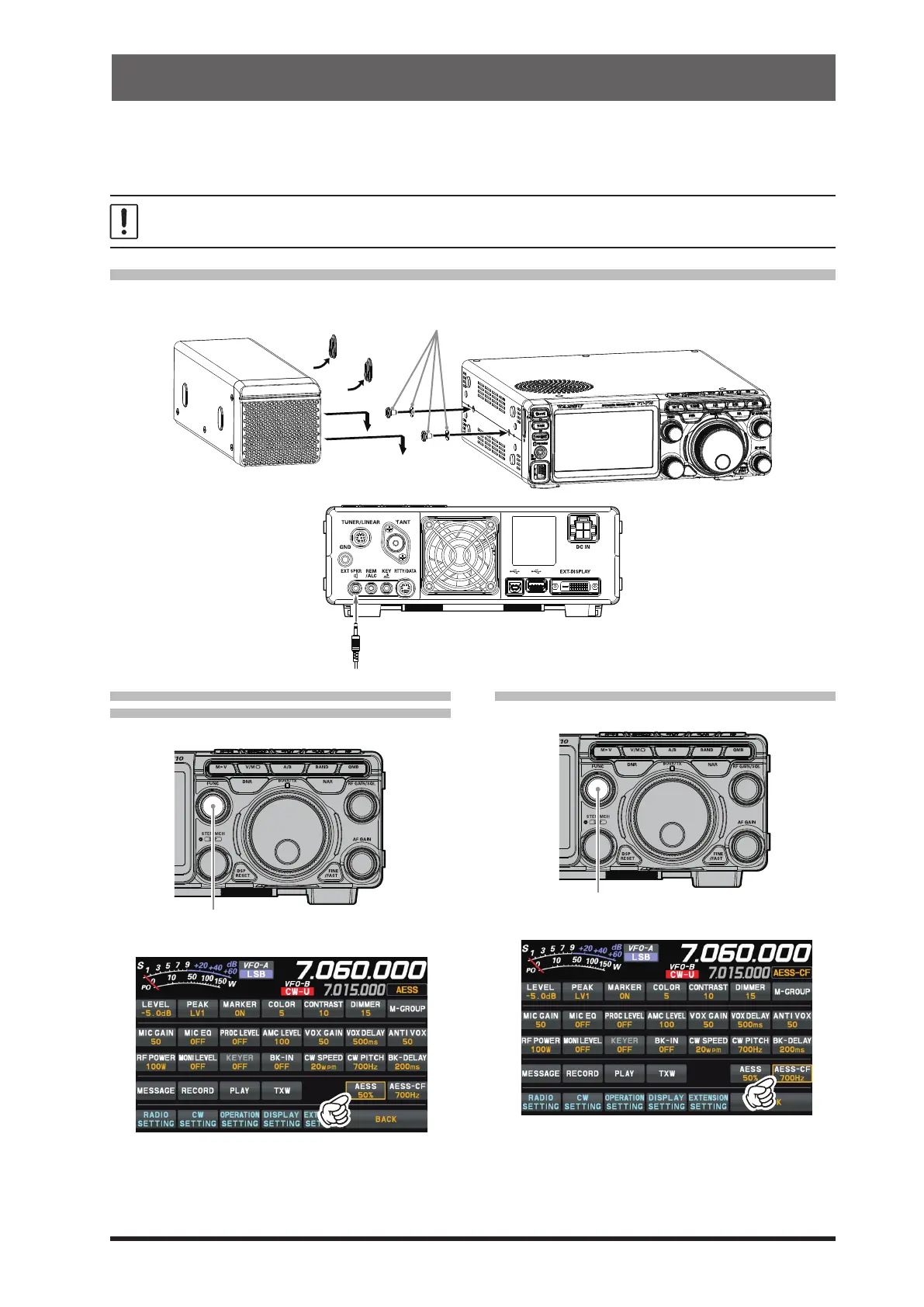
SP-40 connections
The SP-40 can be mounted on either the left or right side of the transceiver.
remove
Supplied washers and screws
Connect the speaker cable to the
“EXT SPKR” terminal on the rear panel.
• Change the output balance of the
two speakers
1. Press the [FUNC] knob.
2. Touch [AESS].
3. Rotate the [FUNC] knob to adjust the output
balance of the two speakers, according to
your liking. It is recommended to use it at
around 50%.
• Change the frequency characteristics
1. Press the [FUNC] knob.
2. Touch [AESS-CF].
3. Rotate the [FUNC] knob to select the cutoff
frequency from “700Hz” and “1000Hz”.
Normally, 700Hz is a balanced sound quality,
but when listening at a loud volume, set it to
1000Hz.



 To Next Page