56
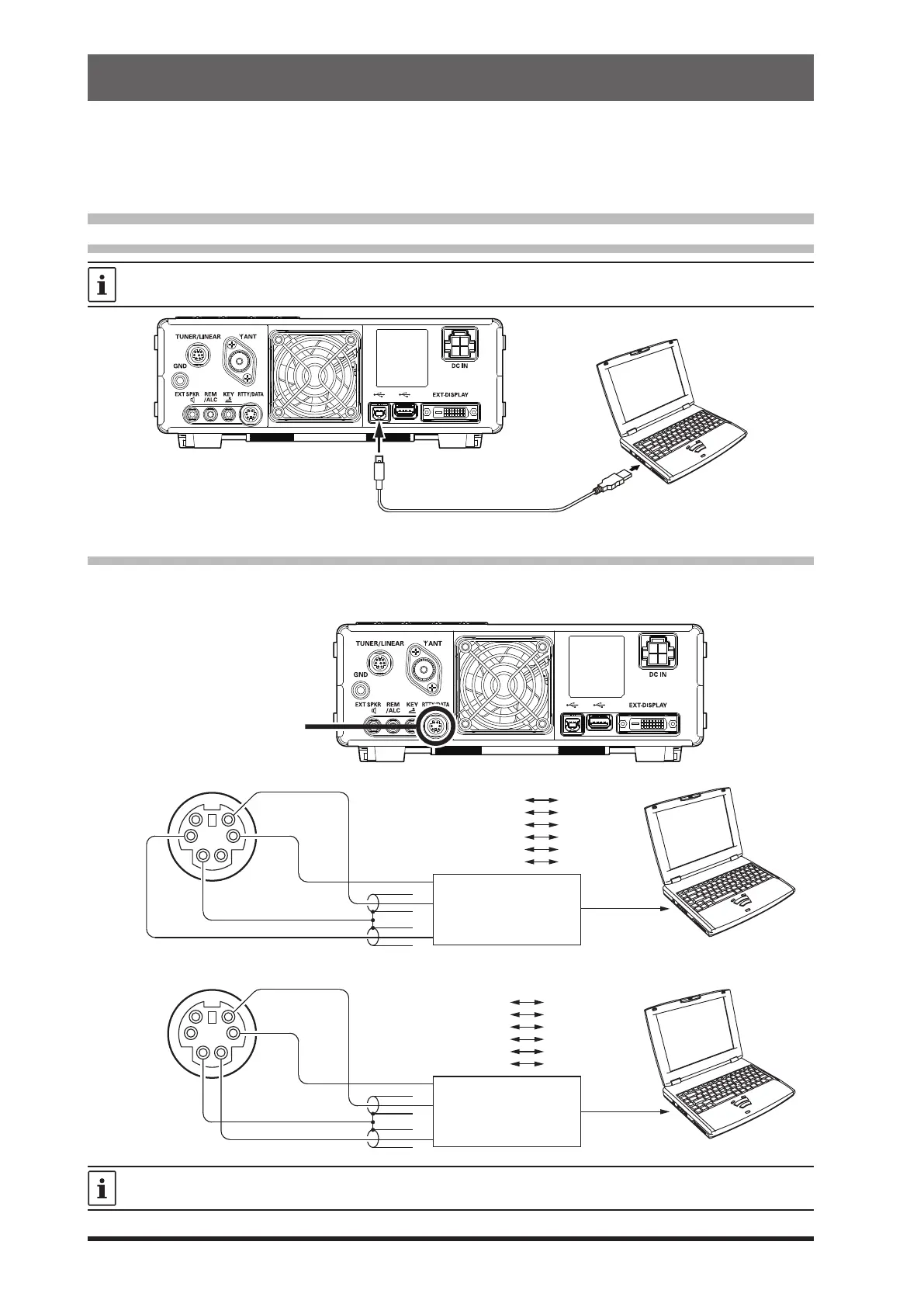
The transceiver and a PC may be connected with a commercially available USB cable (A-B) to operate
data communications using commercially available software and freeware.
Before connecting a RTTY communications TU (Terminal unit) or DATA Communications Device to the
transceiver, also refer to the instruction manual of the connected device.
Connecting to a Personal Computer
• Connecting with a USB cable
To connect to a PC using a USB cable, a Virtual COM port driver must be installed on the PC.
Visit the Yaesu website http://www.yaesu.com/ to download the Virtual COM port driver and Installation Manual.
To USB port
Commercially available USB (A-B) cable
• Connecting to a DATA communications device
Connect the RTTY communications TU (Terminal Unit) or Data Communications Device to the rear panel
RTTY/DATA terminal.
GND
SHIFT
DATA PTT
RTTY/DATA Terminal
DATA IN (Pin 1)
GND (Pin 2)
DATA PTT (Pin 3)
SHIFT (Pin 4)
DATA OUT (Pin 5)
SQL OUT (Pin 6)
TU
N.C.
GND
PTT
FSK OUT
AF IN
N.C.
DATA OUT
GND
DATA IN
RTTY/DATA Terminal
DATA IN (Pin 1)
GND (Pin 2)
DATA PTT (Pin 3)
FSK IN (Pin 4)
DATA OUT (Pin 5)
SQL OUT (Pin 6)
Inter Face
DATA OUT
GND
PACKET PTT
N.C.
DATA IN
N.C.
DATA PTT
DATA OUT
Inter Face
Terminal Unit
RTTY/DATA Terminal
When a signal is input, it can be automatically sent using Menu item “VOX SELECT” (page 95).
DATA (FT8 / RTTY / PSK) Operation



 To Next Page