37
RF GAIN/SQL
RF (default setting)
The RF Gain control provides manual adjustment
of the gain levels for the receiver RF and IF stag-
es, to account for noise and signal strength con-
ditions at the moment.
[RF GAIN/SQL] knob is normally in the fully
clockwise position.
• Before operation, set the operation of
the [RF GAIN/SQL] control to “RF” (see
below). The default setting is “RF”.
• It does not operate in FM/FM-N/
DATA-FM and D-FM-N mode.
SQL
The squelch system allows the back-ground
noise to be muted when no signal is being re-
ceived.
Normally, the squelch is not used during SSB or
CW operation.
Before operation, set the operation of the
[RF GAIN/SQL] control to “SQL”. The de-
fault setting is “RF”.
Rotate the [RF GAIN/SQL] knob to adjust the
squelch until the noise disappears.
If the squelch knob is turned too far to the
right, weak signals cannot be heard
• Switching the operation of the
[RF GAIN/SQL] knob
1. Press the [FUNC] knob.
2. Select [OPERATION SETTING]→[GENERAL]
→ [RF/SQL VR].
3. Select “RF” or “SQL”.
4. Press the [FUNC] knob, or wait for about 3 sec-
onds to save the setting.
5. Touch [BACK] several times to return to normal
operation.
RF GAIN/SQL settings cannot be set sepa-
rately for the VFO-A and the VFO-B.
AF GAIN
Sets the audio level.
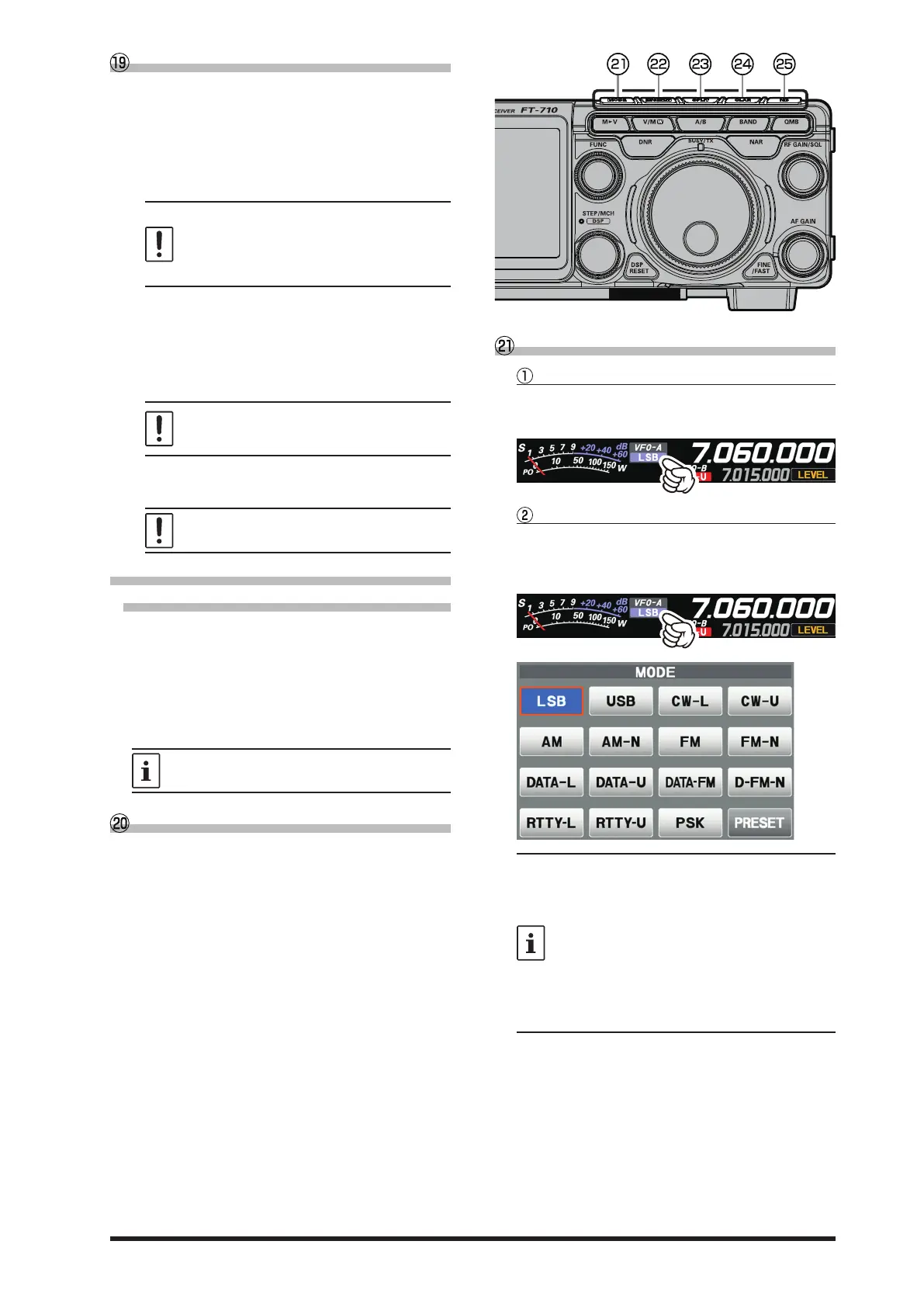
MODE (
Operating Mode Selection
)
Touch the display to select
Press the [MODE] key or touch the operation mode
area, the operation mode selection screen appears
on the display, so touch the desired mode.
Rotate the [FUNC] knob to select
Press the [MODE] key or touch the operation mode
area, the operation mode selection screen appears
on the display. Rotate the [FUNC] knob to select
the desired mode.
• Touch [PRESET] to display the settings
that apply to the FT8 operation.
• When changing modes from SSB to CW,
the frequency will shift on the display,
even though the actual tone that is heard
does not change.
This shift represents the BFO offset be-
tween the “zero beat” frequency and the
audible CW pitch (tone). The pitch is pro-
grammed via Menu item “CW FREQ DIS-
PLAY”.



 To Next Page