36
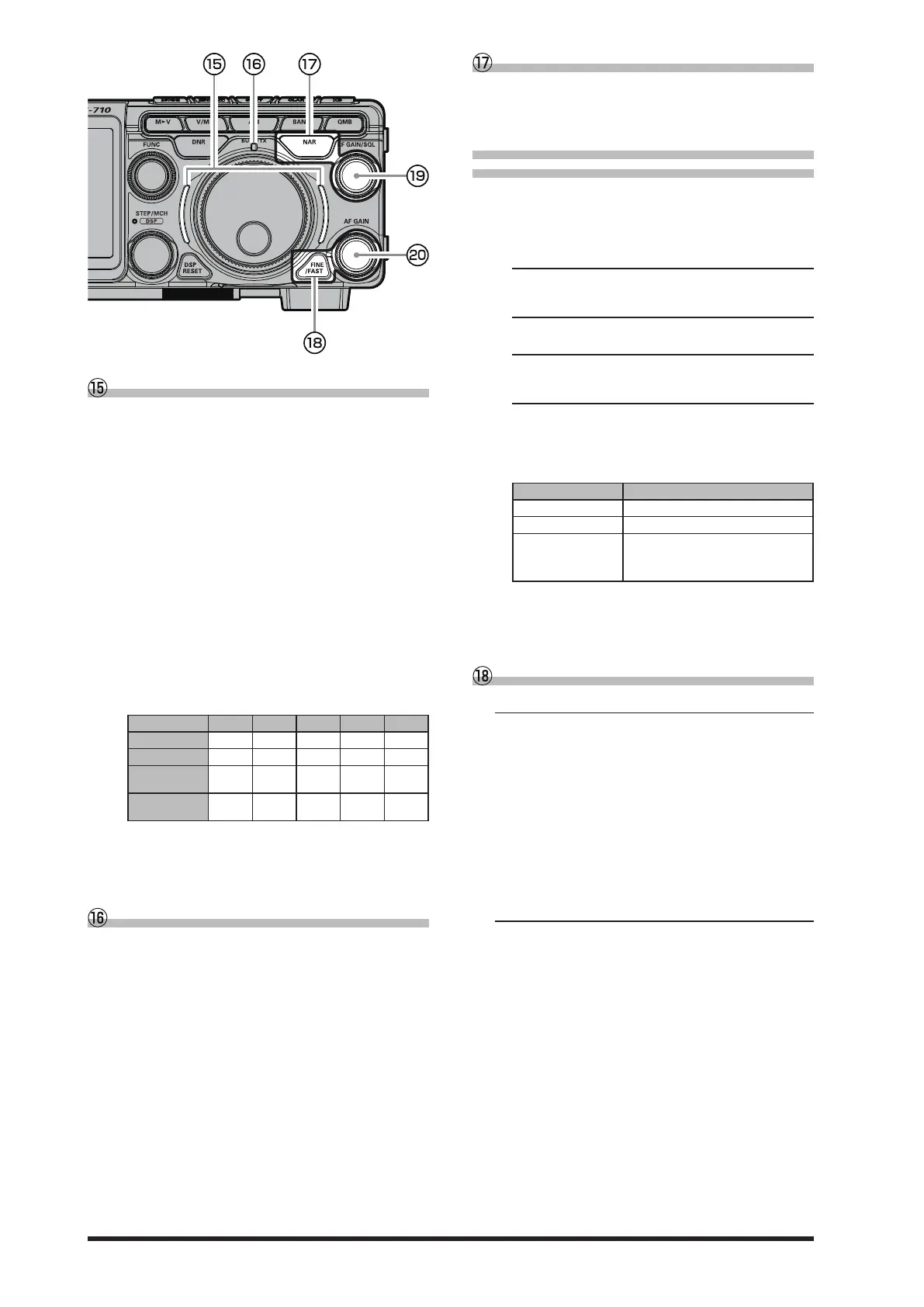
VMI (VFO mode indicator)
Shows the current operating status of the VFO at
a glance. The indicator lights up in the following
colors according to the operating status (factory de-
fault settings).
Blue: VFO-A
Green: VFO-B
White: Memory mode
Red: Clarier or Split Operation
The lighting colors can be changed by the following
operations:
1. Press the [FUNC] knob.
2. Select [DISPLAY SETTING] → [VFO IND COL-
OR].
3. Select the item whose color you want to change.
4. Rotate the [FUNC] knob, or touch “<” or “>” on
either side of the value to select the Color.
Select the color of the “
3
” mark in the table be-
low for each item.
Blue Green Red White None
VFO-A
3 3 3
-
3
VFO-B
3 3 3
-
3
Memory
mode
3 3
-
3 3
Clarier /
Split
- -
3
-
3
5. Press the [FUNC] knob, or wait for about 3 sec-
onds to save the setting.
6. Touch [BACK] several times to return to normal
operation.
BUSY/TX indicator
This indicator glows green* when the squelch
opens, and glows red during transmit.
* Glows green only when the [RF GAIN/SQL] knob
is set to “SQL” or “SQL(FM only)”.
NAR (Narrow)
This key is used to set the DSP (digital) IF lters to
Narrow bandwidth. Press this key again to return
the bandwidth control to the WIDTH system.
• Change the bandwidth by
pressing the NAR key
1. Press the [FUNC] knob.
2. The setting menu items to be set dier depend-
ing on the operating mode, so call the setting
items referring to the following:
LSB / USB mode
[RADIO SETTING] → [MODE SSB] →
→ [NAR WIDTH]
CW-L / CW-U mode
[CW SETTING] → [MODE CW] → [NAR WIDTH]
DATA-L / DATA-U / PSK mode
[RADIO SETTING] → [MODE PSK/DATA] →
→ [NAR WIDTH]
RTTY-L / RTTY-U mode
[RADIO SETTING] → [MODE RTTY] →
→ [NAR WIDTH]
3. Rotate the [FUNC] knob, or touch “<” or “>” on
either side of the value to set the bandwidth.
Mode Available Settings (Default: Bold)
LSB / USB 300 - 1500 - 4000
CW-L / CW-U 50 - 250 - 4000
DATA-L / DATA-U
RTTY-L / RTTY-U
PSK
50 - 300 - 4000
4. Press the [FUNC] knob, or wait for about 3 sec-
onds to save the setting.
5. Touch [BACK] several times to return to normal
operation.
FINE/FAST
FINE Tuning (Tuning of 1Hz)
In the LSB, USB, CW-L, CW-U, DATA-L, DATA-U,
RTTY-L, RTTY-U or PSK mode, the frequency
can be adjusted in 1 Hz steps.
● The AM, AM-N, FM, FM-N, DATA-FM and
D-FM-N modes may be adjusted in 10 Hz
steps.
1. Press the [FINE/FAST] key.
The “FINE” indicator lights in the display.
2. Rotate the MAIN dial knob.
3. Press the [FINE/FAST] key again to return to
the original frequency step.
FAST Tuning (Tuning of 10 times)
The frequency can be adjusted in 10 times steps.
1. Press and hold the [FINE/FAST] key.
The “FAST” indicator lights in the display.
2. Rotate the MAIN dial knob.
3. Press the [FINE/FAST] key again to return to
the original frequency step.



 To Next Page