24
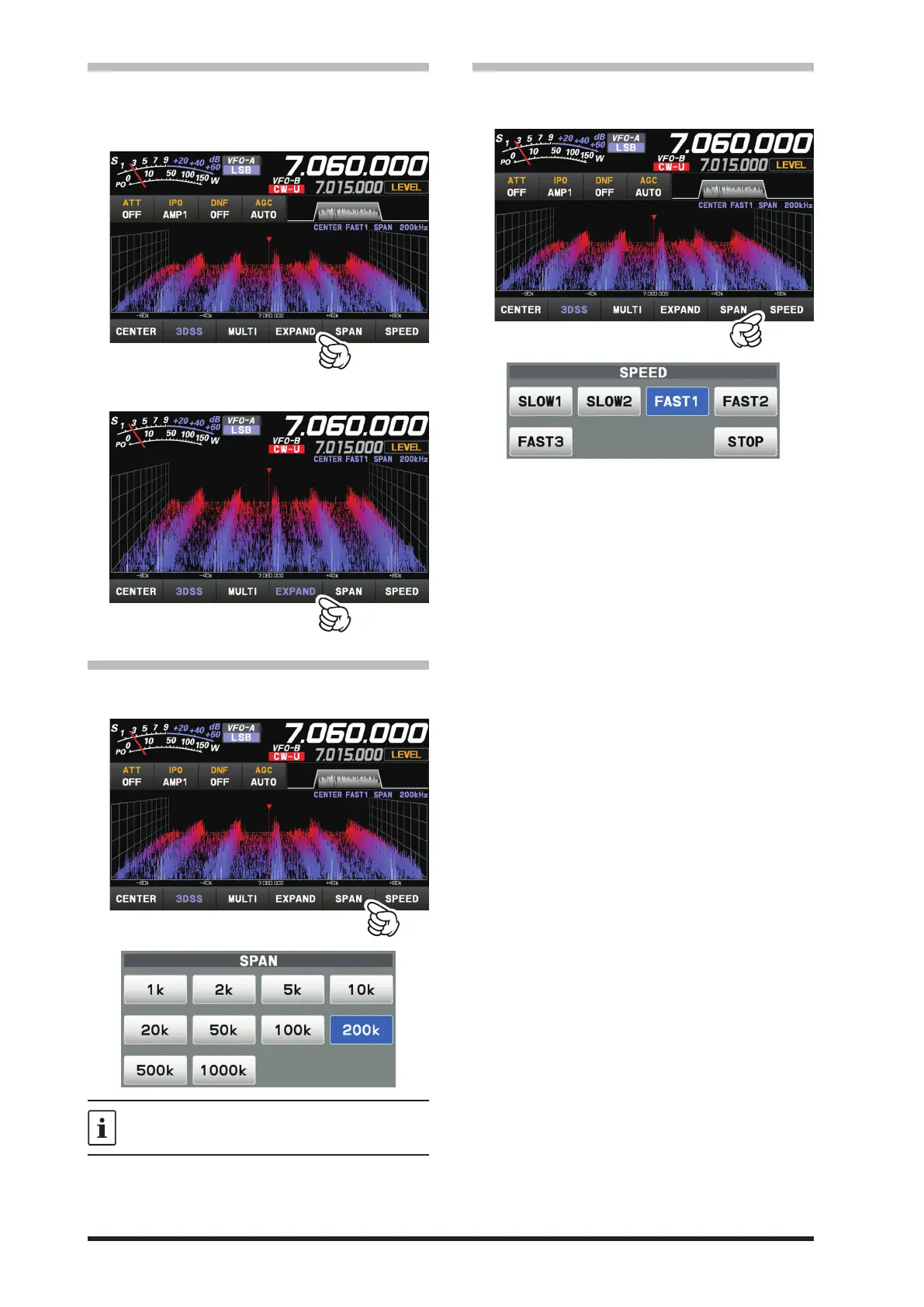
• EXPAND
The display area of the scope screen may be ex-
panded vertically.
Touch to expand the display. Touch again to return
to the original.
Normal Display
Larger View
• SPAN
Set the frequency span (display range) of the scope
screen. After touching, select the desired span.
The display level changes when SPAN is
changed, so reset the optimum display level
with [LEVEL] each time.
• SPEED
Sets the Scope Display sweep speed. After touch-
ing, select the desired speed.
SLOW1 : sweep speed Slow
SLOW2 : sweep speed ↑
FAST1 : sweep speed Normal
FAST2 : sweep speed ↓
FAST3 : sweep speed Fast
STOP : Touch [STOP] to temporarily hold the
3DSS display and waterfall display op-
erations. Touch [STOP] again or another
speed, to release the hold.



 To Next Page