70
• Reading Memory and Set Menu data
The Memory and Setting Menu data saved on the
SD card may be read to the Transceiver.
1. Press the [FUNC] knob.
2. Select [EXTENSION SETTING] → [SD
CARD].
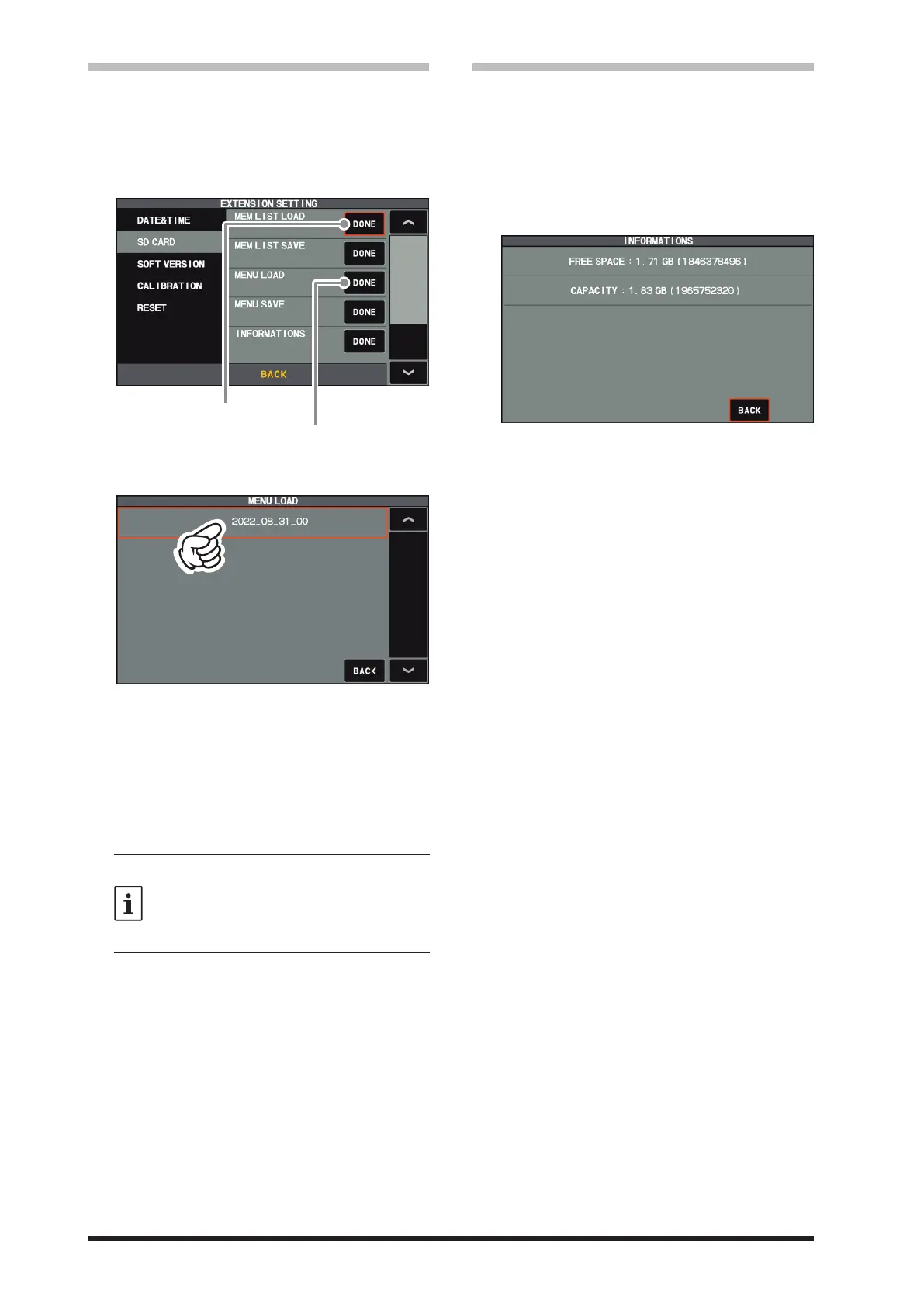
3. Touch “DONE” of the data item to be read.
Reading memory data
Loading setting menu data
4. Touch the le name to be loaded.
Touch “BACK” to cancel reading data.
5. When the overwrite confirmation screen ap-
pears, touch “OK”.
6. “FILE LOADED” is displayed when the data
reading is completed.
7. Touch the TFT screen to finish loading the
data.
8. Once the power is turned OFF, the power is
turned ON automatically afterwards.
With some OEM SD cards, the screen may
not be displayed, even when the power is
turned ON. If the screen does not appear,
remove the SD card and the screen will ap-
pear.
With this, the Reading of data is completed.
• Display the SD Card Information
The memory free space of the SD card may be
checked:
1. Press the [FUNC] knob.
2. Select [EXTENSION SETTING]→ [SD
CARD].
3. Touch “DONE” of the “INFORMATIONS” item.
The capacity and free space of the SD card
are displayed.
4. Touch “BACK” to return to the Setting Menu
screen.
5. Touch [BACK] several times to return to nor-
mal operation.



 To Next Page