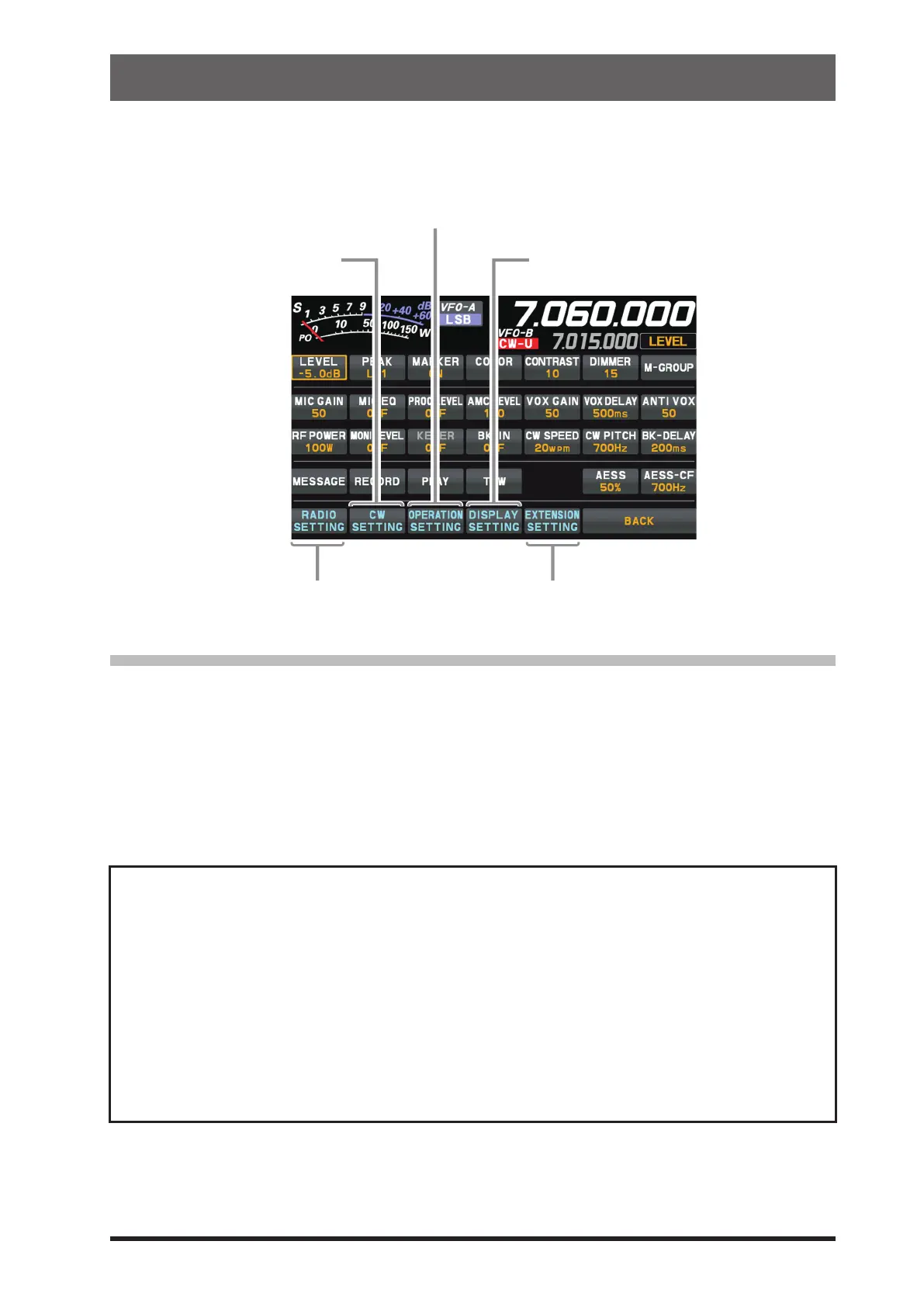
The Menu system of the FT-710 provides extensive customization capability. The transceiver functions
can be tailored for the most demanding operators. The Setting Menus are grouped into ve specic utili-
zation categories.
Date, SD Card Settings, Firmware
Version Display, Reset Operation.
SSB, AM, FM & Data Communication
(such as RTTY)
CW operating Setting
Display Setting
Comprehensive settings such as: Transmit & Receive,
Interference Reduction, Memory, Scan, etc.
Using the Menu
1. Press the [FUNC] knob.
2. Touch the category item that is to be set (see above).
3. Touch the desired item, or rotate the [FUNC] knob to select the desired item, then press the [FUNC]
knob.
4. Rotate the [FUNC] knob to select the desired item, then touch the item, or rotate the [FUNC] knob to
select the desired item, then press the [FUNC] knob.
5. Rotate the [FUNC] knob, or touch “<” or “>” on either side of the value setting that is to be changed.
6. Press the [FUNC] knob, or wait for about 3 seconds to save the setting.
7. Touch [BACK] several times to return to normal operation.
Reset the Setting Menu
Use this procedure to restore the Menu settings to their factory defaults, without aecting the Pro-
grammed Frequency Memories.
1. Press the [FUNC] knob.
2. Select [EXTENSION SETTING] → [RESET] .
3. Touch “DONE” of the “MENU CLEAR” item.
The reset conrmation screen will be displayed.
4. Touch “OK” or press the [FUNC] knob to reset.
(Touch “CANCEL” to cancel the reset)
5. Once the power is turned OFF, it will turn ON automatically afterwards.
Setting Menu reset is complete.
Setting Menu
71



 To Next Page