25
Set with the FUNC knob
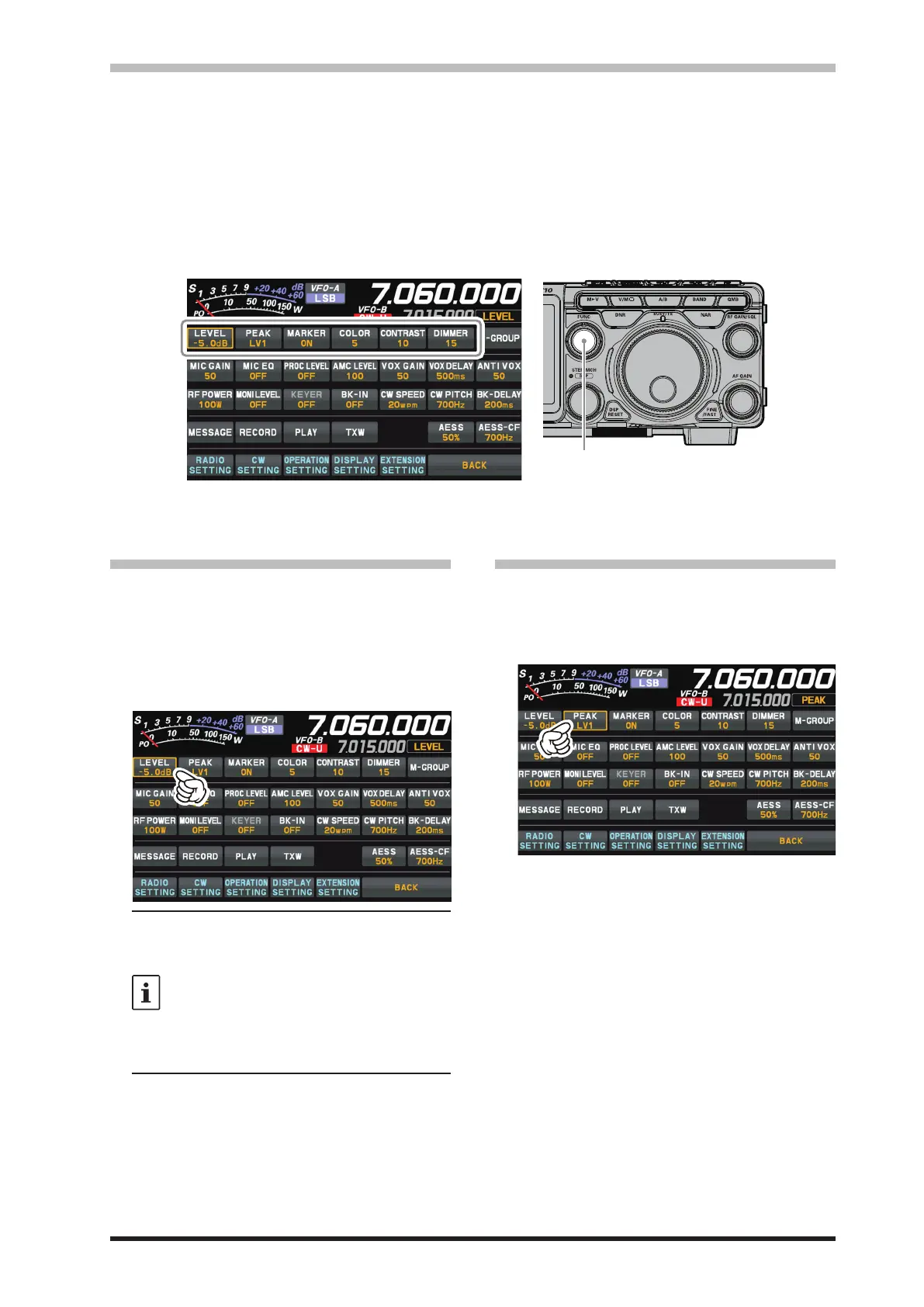
Operate the [FUNC] knob to make the following settings related to the display.
LEVEL
PEAK
MARKER
COLOR
CONTRAST
DIMMER
: Adjust the LEVEL of the scope for the best image on the screen.
: Adjust the color density with respect to the signal level on the scope screen in 5 steps (LV1
to LV5).
: ON/OFF Marker indicates the transmit and receive frequency position within the Scope
Display image.
: Changes the scope screen display color from 11 types.
: Adjust the TFT display contrast (dierence between light and dark) in 21 steps.
: Adjust the TFT display brightness in 21 steps.
The last function used is retained in the [FUNC] knob so it can be easily set by operating the [FUNC]
knob. Normally, it is suggested to utilize the [FUNC] knob as the [LEVEL] knob for the spectrum scope.
• LEVEL
Adjust the level to make it easier to distinguish
between the desired signal and noise. The display
level changes depending on antenna gain, condi-
tion, frequency band, SPAN and so on.
Always adjust the LEVEL for the best image on the
screen.
Press the [FUNC] knob then touch [LEVEL], and
then turn the [FUNC] knob to select the desired level.
• On the 3DSS screen, weak signals may
be more easily observed by adjusting the
LEVEL so that the noise level can be seen
only a little, so always adjust the LEVEL
and use it at the optimum position.
• Be sure to make adjustments when
changing bands or changing SPAN.
• If the level is changed, the signal strength
also appears to change, but it does not
aect the actual signal input level.
• PEAK
The color density may be adjusted to the level of
the signal. Touch PEAK and then select the desired
color concentration.
Press the [FUNC] knob then touch [PEAK], and
then turn the [FUNC] knob to select the desired level.
LV1 : Thin
LV2 : ↑
LV3 : Normal
LV4 : ↓
LV5 : Dark



 To Next Page