39
• TX Clarier
The transmit frequency can be changed without
moving the receive frequency of the transceiver.
Normally, the clarier is used to move only the re-
ceive frequency and compensate for the deviation
of the transmission frequency of the contact station,
however alternatively, only the transmit frequency
can be moved without changing the transmitter.
When responding to an operator that is called by a
large number of stations such as in a contest, etc.,
the response rate may increase if the transmit fre-
quency is moved slightly.
1. Press the [CLAR] key twice.
2. Rotate the MAIN dial knob to change only the
transmit frequency.
• The “CLAR TX” will appear in the display,
and the programmed oset will be applied
to the transmit frequency.
• Osets of up to ±9995Hz may be set us-
ing the Clarier.
3. To cancel Clarifier operation, press the [CLAR]
key twice.
To clear out the programmed clarifier offset alto-
gether, and reset it to “zero”, press and hold the
[CLAR] key.
• To oset the frequency with the
TX Clarier Adjust receive frequency
When the transmit frequency is oset with the TX
Clarier, it can be reset to the same frequency as
the TX frequency oset from the receive frequency.
1. After osetting the transmit frequency, press the
[CLAR] key.
The receive frequency becomes the same as the
transmit frequency.
“CLAR TX” of the display changes to “CLAR
RXTX”.
2. Press the [CLAR] key three times, only the trans-
mit frequency returns to the oset state.
“CLAR RXTX” of the display changes to “CLAR
TX”.
NB
The FT-710 includes an eective IF Noise Blanker,
which can signicantly reduce noise caused by au-
tomotive ignition systems.
The NB function can be operated individually for
VFO-A band and VFO-B, on each operating band.
Press the [NB] key to enable the Noise Blanker op-
eration. To disable Noise Blanker operation, press
the [NB] key once more.
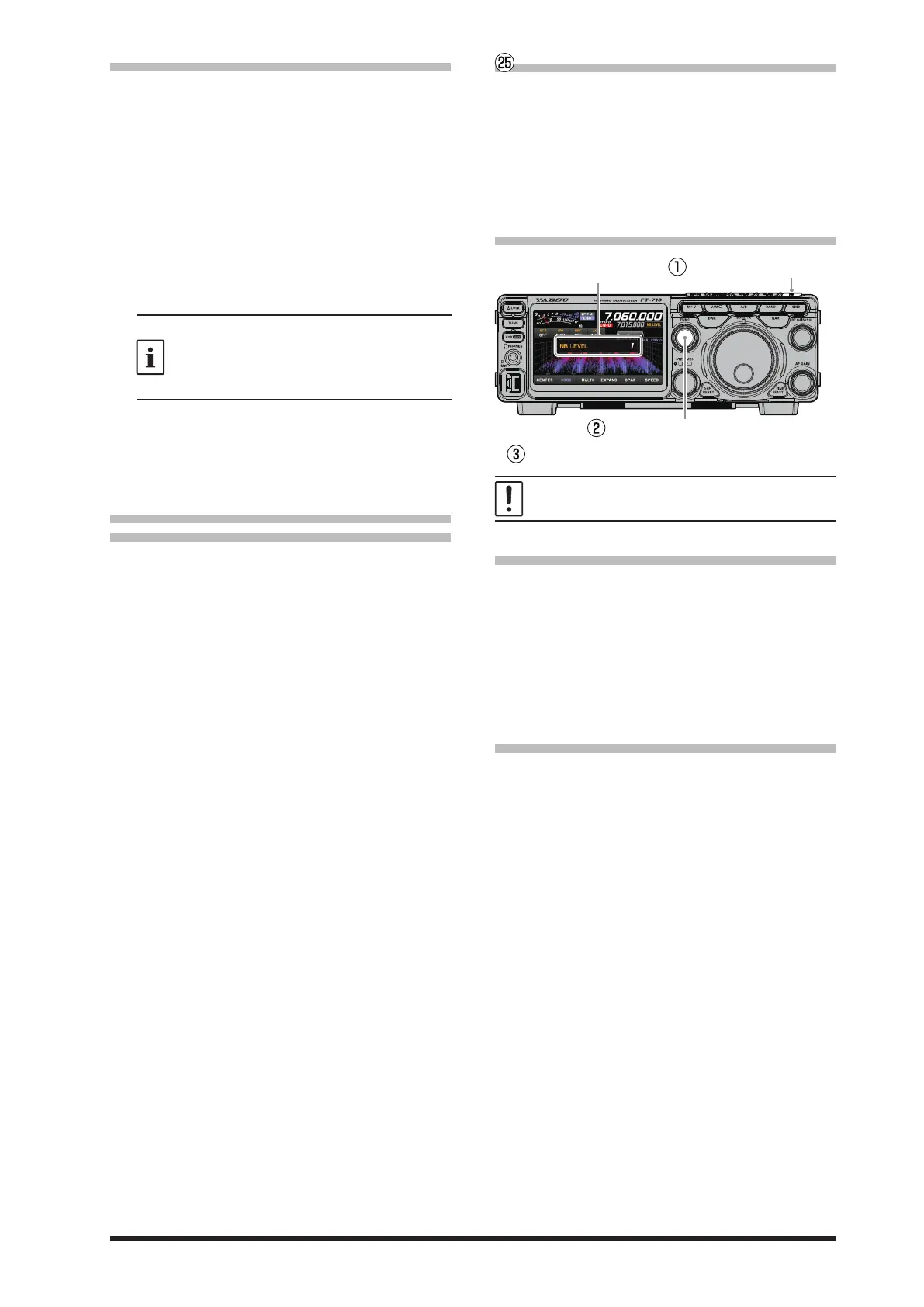
• Adjusting the Noise Blanker Level
After adjusting to a NB level, the NB level display disappears
NB Level
Press and hold the [NB] key to
display the NB level.
Turn the [FUNC] knob to adjust the NB level.
The NB function may be less eective on some
other types of interference.
• Adjusting the Noise Attenuation
1. Press the [FUNC] knob.
2. Select [OPERATION SETTING]→[RX DSP]
→[NB REJECTION].
3. Rotate the [FUNC] knob to set the noise attenu-
ation (LOW / MID / HIGH).
4. Press the [FUNC] knob, or wait for about 3 sec-
onds to save the setting.
5. Touch [BACK] several times to return to normal
operation.
• Reduces longer duration pulse noise
Reduces long duration noise as well as pulse noise.
1. Press the [FUNC] knob.
2. Select [OPERATION SETTING]→[RX DSP] →
[NB WIDTH] .
3. Rotate the [FUNC] knob to select the value that
will reduce the noise.
4. Press the [FUNC] knob, or wait for about 3 sec-
onds to save the setting.
5. Touch [BACK] several times to return to normal
operation.



 To Next Page