EasyManua.ls Logo

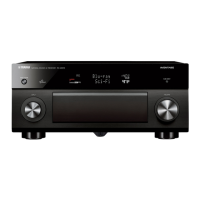
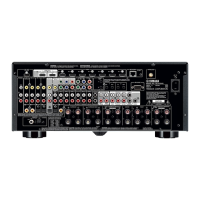
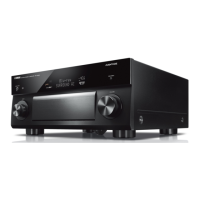
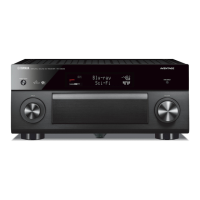
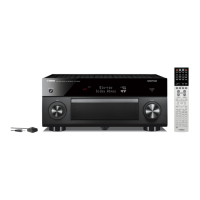
Yamaha RX-A3000 - User Manual

Yamaha RX-A3000
201 pages
Print Icon
To Next Page IconTo Next Page
Loading...
Owner’s Manual
AV Receiver English for U.S.A.

Table of Contents

Other manuals for Yamaha RX-A3000

Questions and Answers

  • B
    Brandi PetersonJul 26, 2025
    How to fix a Yamaha Receiver remote control that is not working?
    • H
      Heather JonesJul 26, 2025
      If the Yamaha Receiver remote control isn't working, make sure you're within a 6-meter range and within 30 degrees of the front panel. Adjust the lighting or move the unit if direct sunlight or strong lighting is interfering. Replace weak batteries. Finally, ensure the remote control ID matches the unit's ID.
  • W
    welchelizabethAug 1, 2025
    What to do if Yamaha RX-A3000 Receiver remote control cannot control external components?
    • K
      Keith CurtisAug 1, 2025
      If external components can't be controlled with the Yamaha Receiver remote, set the remote control code correctly using "Remote control code search" on the CD-ROM. If that doesn't work, try another code for the same manufacturer, using the CD-ROM. If Cursor B / C / D / E keys don't work during DVD disc menu operation, press the Input selector again. For Option/Setup menu issues, press SOURCE/RECEIVER (orange light) and try again. Note that some models might not respond even with the correct code.
  • S
    Stephanie RasmussenAug 7, 2025
    Why is my Yamaha Receiver remote control not working?
    • A
      alyssa29Aug 7, 2025
      Your Yamaha Receiver's remote control might not be working due to several reasons. First, ensure you are within the operational range of 20 ft (6 m) and within a 30-degree angle from the front panel. Also, strong light sources like direct sunlight or fluorescent lamps can interfere with the remote control sensor. Try adjusting the lighting or repositioning the Yamaha Receiver. Weak batteries can also cause the remote to malfunction; replace all batteries to resolve this. Finally, verify that the remote control ID matches the Yamaha Receiver's ID and adjust if necessary.
  • S
    sellisonAug 13, 2025
    What to do if Yamaha RX-A3000 remote control is not working?
    • C
      Clayton WrightAug 13, 2025
      If the Yamaha Receiver remote control isn't working, start by checking the batteries and replacing them if they're weak. Ensure that you are within 20 ft (6 m) and 30 degrees of the front panel for the remote to function correctly. Also, check for any direct sunlight or strong lighting that may be interfering with the remote sensor; adjust the lighting or move the Yamaha Receiver. Finally, make sure the remote control ID matches the ID of the Yamaha Receiver.
  • P
    patricia78Aug 19, 2025
    How to fix Yamaha Receiver remote control?
    • M
      millerdanielleSep 12, 2025
      To fix a Yamaha Receiver remote that isn't working, try the following: 1. Replace the batteries. 2. Make sure you're within 20 ft (6 m) and 30 degrees of the receiver. 3. Adjust lighting or move the receiver to avoid interference with the remote sensor. 4. Check and match the remote control ID with the receiver's ID.

Yamaha RX-A3000 Specifications

General IconGeneral
Amplifier TypeAV Receiver
Channels9.2
HDMI Outputs2
Audio Return ChannelYes
Weight36.4 lbs
Frequency Response10 Hz-100 kHz
Total Harmonic Distortion0.06%
HDMI Version1.4a
Audio Formats SupportedDolby TrueHD, DTS-HD Master Audio
Video Features4K Ultra HD Pass-through
Audio FeaturesCompressed Music Enhancer
Network FeaturesDLNA 1.5, Ethernet, AirPlay
BluetoothOptional (with Yamaha YBA-10 adapter)
InputsHDMI
Outputs2 HDMI
Dimensions17.1 x 6.5 x 15.4 in
HDMI Inputs8
Dimensions (W x H x D)435 x 192 x 467 mm

Related product manuals