INTRODUCTION
Using the TV OSD to operate the unit
En 7
■ Adjust acoustic parameters to match your speakers and listening environment
– Specify speaker acoustic parameters automatically
(Yamaha Parametric Room Acoustic Optimizer - YPAO).......................................................................43
– Set up this unit’s speaker configuration simply <Power Amp Assign> ................................................116
– Specify settings for each speaker <Configuration> ...............................................................................116
– Control volume control for each speaker <Level> ................................................................................118
– Apply speaker distance settings <Distance> .........................................................................................118
– Control equalizer sound quality <Parametric EQ>................................................................................118
– Adjust test tone speaker <Test Tone> ....................................................................................................119
■ Adjust audio signals output from this unit
– Correct lag between audio and video signals <Lipsync> ......................................................................120
– Select a dynamic range adjustment method <Dynamic Range> ...........................................................120
– Specify the maximum volume <Max Volume> .....................................................................................120
– Specify the initial volume <Initial Volume>..........................................................................................120
– Restrict the video signals during the Pure Direct Mode <Pure Direct Mode> ......................................120
– Adjust DSP effect and volume level <Adaptive DSP Level> ................................................................121
■ Adjust video signals output from this unit
– Convert analog video signal to another type of signal <Analog to Analog Conversion> .....................121
– Specify the resolution and aspect ratio of video signals and adjust video quality <Processing>..........121
■ HDMI settings
– Assign the audio input source for the TV <TV Audio Input>...............................................................124
– Listen to TV audio with HDMI cable connection <ARC (Audio Return Channel)>............................123
– Transmit HDMI audio/video to the TV during standby mode <Standby Through> .............................124
– Change the output destination of HDMI input audio signals <Audio Output>.....................................124
■ Network settings
– Specify this unit’s IP address <IP Address> ..........................................................................................125
– Accept the commands over a LAN network when this unit is in the standby mode
<Network Standby> ...............................................................................................................................125
– Specify the mac address filter for this unit <MAC Address Filter> ......................................................125
■ Enable listening in multiple rooms (multi-zone function)
– Adjust Zone2/Zone3 volume <Zone2 Set/Zone3 Set> ..........................................................................126
– Display the Zone2/Zone3/Zone4 menu on the TV <Monitor Out Assign> ..........................................127
– Rename each zone or scene <Zone2 Scene Rename/Zone3 Scene Rename/
Zone4 Scene Rename/Zone Rename> ...................................................................................................128
■ Specify other functions for this unit
– Enter standby mode automatically when no operations are performed <Auto Power Down> .............129
– Assign the other input to the selected input source <Input Assignment> .............................................129
– Adjust the brightness of the front panel display <Dimmer> .................................................................130
– Change the wall paper displayed on the TV screen <Wall Paper>........................................................130
– Specify the function of the TRIGGER OUT jack for controlling external components
<Trigger Output1/Trigger Output2>......................................................................................................130
– Prohibit changes to settings <Memory Guard> .....................................................................................131
Adjust settings for each input source <Option menu>
– Adjust bass and treble levels <Tone Control> .........................................................................................64
– Enable low-volume background music <Adaptive DRC> ......................................................................64
– Enjoying more spatial sound fields <CINEMA DSP 3D Mode>............................................................64
– Adjust the vertical position of dialogues <Dialogue Lift> ......................................................................64
– Select the 5.1-channel signal playback method <Extended Surround> ..................................................64
– Adjust the volume of input sources <Volume Trim>...............................................................................65
– Selecting a video adjustment preset <Video Adjustment> ......................................................................65
– Selecting audio input jacks <Audio Select>............................................................................................65
– Shuffle or repeat the song <Shuffle/Repeat>...........................................................................................65
– Connect / Disconnect Bluetooth component to this unit <Connect/Disconnect> ...................................65
– Pairing Bluetooth component with this unit <Pairing> ...........................................................................65

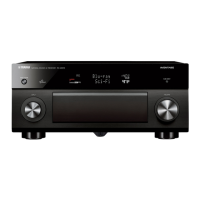


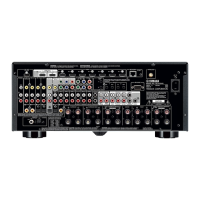




 To Next Page
