EasyManua.ls Logo

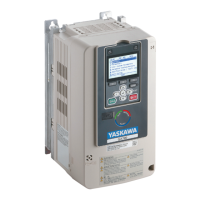
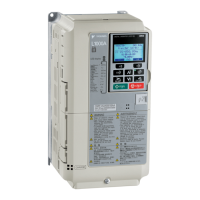
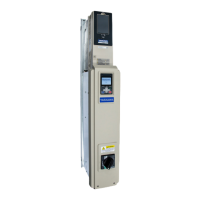
YASKAWA HV600 - User Manual

YASKAWA HV600
794 pages
Print Icon
To Next Page IconTo Next Page
Loading...
HV600 AC Drive
AC Drive Bypass for HVAC Fan and Pump Applications
Bypass Technical Reference
Catalog Code: H6Bxxxxx
208 V class: 0.5 to 100 HP
240 V class: 0.5 to 100 HP
480 V class: 0.75 to 250 HP
PDF

Table of Contents

Other manuals for YASKAWA HV600

Questions and Answers

  • R
    Ruben HebertAug 18, 2025
    What does Parameter Range Setting Error mean on YASKAWA HV600 DC Drives?
    • C
      Carol JohnstonAug 18, 2025
      If you're getting a 'Parameter Range Setting Error' on your YASKAWA DC Drives, it means the parameter settings are outside the allowed range. Correct the parameter settings to be within the applicable setting range.
  • J
    Joe CruzAug 20, 2025
    How to fix Multi-Function Input Setting Error on YASKAWA HV600?
    • K
      Karen CunninghamAug 20, 2025
      If you encounter a 'Multi-Function Input Setting Err' on your YASKAWA DC Drives, the settings for digital input functions (Z2-01 to Z2-08) and terminal function selections (H1-01 to H1-07) do not agree. Correct the parameter settings to ensure they are consistent.
  • D
    Dominic ThomasAug 23, 2025
    How to resolve Drive Capacity Setting Error in YASKAWA HV600 DC Drives?
    • L
      loweanitaAug 23, 2025
      If your YASKAWA DC Drives display a 'Drive Capacity Setting Error', set o2-04 to the correct value.
  • A
    Anthony RossAug 26, 2025
    Why is my YASKAWA HV600 motor overloaded?
    • D
      davidhallAug 26, 2025
      If the YASKAWA DC Drives motor is overloaded, it's likely that the load is too heavy. Try decreasing the load.
  • B
    Brenda HendersonAug 28, 2025
    What to do if YASKAWA HV600 DC Drives show Modbus Communication Error?
    • J
      Julie HarrisAug 28, 2025
      If you're experiencing a Modbus communication error with your YASKAWA DC Drives, several factors could be at play. The communications cable wiring may be incorrect, so correct any wiring errors. There might be a short circuit in the cable, or the cable isn't properly connected; repair short circuits and connect the cables securely. Electrical interference can also cause data errors; examine the control circuit lines, main circuit lines, and ground wiring to reduce interference. Finally, the communication protocol might be incompatible; examine the values set in H5-xx.
  • A
    Allison PerryAug 30, 2025
    Why YASKAWA HV600 show Input Phase Loss?
    • S
      Sandra CannonAug 30, 2025
      If your YASKAWA DC Drives are experiencing input phase loss, it means there's a phase loss in the drive input power. Correct any errors with the wiring for the main circuit drive input power.
  • S
    Spencer JohnsonSep 2, 2025
    How to fix Bluetooth Communication Fault on YASKAWA DC Drives?
    • C
      chaysSep 2, 2025
      If you're getting a Bluetooth communication fault with your YASKAWA DC Drives, it could be due to a couple of reasons. First, the smartphone or tablet running DriveWizard Mobile might be too far from the keypad; ensure it's within 10 m (32.8 ft). Second, radio waves from other devices might be causing interference; make sure no nearby devices use the same radio bandwidth (2400 MHz to 2480 MHz) to prevent interference.
  • D
    Donald AyalaSep 4, 2025
    What to do if YASKAWA HV600 DC Drives detect Loss of Load?
    • S
      swongSep 4, 2025
      If your YASKAWA DC Drives detect a loss of load, it means the motor is likely disconnected from the load. Replace the belt or coupling between the motor and the load.
  • B
    Brenda FrazierSep 7, 2025
    How to correct Input Phase Rotation in YASKAWA HV600?
    • M
      Michelle ColeSep 7, 2025
      If your YASKAWA DC Drives indicate an input phase rotation issue, especially when Z1-52 = 2 in Bypass Mode, it means the phase rotation is incorrect. Ensure that the sequence (phase rotation) of the input wiring to the bypass package is correct.
  • R
    rterrySep 9, 2025
    What causes Loss of Drive Communications in YASKAWA HV600 DC Drives?
    • J
      Jason FisherSep 9, 2025
      If you're experiencing a loss of drive communications with your YASKAWA DC Drives, the cable between the bypass controller and the drive may be disconnected or damaged. Ensure that the cable between the bypass controller board (A2) connector CN6 and the drive terminal TB4 is properly connected at both ends and is not damaged.

YASKAWA HV600 Specifications

General IconGeneral
CategoryDC Drives
SeriesHV600
Overload Capacity150% for 60 seconds
Output Voltage0 - Input Voltage
EnclosureNEMA 1, NEMA 12
CommunicationEthernet/IP, Modbus, DeviceNet, Profibus
SafetySafe Torque Off (STO)
Protection FeaturesOvercurrent, Overvoltage, Undervoltage, Short Circuit
Humidity5-95% (non-condensing)
AltitudeUp to 1000m (3280ft) without derating
Control MethodVector Control

Related product manuals