4.5 Automatic Parameter Settings Optimized for Specific Applications (Application Presets)
168 YASKAWA SIEPYAIH6B01A HV600 AC Drive Bypass Technical Reference
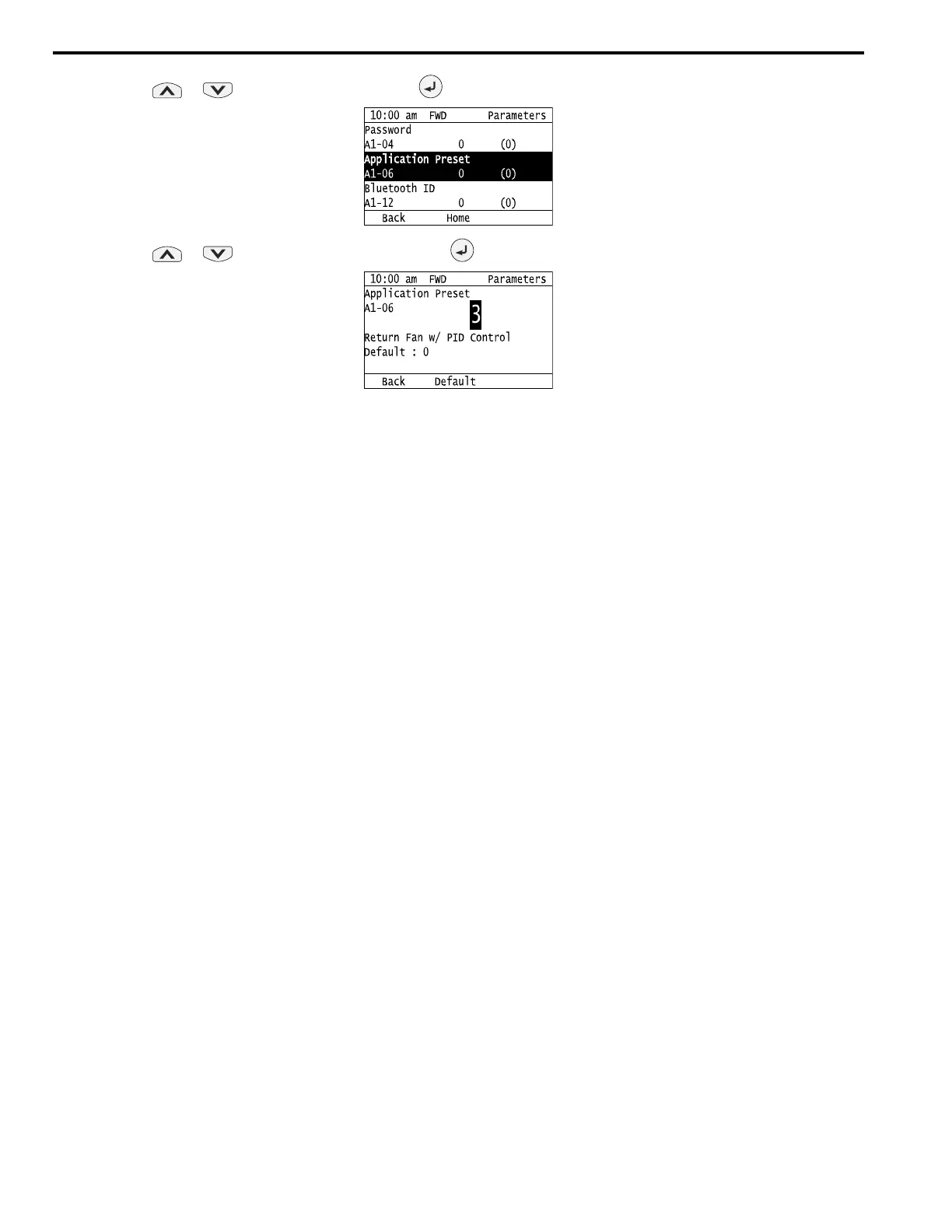
6. Push or to select A1-06, then push .
7. Push or to change the value, then push .
The parameter setting procedure is complete.
Note:
• You cannot change the value set in A1-06. To select an application preset, first set A1-03 = 2220 to initialize parameters and then make a
selection to A1-06. If initializing all parameters will cause a problem, it is not necessary to change settings.
• When the drive changes to the A1-06 setting, it will also reset the parameters automatically registered to A2-17 to A2-32 [User Parameters
17 to 32] when A2-33 = 1 [User Parameter Auto Selection = Enabled: Auto Save Recent Parms].



 To Next Page