Software Configuration
Basic Orientation
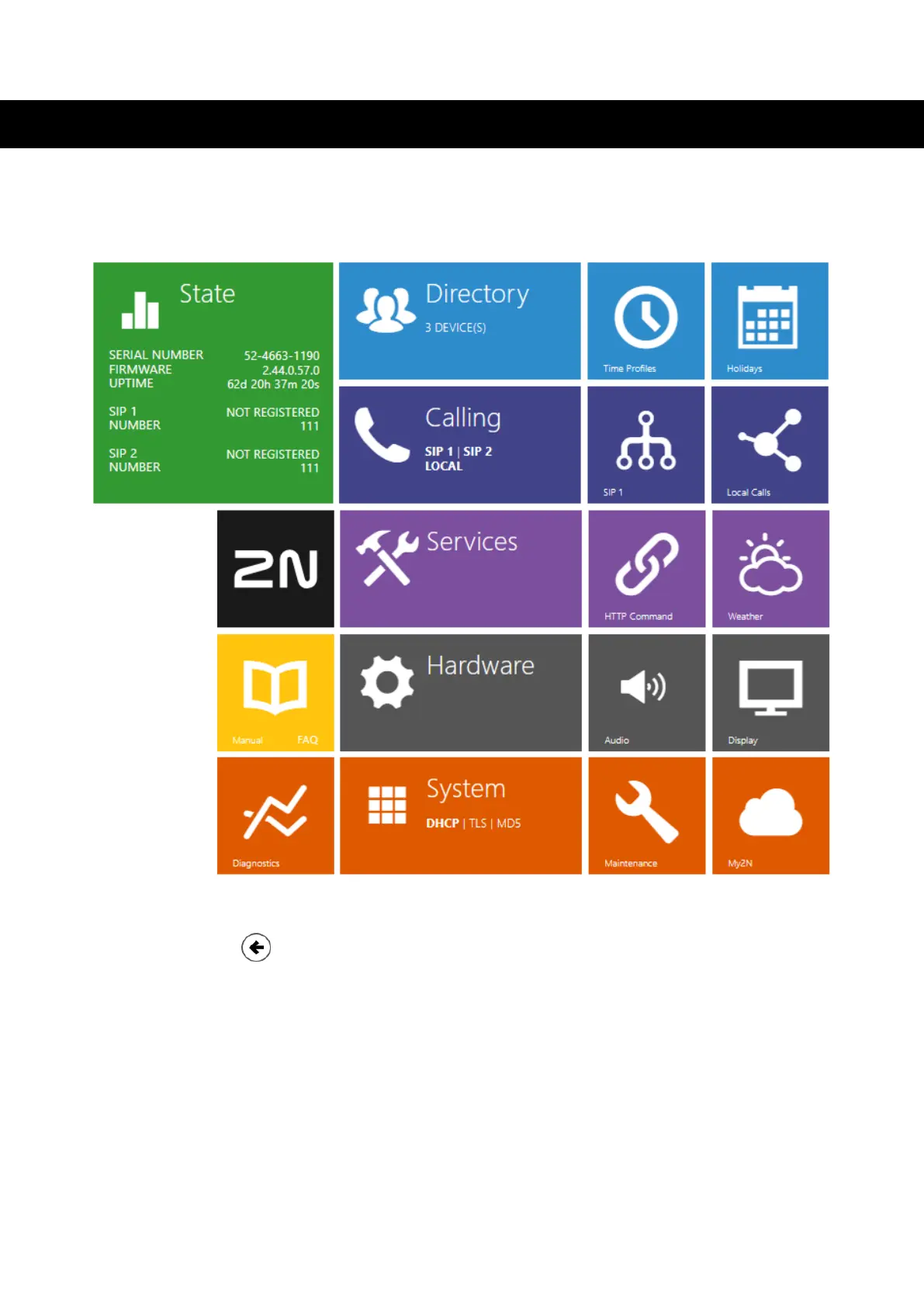
The home page is displayed after logging into the 2N Indoor Compact web interface. You can return to it
at any time using the
button located in the top left corner of the other pages of the web interface. The
header of the page displays the device name (see the Device name parameter in the Services section >
Web Server.
Menus
Use the menu in the right-hand upper corner of the web interface to select language. Click Log out in the
right-hand upper corner of the screen to log out from the device, press the question mark icon to display Help
or use the bubble to provide feedback.
Legend
The start screen is also the first menu level and quick navigation (click on a tile) to selected
2N Indoor Compact configuration sections.
Software Configuration
25



 To Next Page