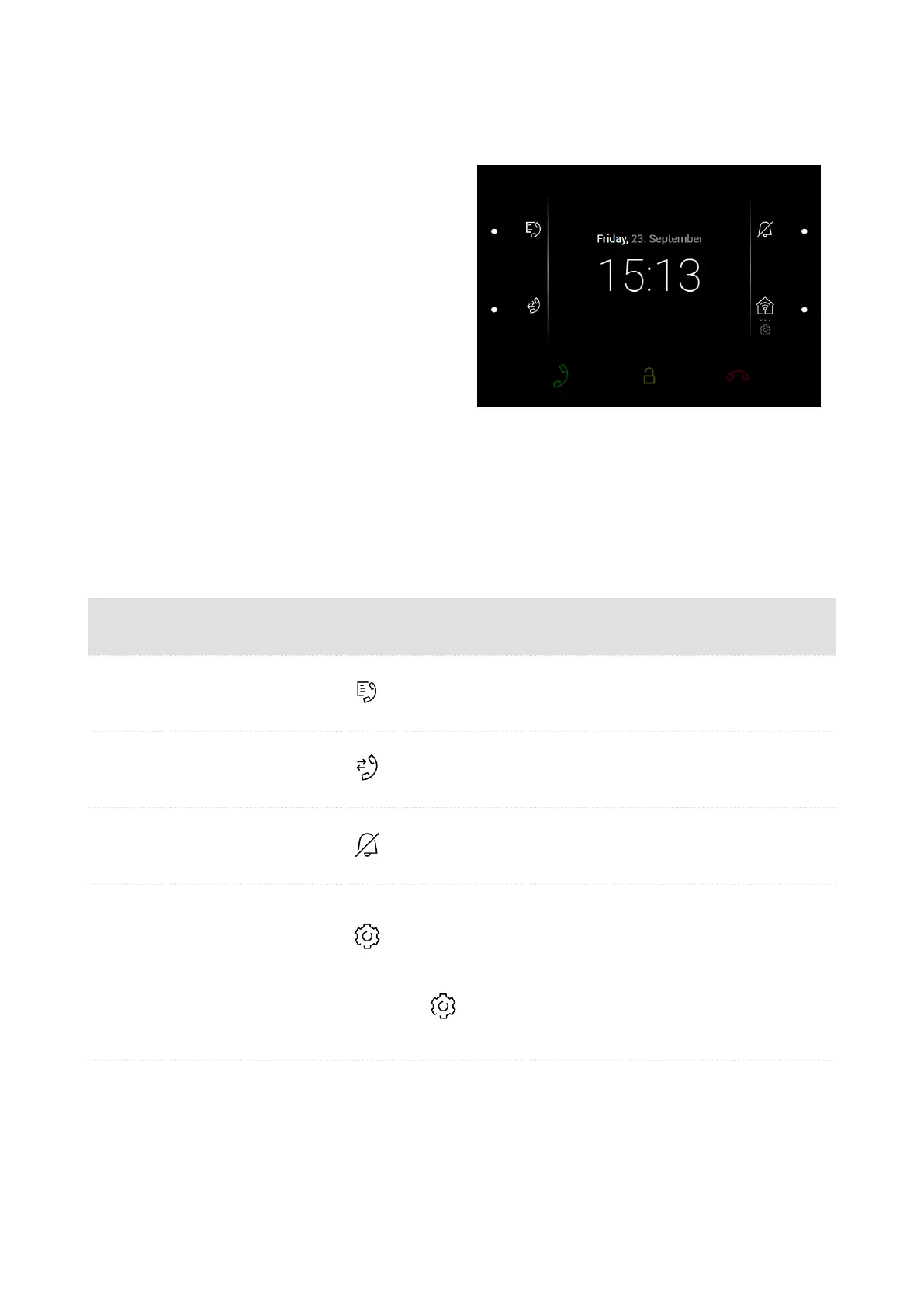
Home Screen
The home screen is set as the start screen of the
device, which is displayed whenever the device is
activated by a or button press in the Idle mode.
The device displays:
•
missed call icon (if the call was from a de-
vice/number included in the Directory),
•
Do Not Disturb icon,
•
HTTP command activation icon (as set in the
device configuration),
•
date,
•
time.
The home screen provides access to:
•
Directory,
•
Call Log,
•
Settings.
Possible actions Performance Action result
Display of Directory Menu
??? is displayed with alladded devices.
Call Log Menu Display
Call Log (p. 55) is displayed including a
list of accomplished calls.
Do Not Disturb Activation
Do Not Disturb Mode (p. 63) is activated
and the activation message is displayed.
Settings Menu Display
long press
Settings Menu (p. 56) is displayed on the
device.
Send the set
HTTP command (p. 37)
Press the set HTTP
command icon loca-
ted at the right-hand
bottom button.
The HTTP command is sent to an exter-
nal device.
Device Control
53



 To Next Page