48 | 3DGence INDUSTRY F340
4. Once the material is selected, make sure that the spool holder is empty.
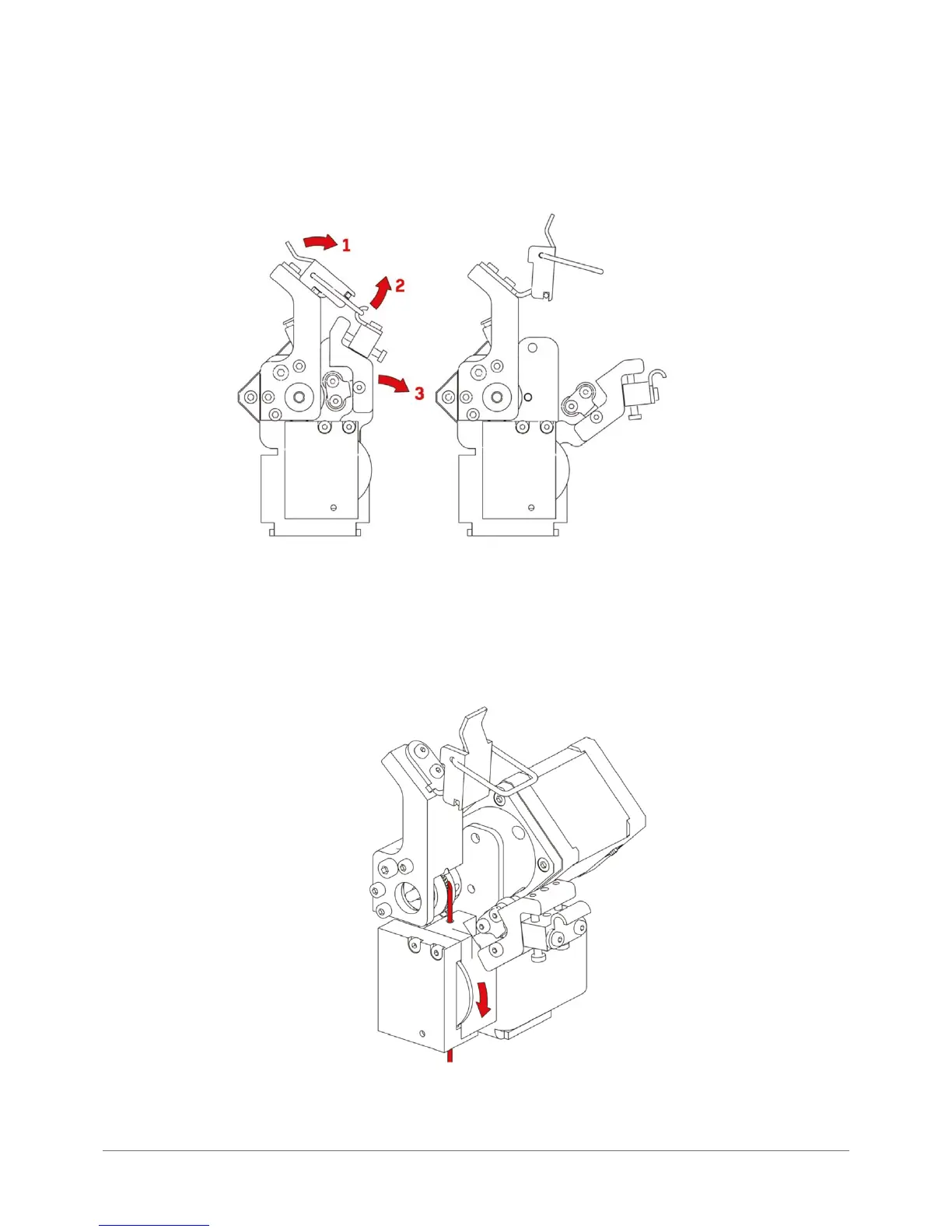
5. Unlock the appropriate extruder and conrm performing the step by pressing „Continue”. Then the printer will position
the working table in the central position (g. 26).
6. Place the lament spool on the holder. Its free end should be passed through the cleaner and PTFE tubing, then push
until it gets to the encoder. By turning the encoder wheel clockwise place the lament at the height of the extruder knurl
as shown in the following gure.
Fig. 26. Unlocking the extruder.
Fig. 27. Proper lament position during loading.



 To Next Page