The advanced users may modify the advanced print settings. This option is designed to allow the user to modify the exist-
ing print proles in order to improve the print quality for materials not certied by the producer or to adjust the machine
settings in order to achieve the presumed result (e.g. increased strength of the side walls).
3DGence Slicer uses a modied CuraEngine engine, preserving parameter names thanks to which experienced users
may use comprehensive documentation of Cura software community. The function names and operation are identical as
in the Cura software. The proles for the Cura software are not compatible with 3DGence Slicer proles as the software
operates in a different way but they can be rewritten using the prole edition option.
The advanced proles are not connected with the ofcial proles hardcoded in the software as the software uses their cop-
ies to process changes. Thanks to that it is not possible to damage the ofcial proles accidentally and they are always
accessible from the standard software interface level.
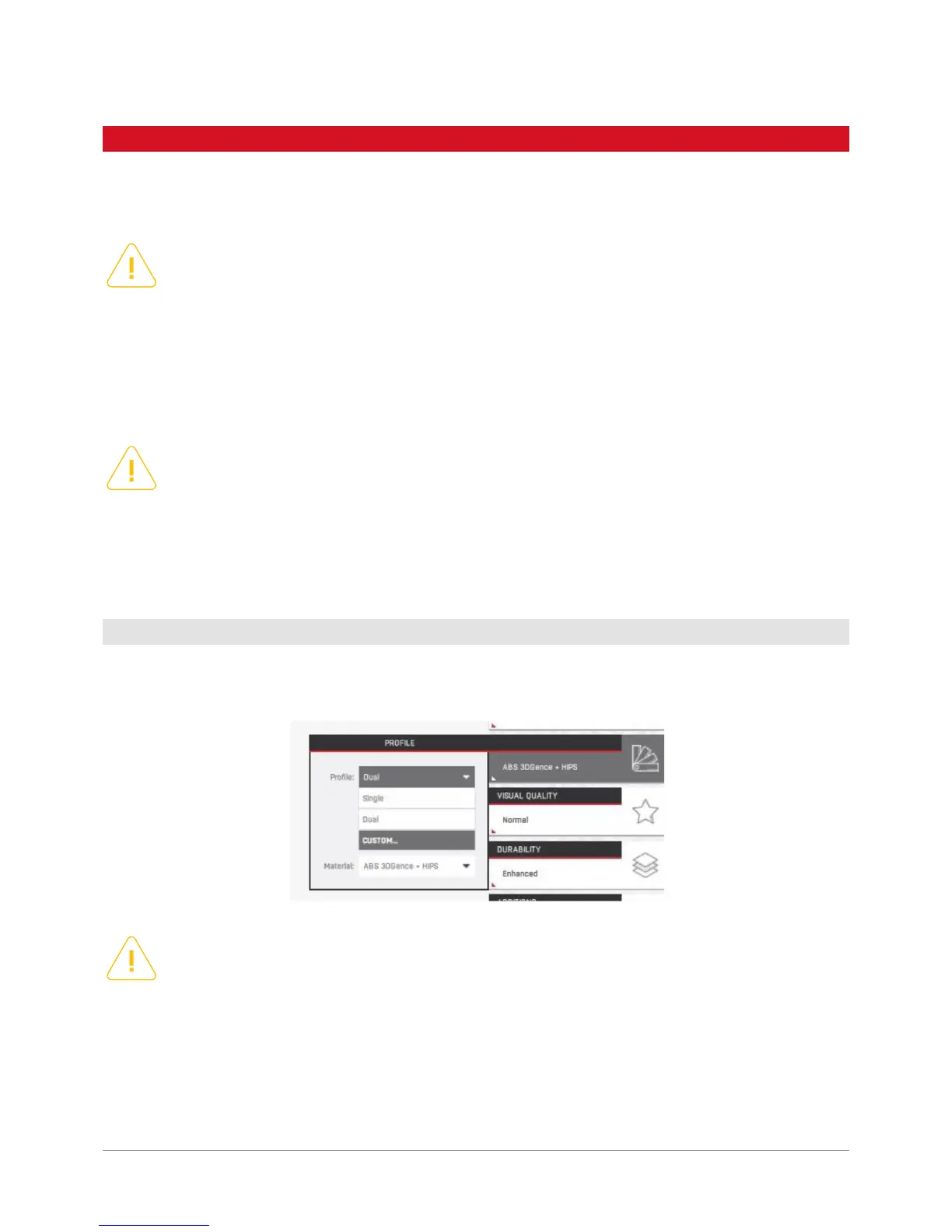
The access to advanced settings takes place by selecting the Custom Prole in the Proles option. The software will
display the message pointing out the hazards and will enable to load the advanced options.
The currently loaded advanced prole is displayed on the status bar.
Please remember that using any materials and printsettings not provided by the producer makes the user fully
liable. The producer shall not be held liable for any failures resulting from such activities especially with respect
to the printhead and material guiding system. The producer discourages from using printing materials which
may damage the nozzle (e.g. the ones containing glass or carbon bre) or clog it (materials with insufciently
ground additives, e.g. wood).
Please note that for technical reasons the setting combinations in material proles were disabled. This means
that e.g. when you change the Line Width parameter, the parameters in the Wall Line Width having priority
over the original setting will not be changed. If you overwrite the ofcial prole copy or damage the prole
with incorrect settings, you can download the original advanced proleversions from the producer’s website.
6.1 Access to advanced settings
The printer selected in the printer settings is not important as the advanced prole contain such information.
Please note that forcing the initialization of the .gcode operation prepared for inappropriate device may damage
the machine and is not covered by the guarantee. After you have selected the non-standard proles, other
print setting options are disabled. Selecting other print settings in the Additions options will overwrite the
information in the prole.
6. ADVANCED SETTINGS



 To Next Page