64 | 3DGence INDUSTRY F340
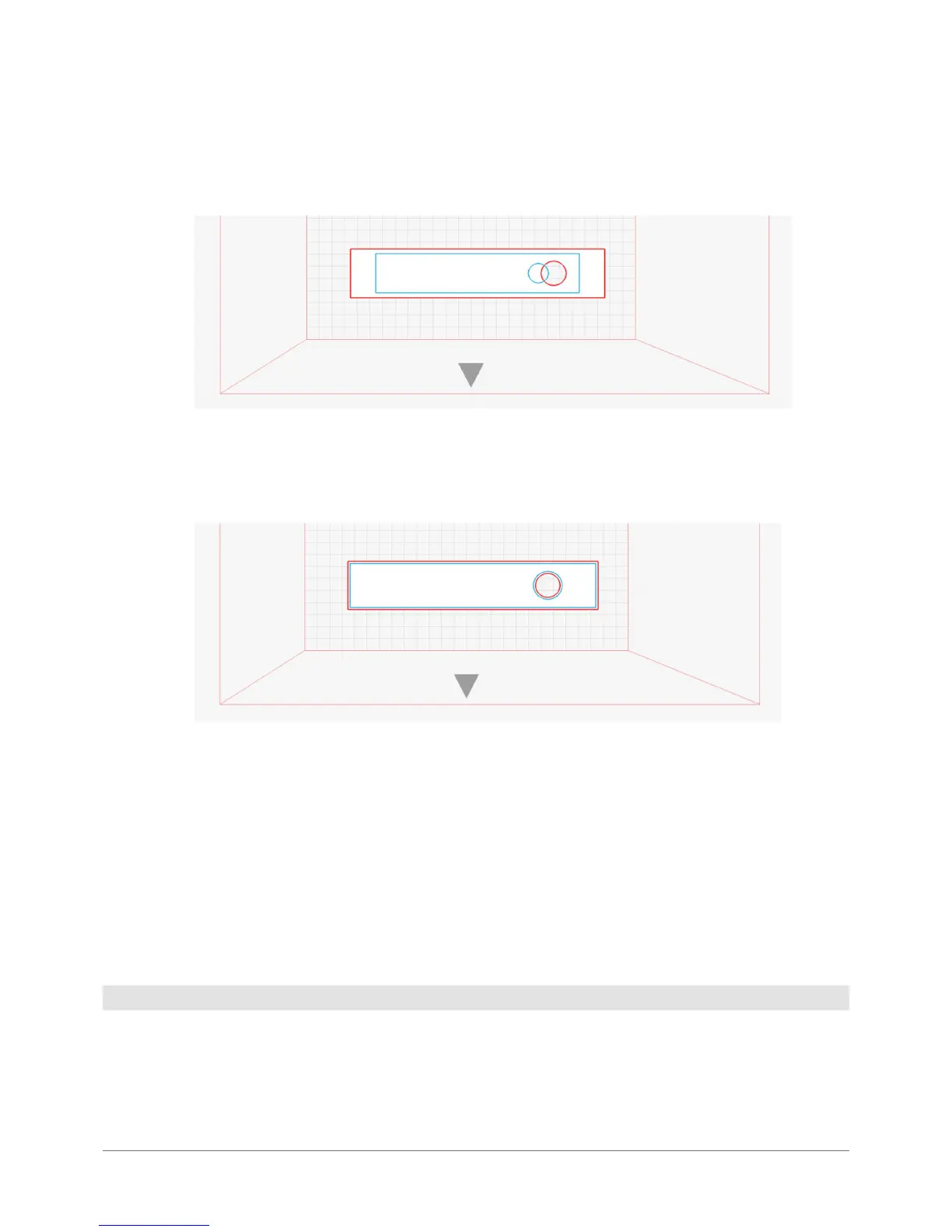
The XY Compensation option enables to change the size of the entire model in the XY plane in proportion to its size, after
generating .gcode. This gure presents the model loaded in the software (red) and after 90% offset has been applied
(blue). It is recommended to use offset to compensate for material shrinkage.
The Wall Offset option changes the model size, extending or narrowing its walls regardless of its size, after generating
.gcode. This gure presents the model loaded in the software and after 3 mm offset has been applied. It is recommended
to improve the dimensional tolerance of the tted parts.
The Cooling option enables to set the printed model cooling manually. This value should be increased solely for printing
thin components which must be nicer visually and do not need to be strong.
The Support Angle option enables the user to set the minimum overhang angle for support generation manually. If the
model rests on a very small buildplate area, it may break off which is why this parameter should be decreased in such a
case. More supports mean longer printing time and more stable printout while fewer supports mean shorter printing time
and less print stability. Values “0” and “90” will disable supprt generation.
The Lighter Support option enables the user to force the support generation algorithm change. The Auto value leaves the
predened algorithm unchanged. The “On” option forces creation of lightweight supports while the “Off” one is used to
create heavier, more stable supports.
The graphic representation of the loaded model. The model can also be selected by left-clicking on it and, once selected,
it canbe modied. You can select only one model at a time. It is possible to print several models in one printing process.
They are printed simultaneously. However, it is recommended to print the models separately. This refers in particular to
larger, more complex and longer printouts. The intersecting models will be printed but with possible errors. The models
not tting the workspace will not be printed. Before printing, they should be divided into smaller parts.
4.6 Loaded model



 To Next Page