Page 40
© Copyright 2021 ABB. All rights reserved.
Once a user enters the PIN, total front panel access is allowed for:
• As long as the user remains in menus other than the default menu and/or
• The default display has remained on the front panel for more than user configurable time-out value. The Pulsar
Edge family of controllers has a factory configured default of 120 minutes. This time is adjustable between 1-120
minutes in 1 minute increments. 120 minutes is the factory default.
• An internal counter shall be kept and reset if the user leaves the default menu and returns to others menus before
the time-out period is reached
Front Panel Menus
Feature content at the front panel is functionally divided at the Pulsar Edge’s Main Menu into the
following categories:
Alarms
Warnings Status
Control/
Operations
History
Configuration
The following figures provide a menu flow map for each primary category. This information is followed
up with brief descriptions of each of the menu items. Alarms and Warnings are not hierarchal mapped
and are presented in chronological order of occurrence when they are present. No Active Alarms or No
Active Warnings will be displayed when they are no alarms or warnings detected by the controller.
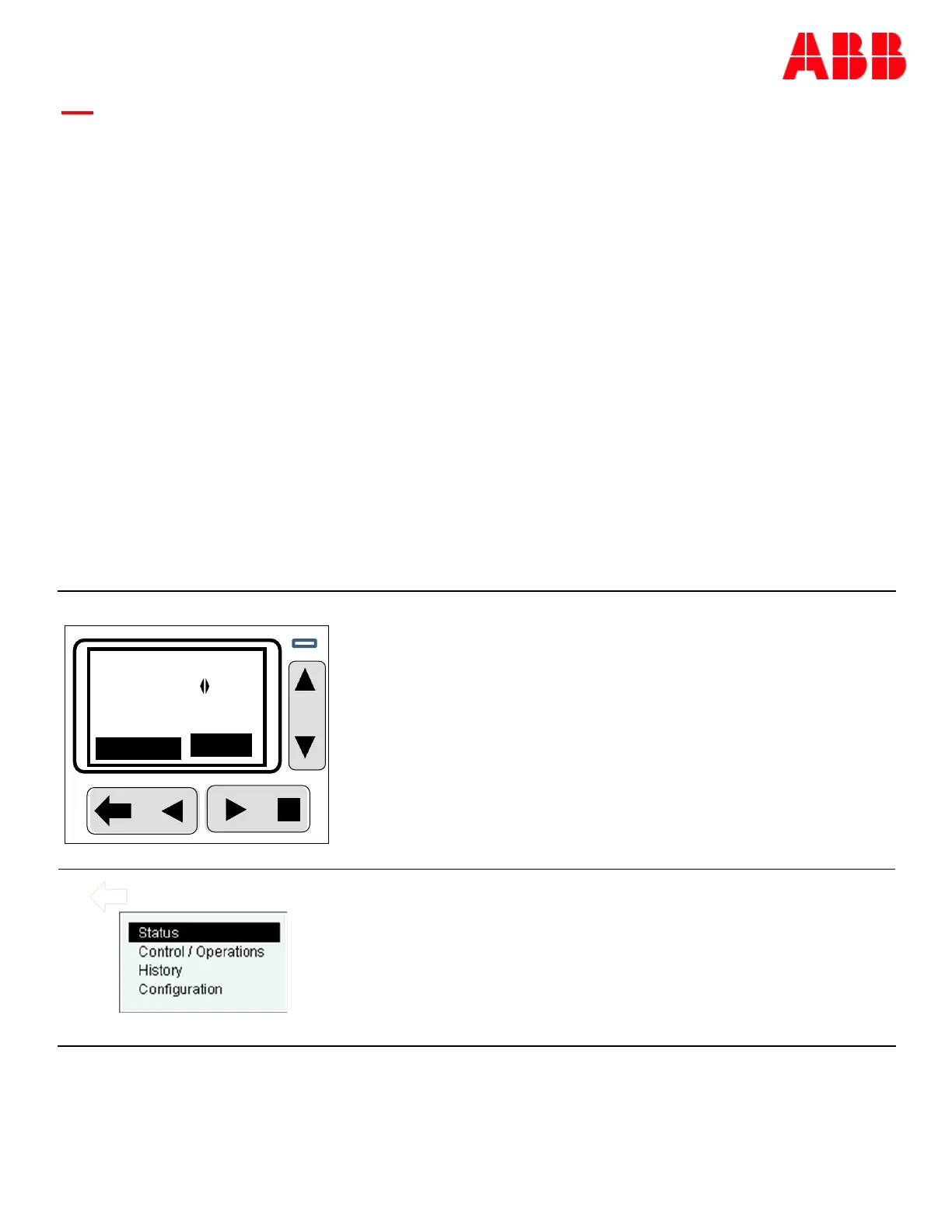
Front Panel Default Menu
The front panel default screen displays the system DC output bus
voltage. Using the ▶◀ keys allows the system load current to be
displayed.
The operating mode of the system is also displayed. Possible
operating modes are: Float, Battery On Discharge, Boost, Float-
Temp Comp etc. In converter systems, the text is fixed to
“converter plant”.
An alarm soft-key as well as the backlight will indicate when alarms
are present. Pressing the ï will access the alarm cut-off as well as
the alarms and warnings present in the system.
Pressing the □ button accesses the main menu and the feature
categories previously listed.
Main menu
Access to alarms, warnings, equipment status detail, basic control
and operations for maintenance purposes, and system
configuration can be obtained.
Note: the Pulsar Edge has the ability to have a front Panel Password
that limits configuration as well as some operations. A person with
administrator level access can enable this feature through the
remote interfaces. Standard Pulsar Edge controllers are shipped
from the factory with this feature disabled.
Menu
NoAlarms
-54.0V I
CONVERTER PLANT



 To Next Page