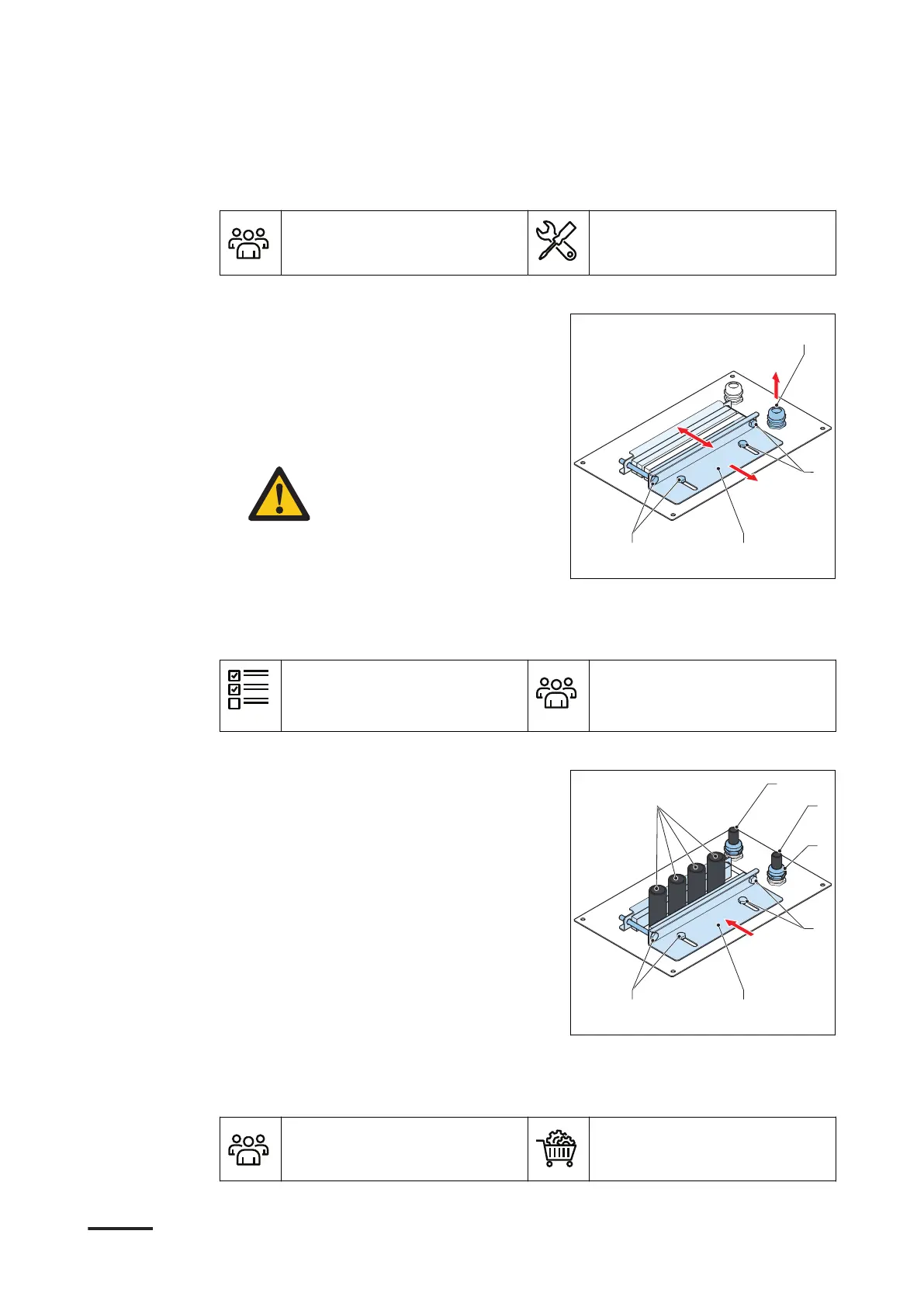
5.5.2 Open the cable inlet and remove the cable gland
Preliminary requirements
• Installation engineer • Open spanner. Refer to
section 10.5.
Procedure
1. Open the front and right doors. Refer
to section 8.1.
2. Loosen the fasteners (A).
3. Move the sliding plate (B) to open the
cable inlet.
4. If it is necessary, remove the cable
gland (C) for the Ethernet cable.
Caution: If the cable gland
for the Ethernet cable is not
used, make sure that the
cable gland is closed and
sealed
5.5.3 Guide the cables through the opening in the cable guide plate
Preliminary requirements
• The front and right doors
are open.
• The cable inlet is open.
• Installation engineer
Procedure
1. If it is necessary, install the cable
gland (A) over the Ethernet cable (B).
2. Guide the wire (C) of the tilt sensor
through the cable inlet.
3. Guide the wires (D) of the AC input
cable, the PE wire and the earthing
conductor for the enclosure through
the cable inlet.
4. Pull the wires and cable through the
gland plate and the cable inlet. Apply
the full cable slack.
5. Close the sliding plate (E).
6. Tighten the fasteners (F).
7. Close the doors. Refer to section 8.2.
5.5.4 Install the cabinet on the foundation
Preliminary requirements
• Installation engineer
• Fasteners. Refer to section
10.6.
Installation
48 9AKK108466A3703-EN | 001









 To Next Page