EasyManua.ls Logo

Ableton Push 3 - User Manual

Default Icon
193 pages
Print Icon
To Next Page IconTo Next Page
Loading...
1 Introduction
Ableton Push is an expressive instrument for music-making that lets
you create and edit melodies, harmonies, beats, and samples, as well
as entire songs. As a standalone instrument, Push lets you stay focused
on song creation in or out of the studio. You can seamlessly send your
Live Sets to Push and vice versa.
Push also functions as a hub where you can control and record a wide
range of acoustic and electronic instruments simultaneously. On stage,
Push serves as a powerful instrument for real-time playing, step
sequencing, and clip launching, with or without a computer.
You can use this manual to get familiar with Pushs fundamental
workflows, or as a general reference for Pushs features and controls.
There are also a number of videos that can help you get started with
Push available here: https://www.ableton.com/learn-push/
1.1 What’s in the Box?
Push comes with a power supply, USB-C cable, getting started guide,
safety and warranty information booklet, and decorative poster.
To view the complete Tech Specs for Push, feel free to refer to this
page: https://www.ableton.com/push/tech-specs/
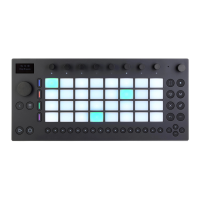
1.2 Hardware Overview
1.2.1 Controls
7/29/23, 9:32 AM
Page 1 of 193
Question and Answer IconNeed help?

Do you have a question about the Ableton Push 3 and is the answer not in the manual?

Summary

Setting Up and Configuring Push

Connecting Push to a Computer

Guides on establishing a connection between Push and your computer.

Expression Tab Settings

Details expression modes and pitch bend behavior customization.

Audio Tab Configuration

Covers settings for Push's built-in audio interface.

Authorizing Live License

Guides on authorizing Ableton Live licenses for standalone Push use.

Building and Managing Live Sets

Working with Devices and Tracks

Covers adding, managing, muting, and deleting devices on tracks.

Working with Instrument and Drum Racks

Explains the functionality and usage of Racks in Push.

Managing Sets, Projects, and Packs

Continuity Between Push and Live

Explains how Push and Ableton Live work together seamlessly.

Pairing Push with Live

Guides on connecting Push and Live via Wi-Fi for integration.

Playing and Programming Beats

16 Velocities Layout

Explains the 16 Velocities layout for drum pad velocity control.

Loading Individual Drums

Guides on loading or replacing individual drum pads in Hot-Swap Mode.

Step Sequencing Beats

Explains how to sequence notes using the step sequencer.

Playing Expressive Beats with MPE

Introduces MPE Drum Kits for expressive beat performance.

Playing and Programming Melodies and Harmonies

Expressive Melodies with MPE

Details expressive playing options like MPE, Poly/Mono Aftertouch.

Step Sequencing Melodies

Guides on step sequencing melodies and harmonies.

Melodic Sequencer + 32 Notes Layout

Introduces a layout combining step sequencing and real-time playing.

Melodic Sequencer Functionality

Explains how to add, edit, and manage notes in the step sequencer.

Recording and Editing MIDI

Real-time MIDI Recording

Guides on recording notes in real-time using Push.

Fixed Length MIDI Recording

Explains setting fixed lengths for new MIDI clips.

Recording MIDI with Repeat

Details using the Repeat button for note retriggering.

Quantizing MIDI Notes

Explains how to snap notes to the grid using the Quantize button.

Clip View Operations

Editing MIDI Clips

Covers editing MIDI clips and individual notes directly on Push.

Note Edit Mode

Details how to enter and use Note Edit mode for individual notes.

Recording and Warping Audio

Setting Up an Audio Track for Recording

Guides on preparing an audio track for recording instruments.

Arming Audio Tracks for Recording

Explains how to arm audio tracks to enable recording.

Recording Audio Clips

Guides on recording audio signals into clips.

Converting Audio to MIDI

Details the process of converting audio clips into MIDI tracks.

Controlling External Instruments

Using the External Instrument Device

Explains the External Instrument device for routing MIDI and audio.

Parameter Automation Recording

Recording Automation on Push

Guides on recording parameter changes as automation directly on Push.

Track Control and Mixing

Track Mixing Operations

Details controlling track volumes, pans, and sends.

Session View Navigation

Push Control Reference Guide

Ableton Push 3 Specifications

General IconGeneral
TypeMIDI Controller / Standalone Instrument
Standalone ModeYes
Sample RateUp to 96 kHz
Bit Depth24-bit
Pads64
DisplayFull-color
ConnectivityUSB, MIDI I/O
Powerexternal power supply
StorageInternal SSD
SoftwareAbleton Live
CompatibilityAbleton Live 11.3 or later
ProcessorIntel-based processor (specific model not disclosed)

Related product manuals