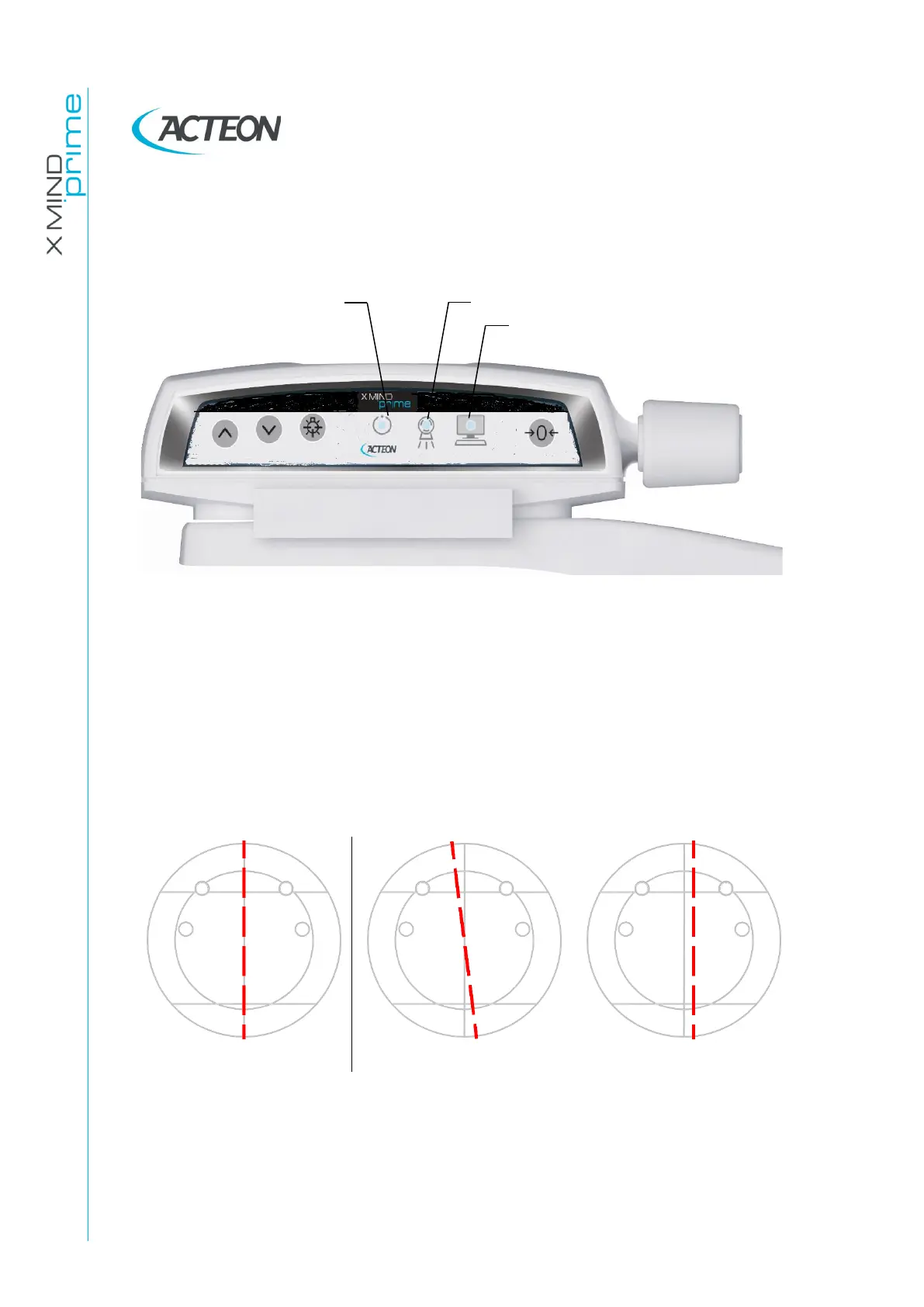
7.2 Functioning of the indicator lights
Power ON the unit, verify that the "Machine Ready" (1), "X-Ray Emission" (2) and
"Computer connection" (3) LEDs light for few seconds.
Figure 8
In case the test fails, verify that the main power supply is present in the room. If the
case, call technical assistance.
7.3 Laser alignment check
Power ON the unit and perform the axis reset by pressing the >O< button.
At the end of the axis positioning, place the support plate (P/N 6195170100 - Figure 7)
on the chin rest support and power ON the laser. Check that the mid-sagittal laser beam
is aligned to the reference line of the support plate (± 3mm).
Figure 9
In case the test fails, repeat it checking that there is no mechanical interference. If
misalignment is still present, call technical assistance.















 To Next Page