User Manual – General instruction for use
USER MANUAL • X-MIND prime • (19) • 01/2020 • NXMPEN010C
8.4 Graphical User Interface - Description and functions
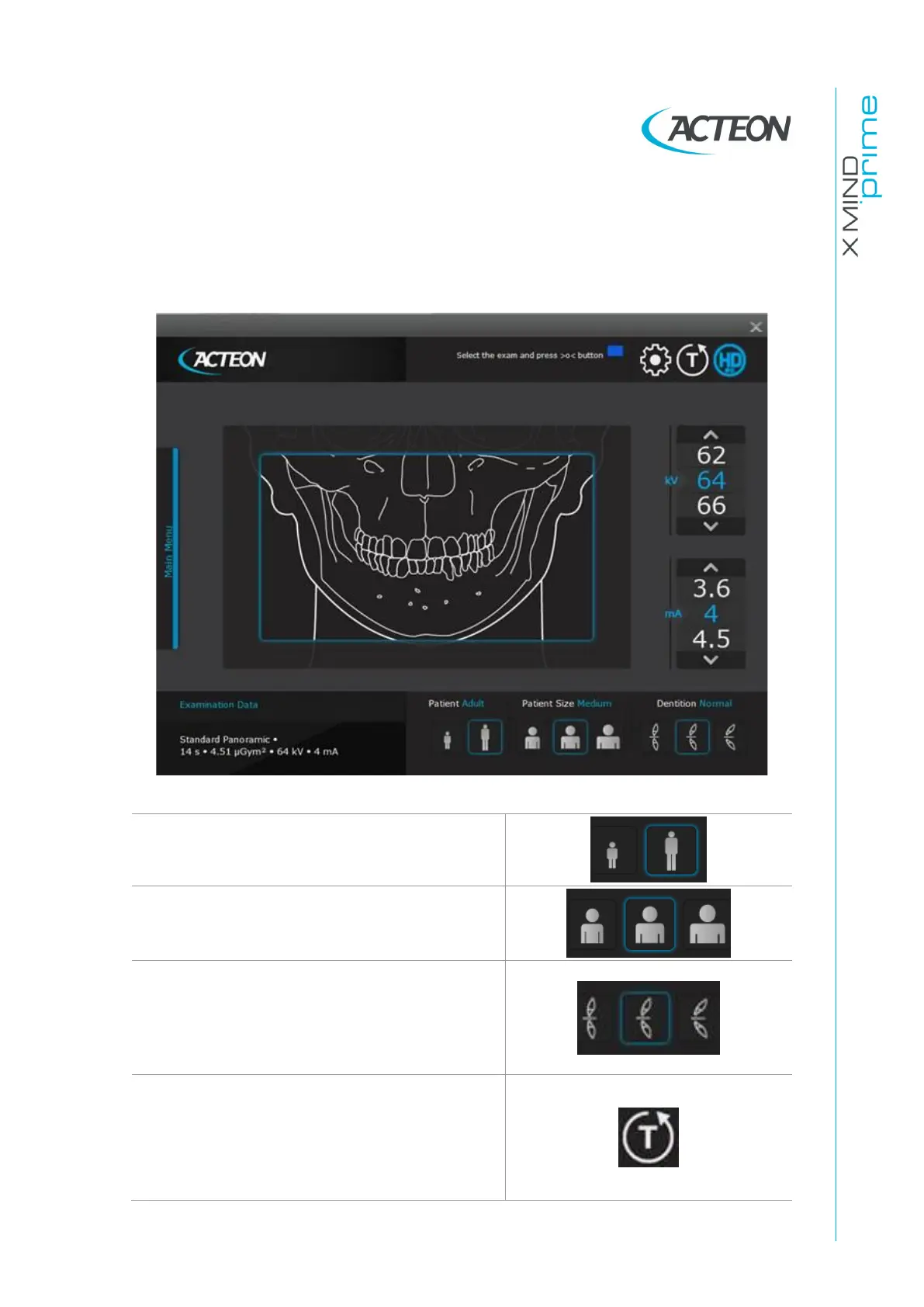
All unit configuration is managed via the virtual interface (Figure
11
) running on the
computer. This interface enables the user to configure all technical features of the unit,
to choose and adjust the exam and radiological parameters.
Figure 11
Adult/Child selection: the pre-set exposure
values and in panoramic exam the trajectory, are
automatically updated based on the current
selection.
Patient size selection: Small/Medium/Large. The
pre-set exposure values will be automatically
updated based on the current selection.
Patient's type of biting: Protruded/Normal/
Retracted. This selection is only available in
Panoramic mode.
The position of the focus layer will be
automatically updated based on the current
selection.
Test mode selection: disables X-ray emission.
Use the test mode to check for the absence of
collision with the patient.
Test mode may also be useful when the
equipment is used on child patients, to show
them how the equipment works before running
the exam.















 To Next Page