7.4.2 Signal to noise check
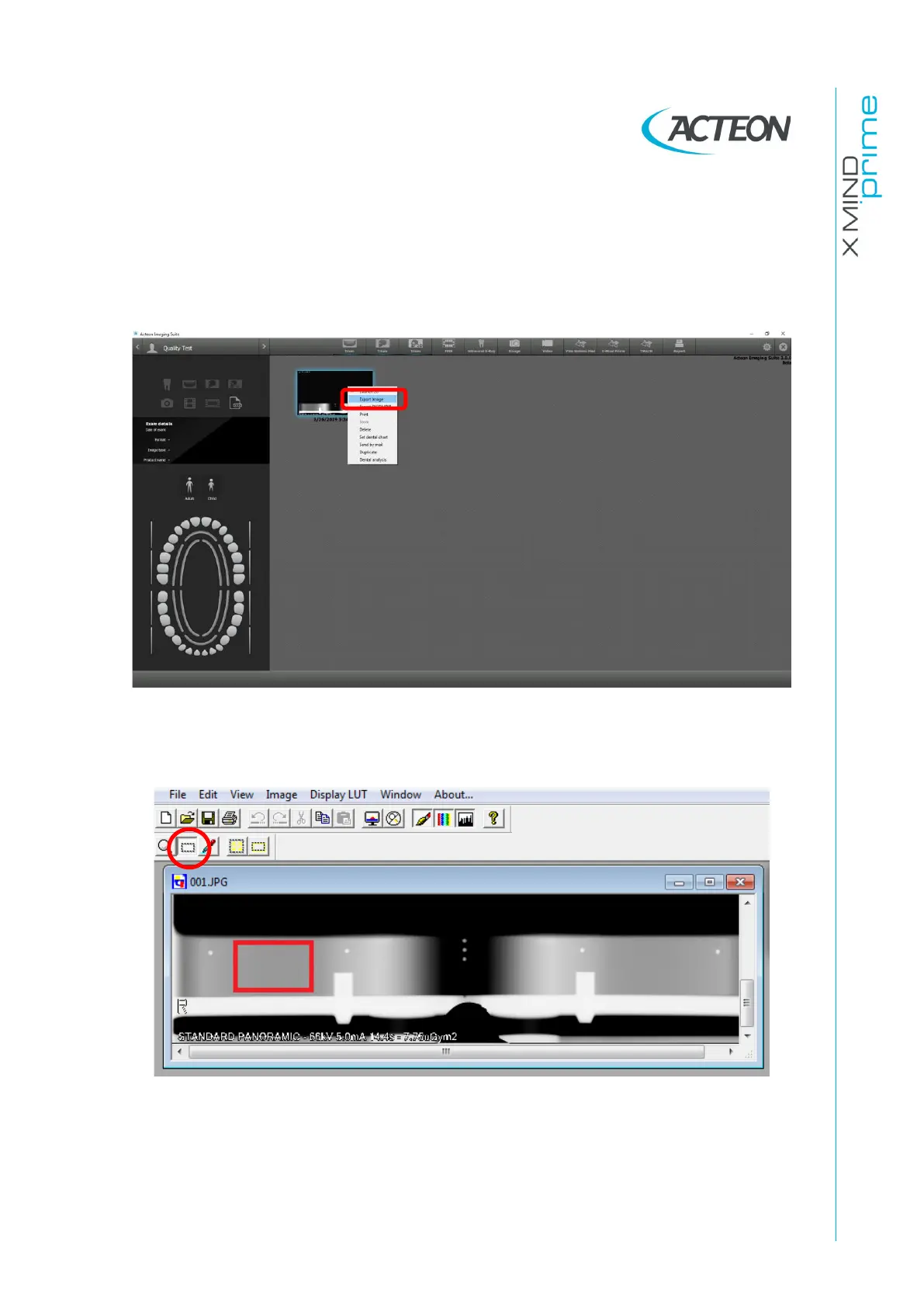
1. In AIS, open the patient "Quality Test".
2. Right-click on the image taken in the previous paragraph and select "Export Image"
from the drop-down menu. Save the image on the Desktop.
3. Open SyMage program and open the image previously saved on the Desktop.
4. Select the tool "Rectangle Selection" from the palette, and draw a region on the
uniform area of the centering tool as shown in the figure below:















 To Next Page