203
ADOBE PREMIERE 5.0
User Guide
Chapter 5: Adding Transitions
he visual change from one clip to another is called a
transition.
To add nuance, texture,
or special effects between video clips, Premiere provides a variety of transitions, such as
wipes, zooms, and dissolves. You can also create your own transitions.
About transitions
The simplest transition is the
cut
, where the last frame of one clip leads directly into the first
frame of the next. The term comes from film editing, where a cut means splicing two shots
together. Very often, a cut is the most effective way to move from one scene to the next. Other
transitions, however, are useful in setting a mood or adding a creative element to your project.
The transitions included with Premiere typically involve the end of one clip and the beginning
of the next. For example, the Cross Dissolve transition might dissolve the last second of one clip
into the first second of the next. Some transitions, such as Inset, can involve both clips in their
entirety, depending on the desired effect.
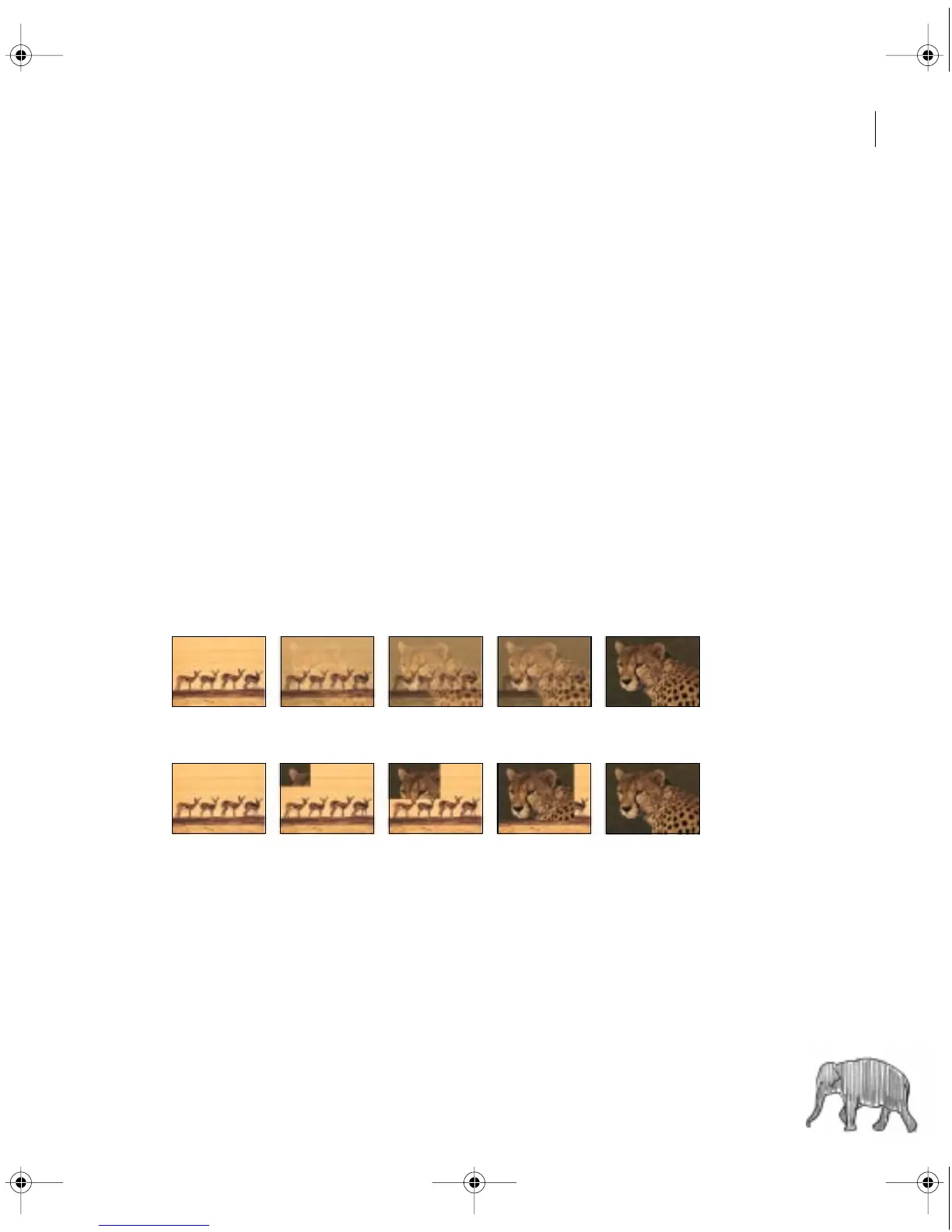
The Cross Dissolve transition dissolves the end of the first clip into the beginning of the next.
The Inset transition gradually inserts and expands the second clip, replacing the first clip.
c00.book for PS Page 203 Tuesday, March 31, 1998 1:28 PM



 To Next Page