269
ADOBE PREMIERE 5.0
User Guide
Image Matte
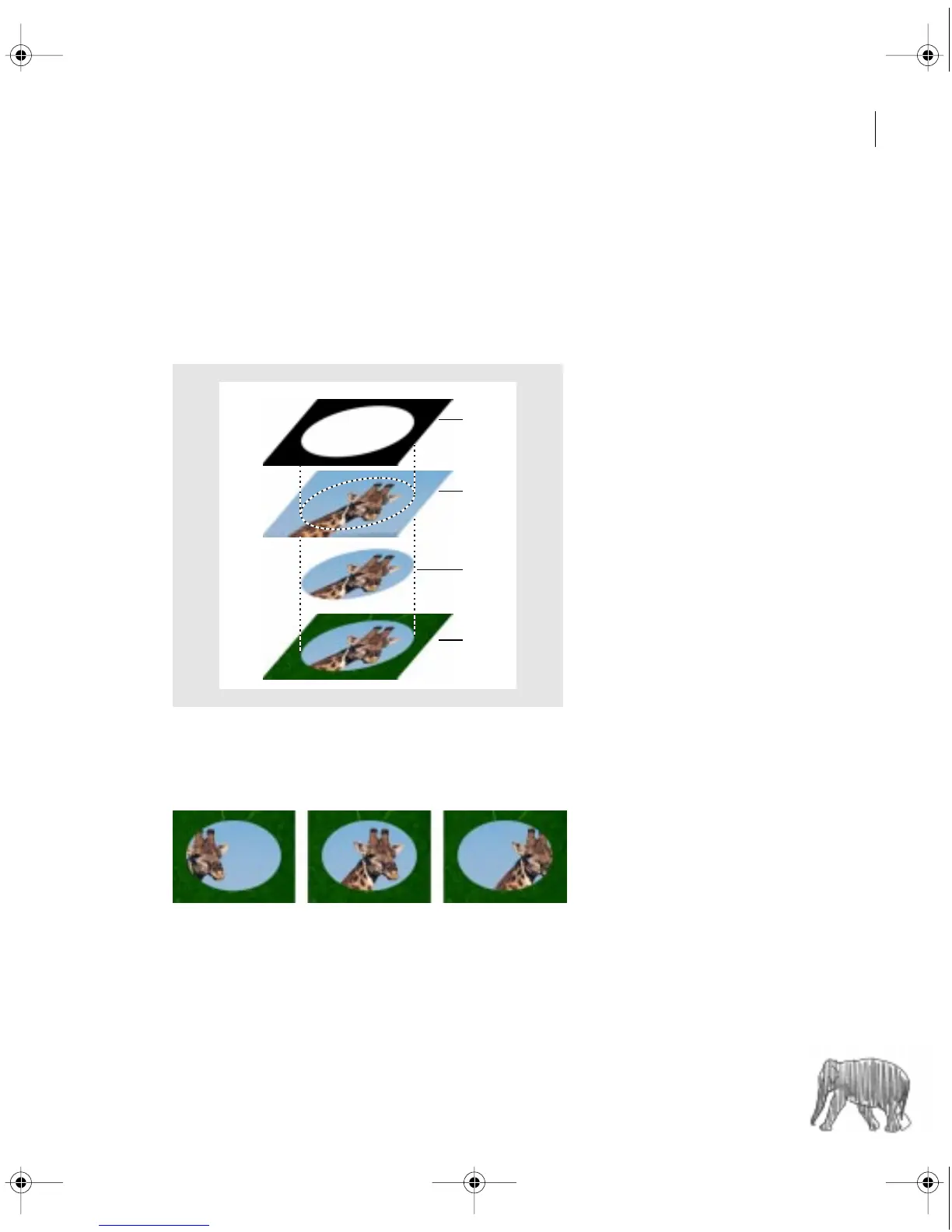
The Image Matte key uses a specified still image (the
matte
) to determine the areas of trans-
parency for a clip. Areas in the superimposed clip that correspond to areas of white in the still
image remain opaque; areas of black in the still image become fully transparent in the clip;
areas in the image that are between white and black produce varying levels of transparency in
the clip.
A.
Still image chosen for Image Matte in Transparency settings dialog box.
B.
Video clip on superimpose track.
C.
Effect of image matte on superimpose track.
D.
Final result over lower track.
Because Image Matte uses a still image, the matte can’t change over time.
A
B
C
D
c00.book for PS Page 269 Tuesday, March 31, 1998 1:28 PM



 To Next Page