271
ADOBE PREMIERE 5.0
User Guide
5
In the Image section of the dialog box, click the Choose button and select the image you
saved in step 2.
6
Select the Reverse Key option to key out the static background.
7
Place the new background in a lower track to create the composite.
Track Matte
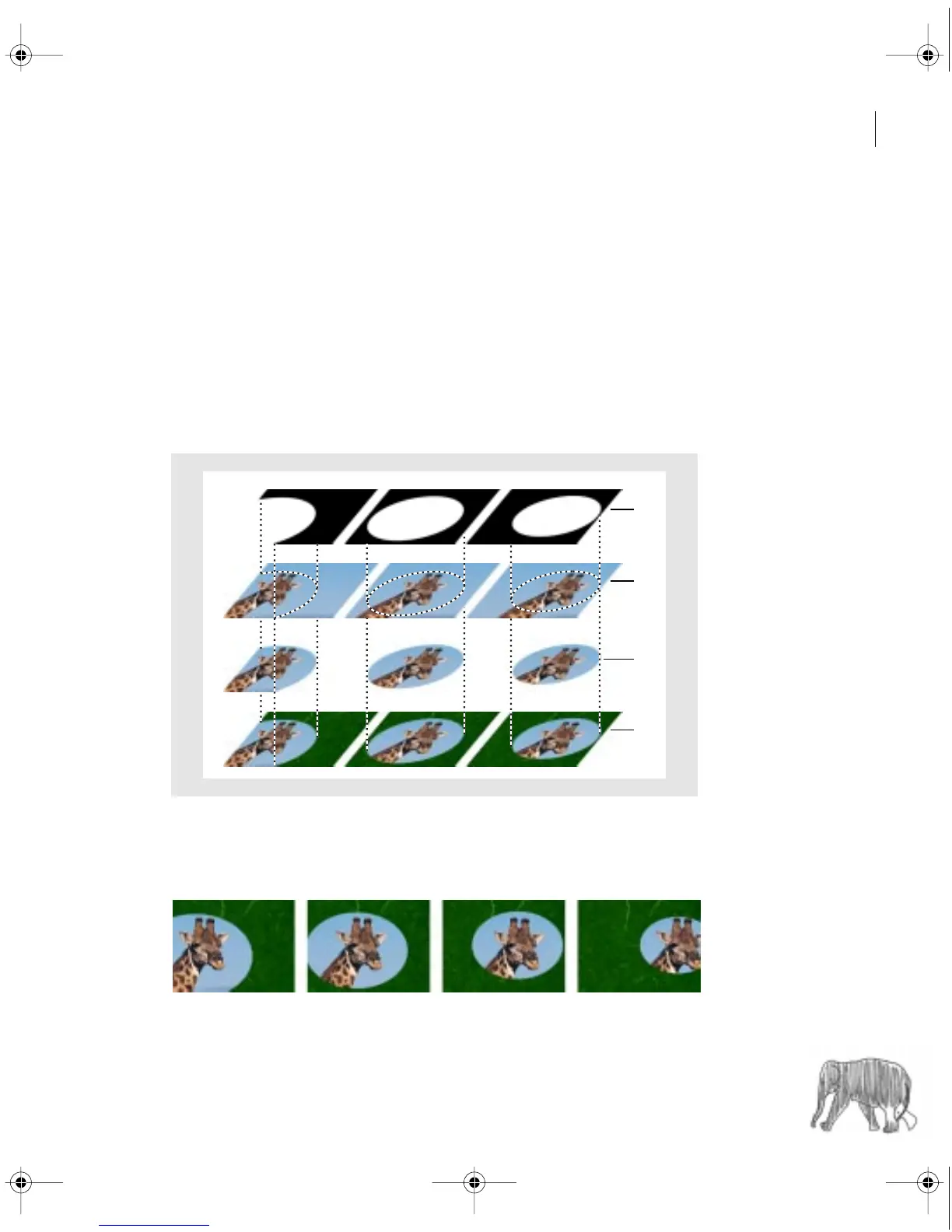
The Track Matte key lets you create a moving matte (often called a
traveling matte
), which
superimposes one clip on another using the matte to integrate the two. You can use any clip,
still image, or still image with motion for the matte.
A.
Clip used as track matte.
B.
Video clip on superimpose track.
C.
Effect of track matte on superimpose track.
D.
Final result over lower track.
Because Track Matte can be applied to a video clip, the matte can change over time.
A
B
C
D
c00.book for PS Page 271 Tuesday, March 31, 1998 1:28 PM



 To Next Page