APPENDIX A
346
Measuring Time and Frame Size
You set the frame size of a source clip in the software that produced it. If a source clip frame size
doesn’t match the frame size specified in the Video Settings or Export Settings dialog boxes,
Premiere resizes it to fit. This may produce unsatisfactory picture quality if Premiere must
resize the clip frame above its original dimensions or distort it if its aspect ratio doesn’t match
the frame aspect ratio in Premiere. For best results, make sure that source clip frame sizes and
aspect ratios match the project settings before you import clips into a project. However, you
might use a clip frame size larger than the project frame size if you plan to apply the Image Pan
filter in Premiere. When you want to size a clip smaller than the project frame size (such as for
a picture-in-picture effect), import the clip normally and use the Zoom motion setting to
reduce its size (see “Rotating, zooming, delaying, and distorting” on page 284).
Bit depth
Bit depth
measures the number of bits used to store information in a single pixel. The higher
the bit depth, the more colors the image can contain, which allows more precise color repro-
duction and higher picture quality. The bit depth required for high quality varies depending on
the color format used by the video-capture card. Many capture cards use the YUV color format,
which can store high-quality video using 16 bits per pixel. Before transferring video to your
computer, video-capture cards that use YUV convert it to the 24-bit RGB color format which
Premiere uses. For the best RGB picture quality, save source clips and still images with 24 bits
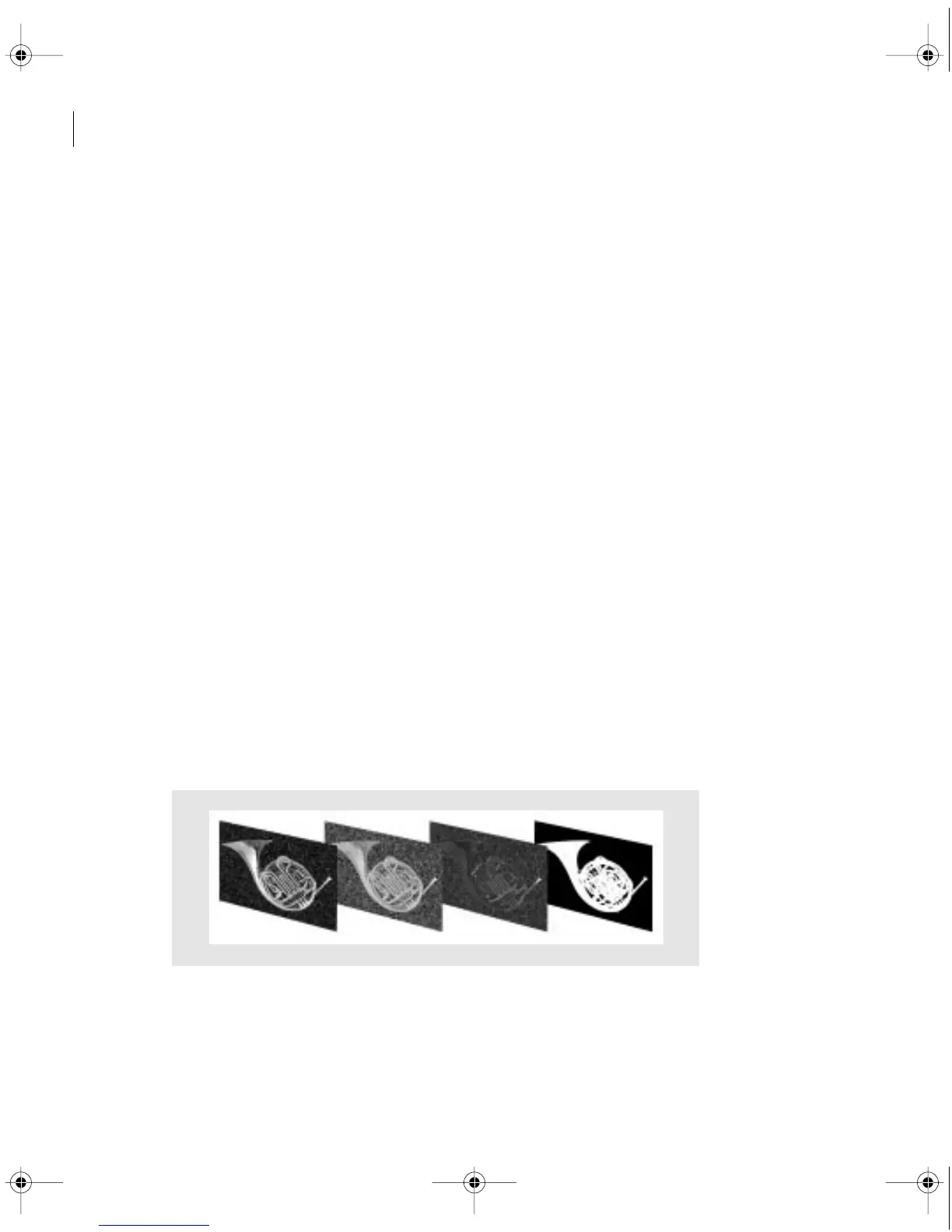
of color, although you can use clips with lower bit depths. If the clip contains an alpha channel
mask, save it from the source application using 32 bits per pixel (also referred to as 24 bits with
an 8-bit alpha channel, or Millions of Colors+). For example, QuickTime movies can contain
up to 24 bits of color with an 8-bit alpha channel, depending on the exact format used. Inter-
nally, Premiere always processes clips using 32 bits per pixel regardless of each clip’s original bit
depth. This helps preserve image quality when you apply effects or superimpose clips.
A 32-bit frame consisting of four 8-bit channels: red, green, blue, and an alpha channel mask
c00.book for PS Page 346 Tuesday, March 31, 1998 1:28 PM



 To Next Page