63
ADOBE PREMIERE 5.0
User Guide
Audio settings
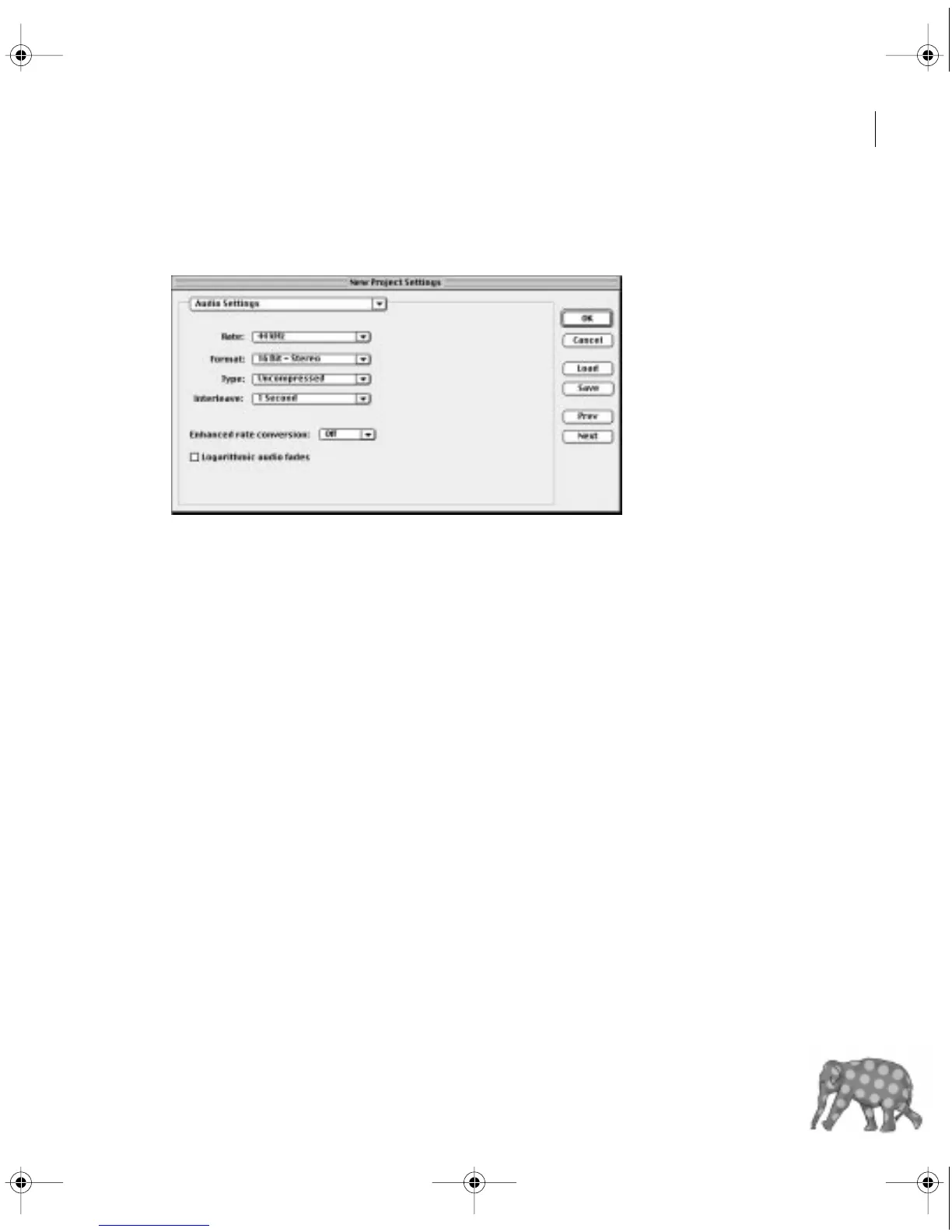
When you choose Project > Settings > Audio, you can specify the following options:.
Rate
Higher rates provide better audio quality when you play audio back from the Timeline
but require more disk space and processing. Resampling, or setting a different rate than the
original audio, also requires additional processing time; try to capture audio at the final rate.
Format
Higher bit depths and stereo provide better quality but require more disk space
and processing.
Type
Specifies the codec for Premiere to apply when playing audio back from the Timeline.
The codecs available depend on the Editing Mode you specified in the General panel in the
Project Settings dialog box. For more information about each codec, see “Finding an
appropriate codec” on page 352.
Interleave
Specifies how often audio information is inserted among the video frames in the
preview file created when you play audio back from the Timeline. A value of 1 frame means that
when Premiere plays back a frame, the audio for the duration of that frame is loaded into RAM
so that it can play until the next frame appears. If the audio breaks up when playing, the inter-
leave value may be causing the computer to process audio more frequently than it can handle.
Increasing the value lets Premiere store longer audio segments that need to be processed less
often, but higher interleave values require more RAM.
c00.book for PS Page 63 Tuesday, March 31, 1998 1:28 PM



 To Next Page