35 ARK-6310 User Manual
Chapter 3 Operation
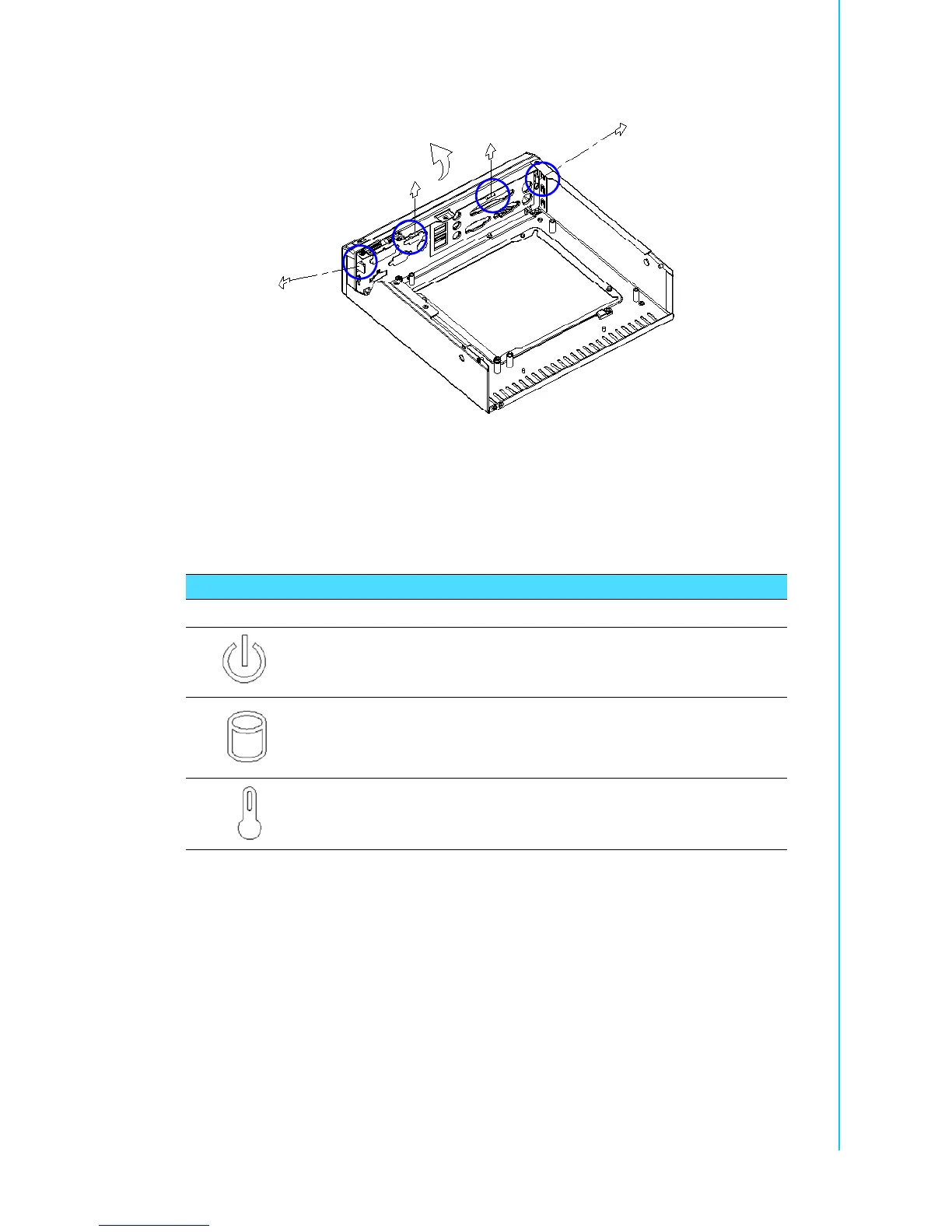
2. Loosen the four plastic hooks that clip into the sheet metal.
Figure 3.3 Removing the ARK-6310 front bezel
3. Push out the bezel as illustrated.
3.1.3 LED Indicators
! Power LED: Steady blue while the system power is on.
! HDD LED: Flashing blue while the HDD is accessing data.
! Temp LED: Steady blue while the internal temperature is under 50°C. If the
internal temperature climbs above 60°C, this LED turns red; it stays red until
internal temperature drops below 50°C. Note: The temperature indicator LED is
accurate to within ±5°C.
Table 3.1: Definition of LED indicators
Icon LED Description Blue No light
Power Power Normal Off or failure
HDD Hard Disk Reading NO reading
Temp Over-heating Normal Over (Red)














 To Next Page