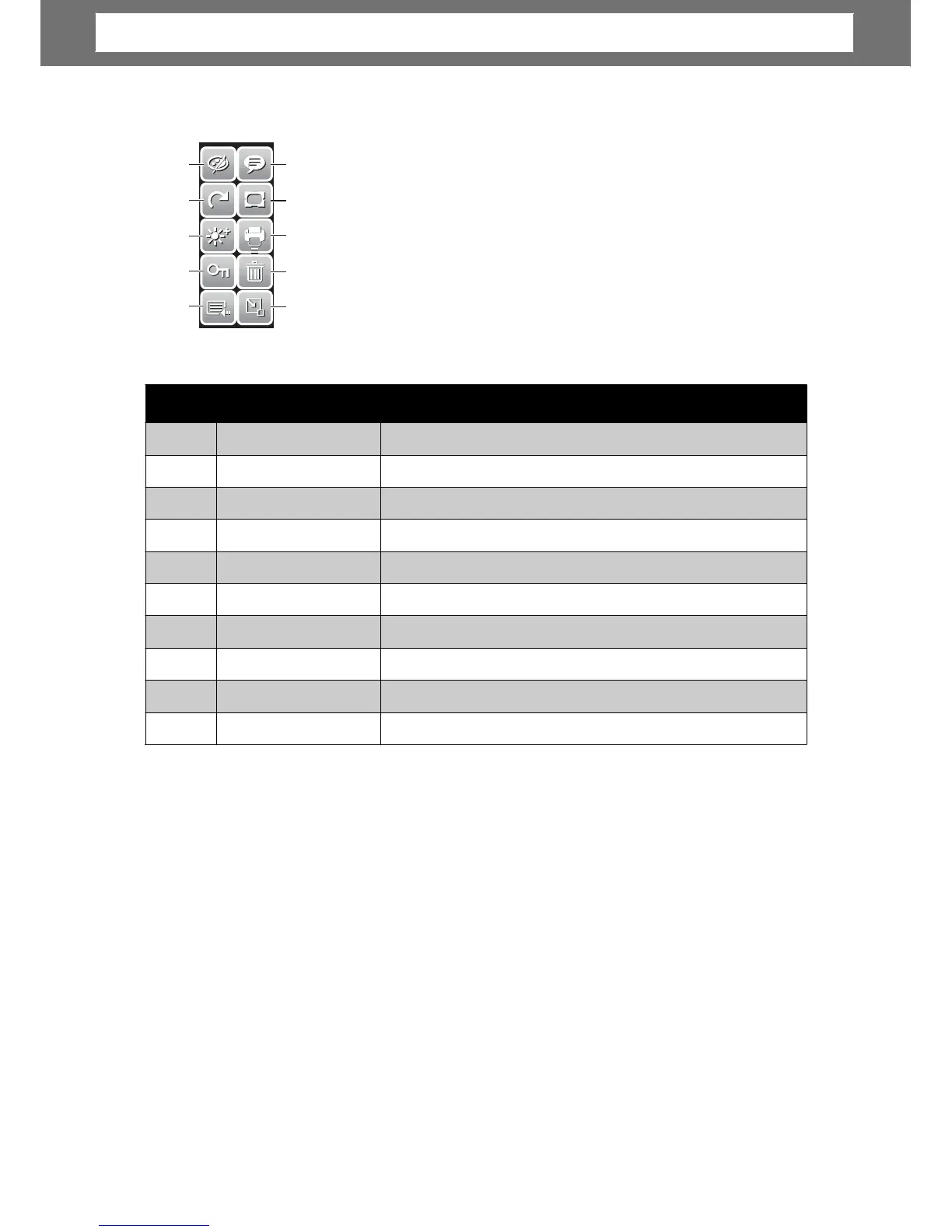
he Quick-Set Bar in Playback mode contains 10 menu
options. Unavailable functions or functions with preset settin
21
No. Menu Item Description
1 Effect Tap to add effects to image.
2 Rotate Tap to rotate image.
3 Z-Lighting Tap to adjust Z-lighting settings.
4 Protect Tap to lock image.
5 Main Menu Tap to go to Main Menu.
6 Add Memo Tap to add a memo dialog to the image.
7 Photo Frame Tap to add photo frame to image.
8 DPOF Tap to mark image for printing.
9 Delete Tap to delete image.
10 Close Tap to close Quick-Set Bar.
Chapter
3:
Usin
g
the
LCD
Screen













 To Next Page