o
i
ce
Memo
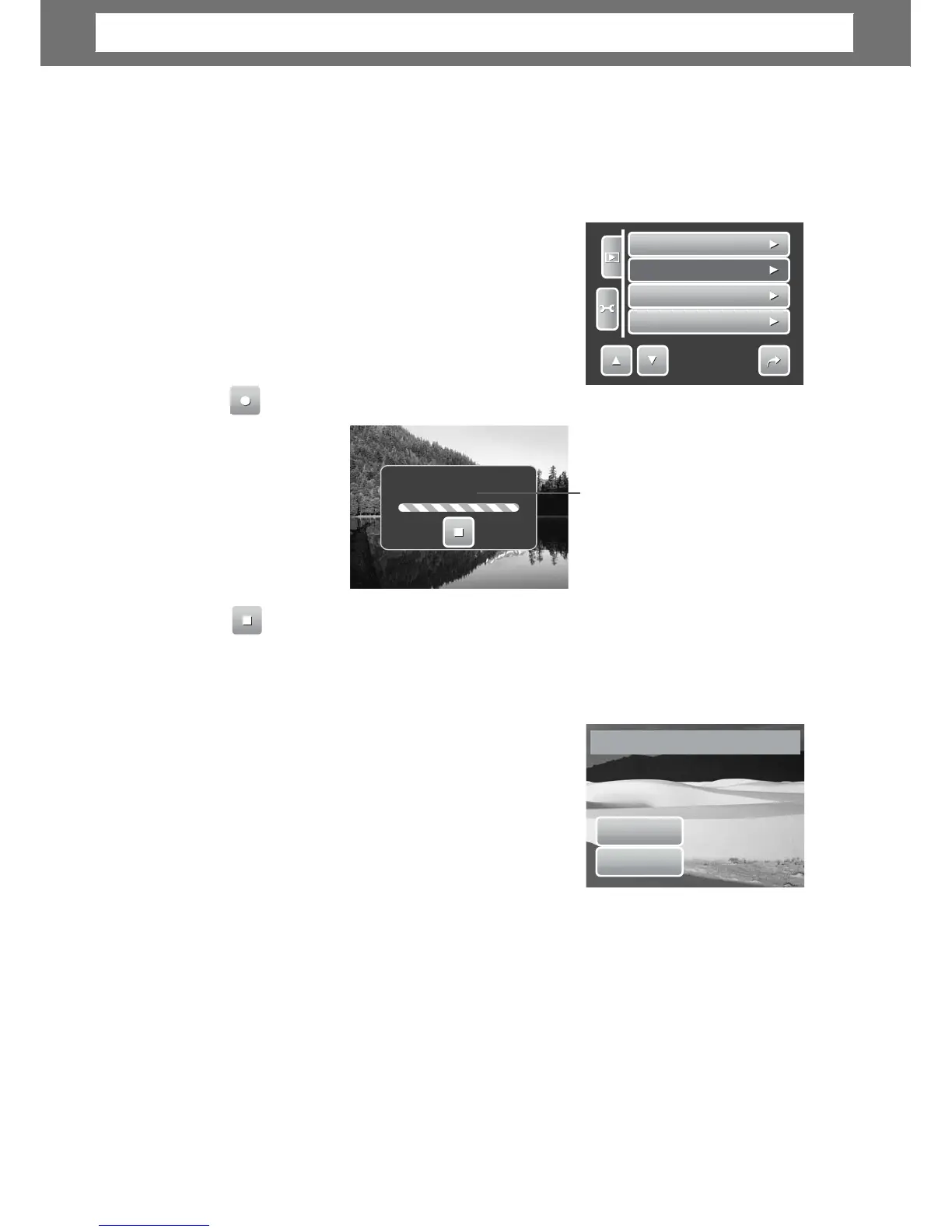
The Voice Memo function allows you to record and attach a voice memo to a saved
image. You can record a maximum of 20 seconds of Voice memo per image. This
function is only available for still images.
To
record
voi
ce
mem
o:
1. View image to attach voice memo on the LCD
screen.
2. From the Playback menu, tap Voice Memo.
The voice recording interface is displayed on
the LCD screen.
3.
oice memo is automaticall
ed and
attached to the ima
e.
To
attach
v
o
ice
memo
to
an image
with
existing
v
o
ice
memo:
1. View the image with an attached voice memo on the LCD screen.
2. From the Playback menu, tap Voice Memo.
3. The Overwrite confirmation message appears.
Tap whether to:
• Yes. Record another voice memo to
one.
• No. Retain existing voice memo and exit
the function.
4. When you select Yes, the Recording memo
Yes
No
inter
ollow the procedure in recordin
a
voice memo mentioned above.
Red-Eye
Correction
The Red-Eye Correction function is used to reduce red-eye in captured images.
This function is only available for still images. Red-eye correction can be applied to
an image several times, but the quality may gradually deteriorate.
51
Overwrite?
Resize
Voice
Memo
Protect
Delete
1/3
Chapter
5:
Playback













 To Next Page