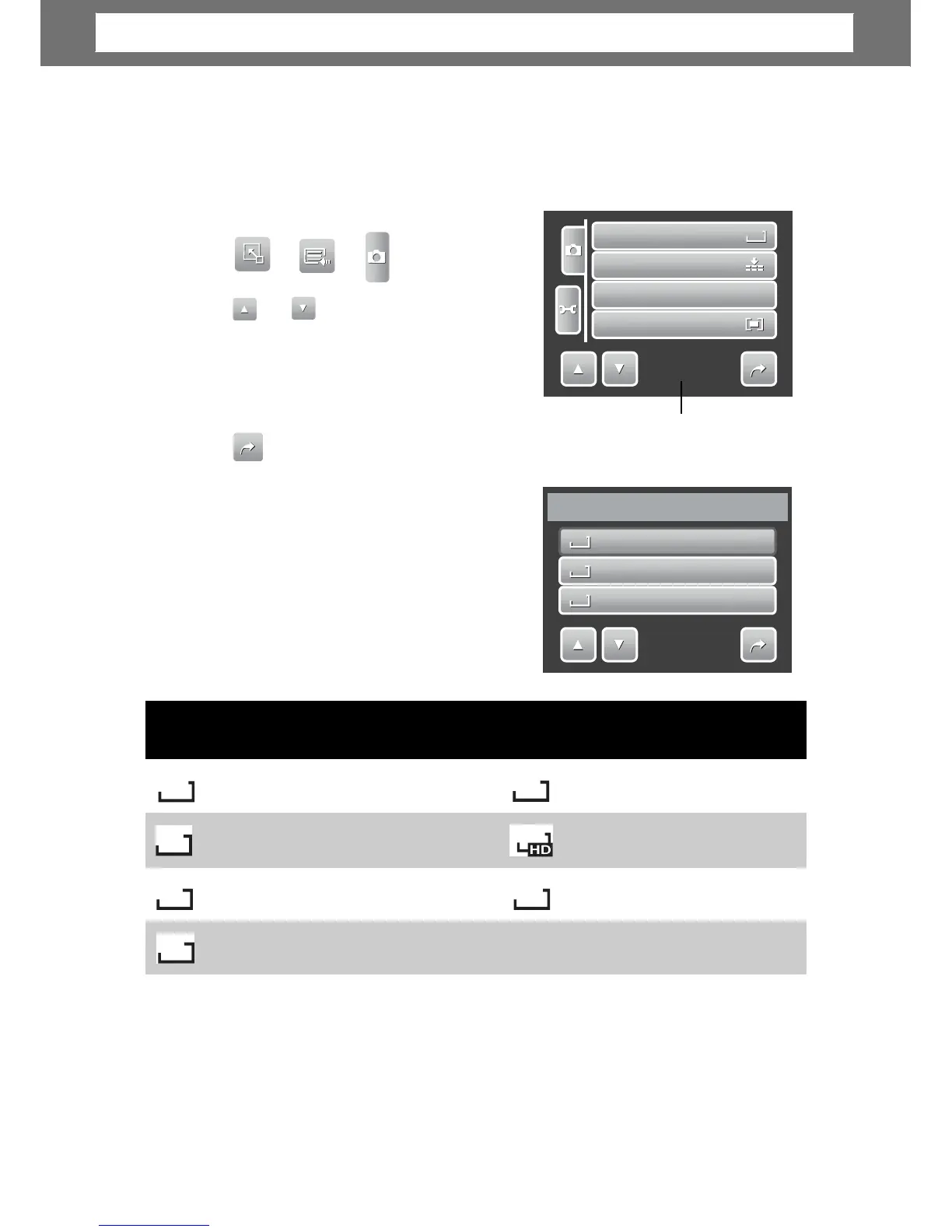
Setting Snapshot Menu
The Snapshot menu allows you to adjust other capture settin
s. Some menu
functions may be disabled depending on current scene mode.
In Snapshot mode,
1.
e of menu selection.
3. To select an item, tap the icon.
4. To change the submenu settings, tap the
icon of desired settings.
Indicates cu
eso
l
ut
i
on
The Resolution function is used to set the
resolution before you capture the image.
Changing the resolution affects the number
of images that can be stored in your memory
card. The higher the resolution, the more
memory space is required.
The table below shows the resolution values
for still images.
Su
estion
10M
3648 x 2736 A2 Size
3M
2048 x 1536 4” x 6”
8M
3264 x 2448 A3 Size 640 x 480 E-mail
27
2592 x 1944 A4 Size
5M
3648 x 2432 A2 Size 1920 x 1080 HDTV
16:9
3:2
Icon Pixel Size
Print Size
Icon Pixel Size
Print Size
1
1
0
0
M
M
3648x2736
3
3
:
:
2
2
3648x2432
8
8
M
M
3264x2448
1/3
Resolution
Resolution
1
1
0
0
M
M
Quality
ISO
I
I
S
S
O
O
Metering
1/5
Chapter
4:
Recording
Photos,
Videos
and
Voices













 To Next Page