White
Ba
la
nce
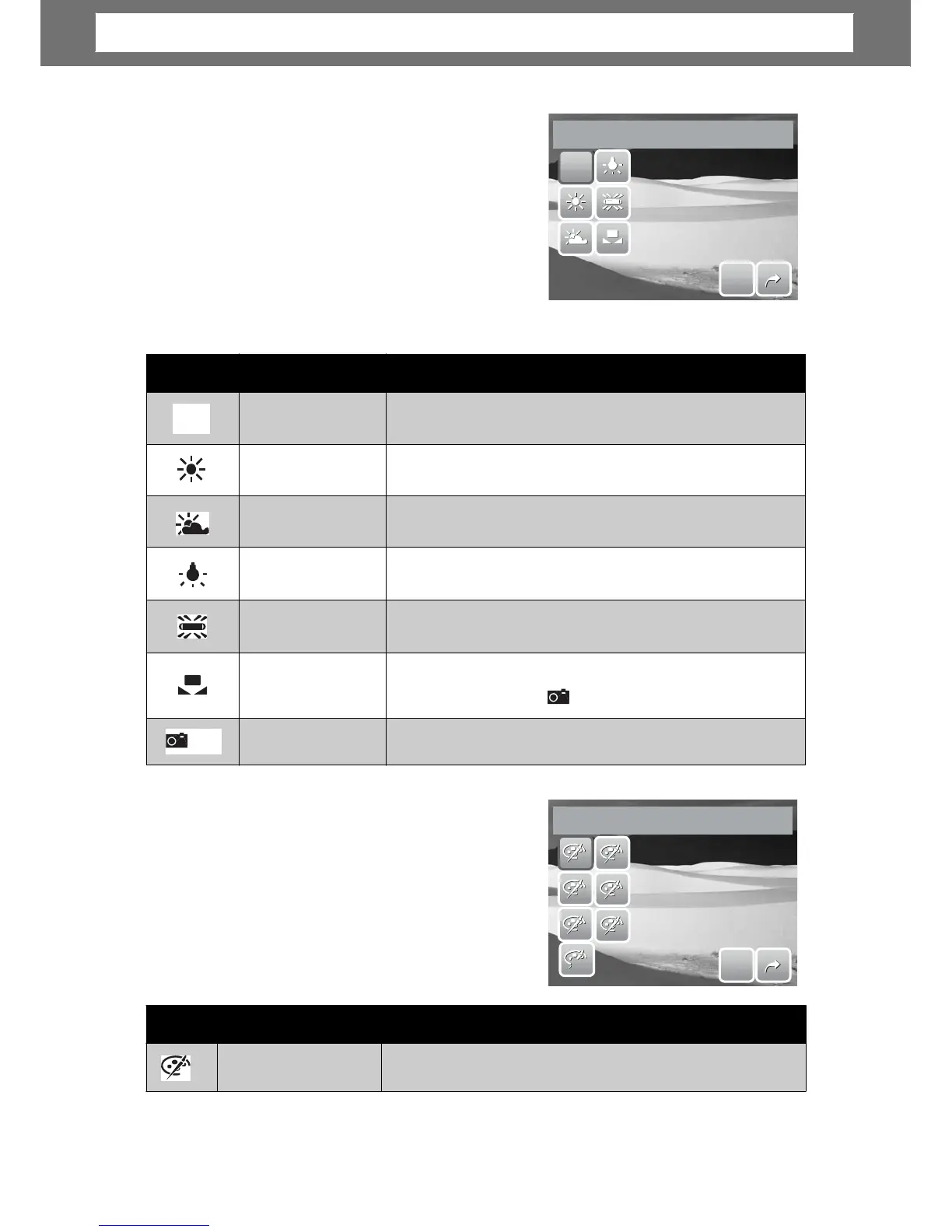
The White Balance function allows you to
adjust the camera settings accordin
to the
white light when recording still images and
movies.
ou can see the
preview on the LCD screen
synchronously.
Tap SET to save and apply settings.
S
S
E
E
T
T
•
balance.
halogen lighting without a flash.
lighting conditions.
E
ect
The Effect function lets you record still
images or movies and apply different colors
or tones for a more artistic effect.
• Tap a selection to view the effect on th
LCD screen.
• Tap SET to save and apply settings.
N
N
R
R
V
S
S
E
E
T
T
29
Icon Item Description
Normal
The camera records normally.
N
Effect
Icon Item Description
Auto
The camera automatically adjusts the white
Daylight
Ideally used for bright sunny conditions.
Cloudy
Ideally used for cloudy conditions.
Tungsten
Ideally used for indoor photos with tungsten or
Fluorescent
Ideally used for indoor photos with fluorescent
Custom
Used when light source cannot be specified. When
user taps this icon,
WB
icon appears.
White Balance
Used to measure the white balance manually.
WB
WB
White
Balance
Chapter
4:
Recording
Photos,
Videos
and
Voices













 To Next Page