Appendix
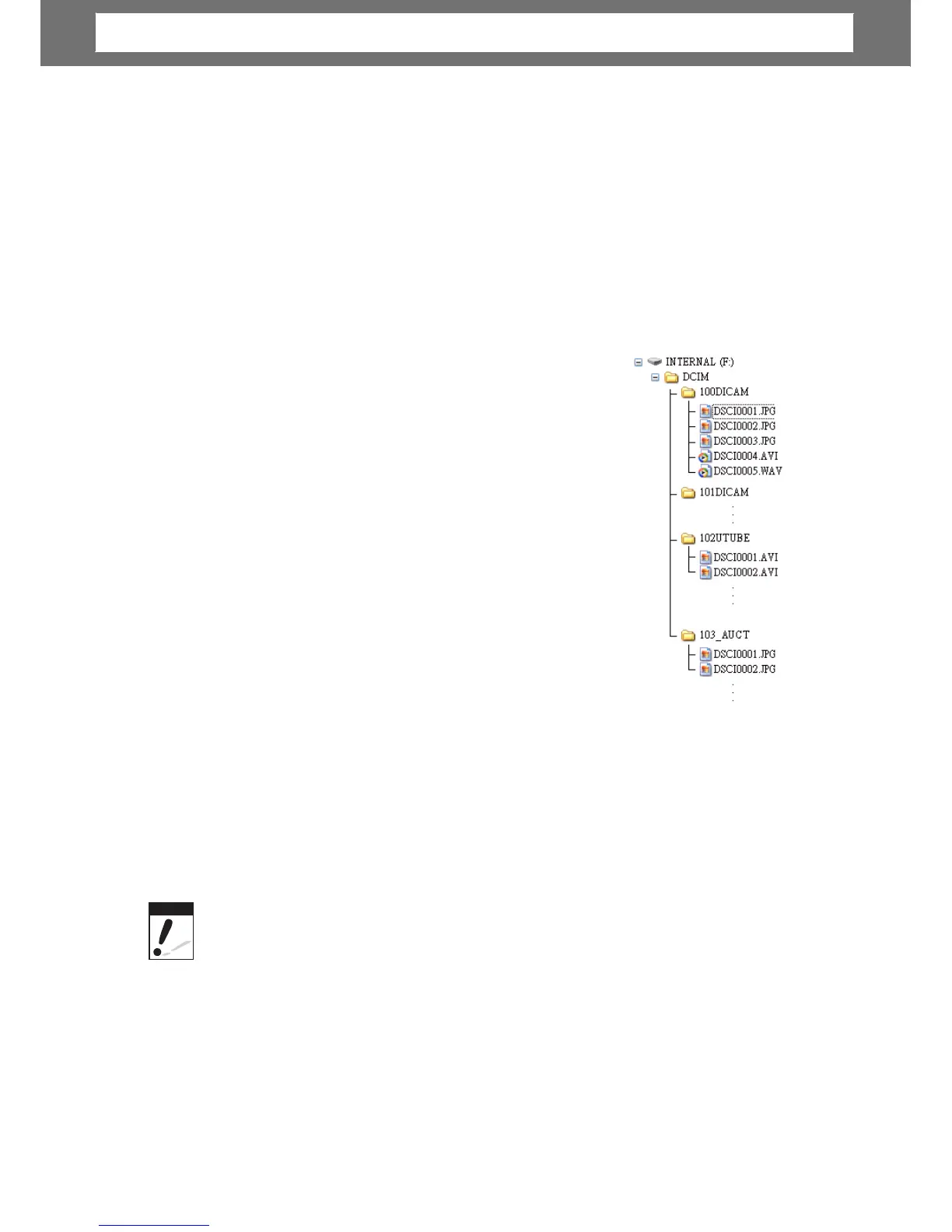
About Folder and File Names
Your camera automatically creates specific directory of folders in the internal
memory or memory cards to organize captured images, videos and audio files.
Fo
l
der
Structure
Your camera creates three directory names:
•
DICAM. All captured ima
es, videos and audio
files are stored in this folder except for files
recorded using the Auction or YouTube mode.
_AUCT. Captured images using the Auction mode
are saved in this folder.
_UTUBE. Captured videos using the YouTube
mode are saved in this folder.
•
•
it number from 100 to
999 and followed by “DICAM” or “_AUCT” or
“_UTUBE”. Each folder holds up to 9999 files. If new
files are saved, a new folder named in sequence will be
automatically created.
File
Naming
File names begin with “DSCI” and followed by a 4-digit
number that increases in sequence. File numbering
starts from 0001 when a new folder is created.
If the highest folder number is 999 and the highest file number exceeds 9999, the
camera will display the warning message “Folder cannot be created.” When this
happens, try one of the following ways:
• Reset the file number. See “Resetting” on page 58
• Plug in a new memory card.
Do
not
chan













 To Next Page