www.aja.com
77
FS4 Frame Synchronizer/Converter v1.1
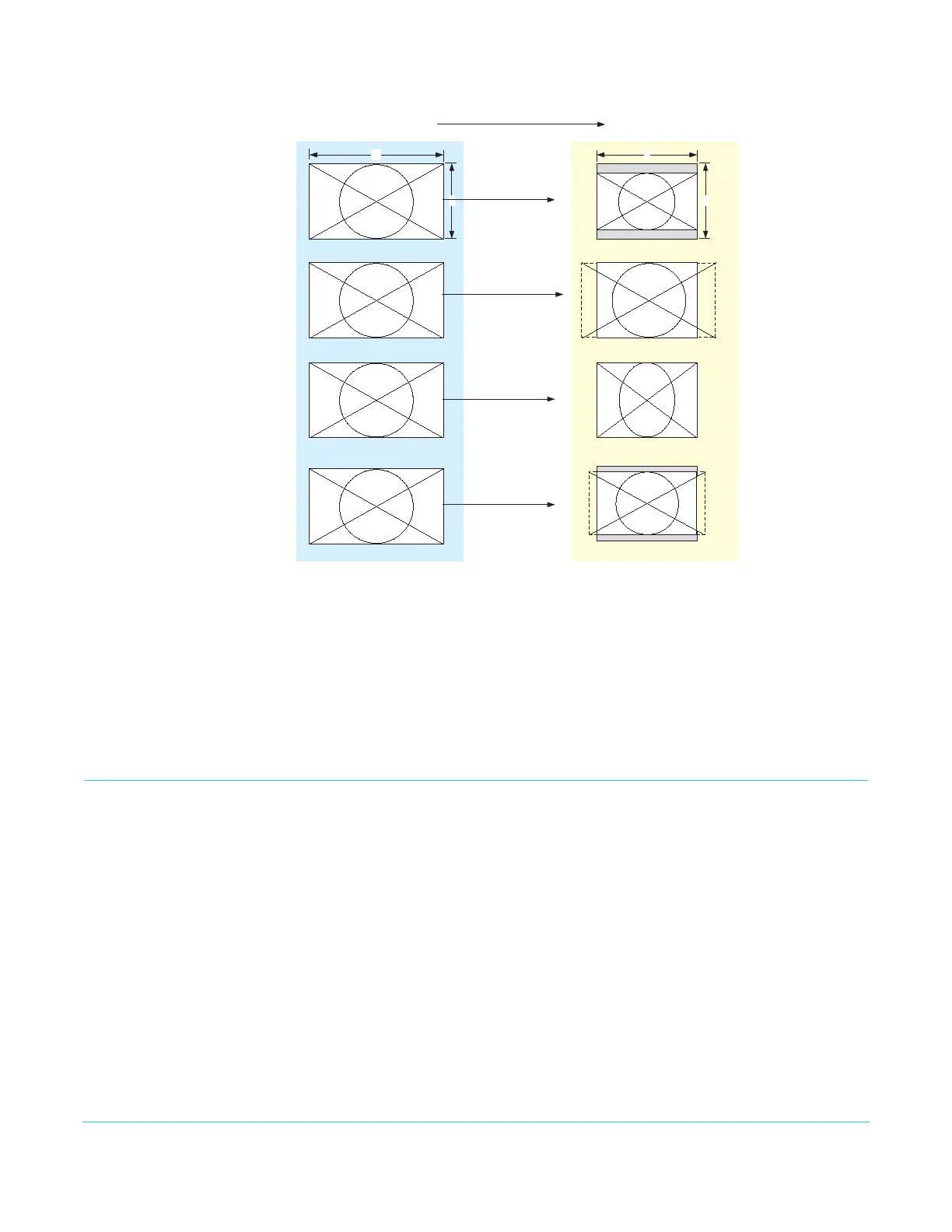
Figure 33. Downconvert Illustrations
AFD and Conversion Active Format Description (AFD) codes are carried in the vertical ancillary (VANC) portion
of HD SDI video signals, specified in SMPTE 2016 as follows: “AFD information is intended
to guide DTV receivers and/or intermediate professional video equipment regarding the
display of video of one aspect ratio on a display of another aspect ratio.” Because Auto
AFD mode fully defines the size, position, and aspect ratio of the output raster, any
Custom Size/Pos settings and any Region Of Interest settings are ignored, and those menus
are hidden. FS4 AFD processing (passing, removing, and re-inserting) occurs based on
the setting of parameter
“1.1 AFD Out” on page 68.
SCALE Menu Group
IMPORTANT: In Four Channel Mode, the settings in this menu group apply only to the selected Video
Processor (VID1- VID 4).
Custom Conversion
Settings
The custom settings determine the image size and shape for Upconvert mode if you
choose the Custom selection for those modes.
Custom settings are stored separately for each Conversion Mode. Values for each of the
Upconvert modes and SD Aspect Ratio modes (excluding OFF), plus no conversion (or
HD CrossConvert), are independently stored.
1.0 Custom Size/Pos This parameter turns custom image settings On or Off. When Hide Inactive is on, the
Custom Size/Position controls are only displayed when Custom Size/Pos is On. When
Custom Size/Pos is Off, modified parameters are skipped in the menu system, and the UFC
hardware is programmed for unity.
16
9
Anamorphic
Letterbox
4
3
16:9 Downconverts To These displays on 4:3
Crop
14:9



 To Next Page